20140704#1.0 EBS Ink Jet Systeme
63
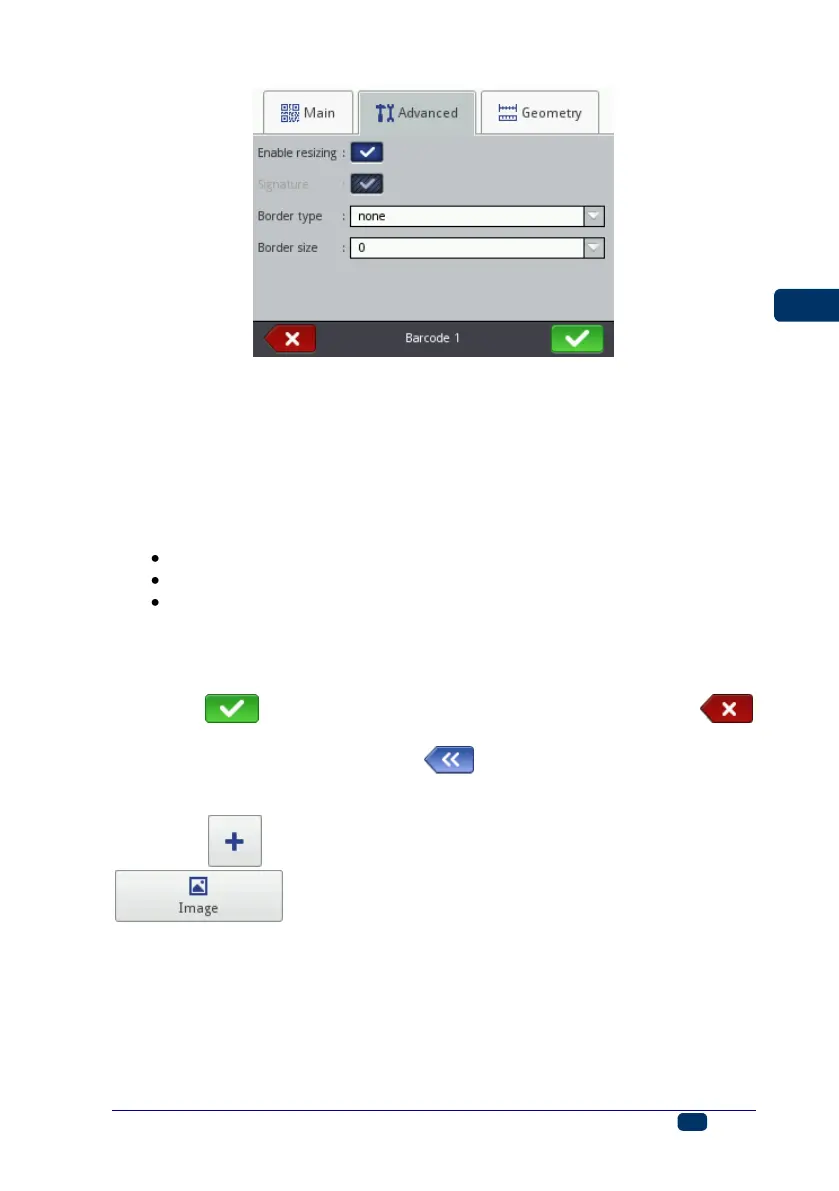
In the Advanced sheet tab you can modify the following parameters:
If the Enable resizing check box is ticked, the code can be resized. If you
change the code size and then untick the check box, the barcode regains
its original size.
Signature – the digital description of a code is to be printed beneath the
code (it is available for selected codes).
Border type – the type of barcode frame (it is available for selected
codes); three types are available:
none – no frame,
bind – frame lines at the top and bottom of a code,
box – a code is framed on each side.
If the bind or box option is chosen, set the Border size to a different
setting than 0 to make the frame visible.
Border size – the width of a barcode frame; it allows you to modify the
frame width when the Border type is set to bind or box.
Touch the button in order to add the object to a project or the
button to abandon the addition. If no changes have been made, you can return
to the previous screen by touching the button.
Image
Touch the button, choose the Others sheet tab, and then touch the
button in order to add a new, Image-type object to a project.



 To Next Page