20140704#1.0 EBS Ink Jet Systeme
115
Install Option
In the Service menu, which is on the menu bar, choose Install option.
This function allows you to add various software options according to user
requirements. Consult specialist personnel dealing with printer distribution and
service about the possibility of adding dedicated software.
Choose a file that is on computer disc by touching the text field or the
button in order to install an additional option. When the file is
chosen, the text field box shows a path. Touch the button
in order to add the selected option to printer software.
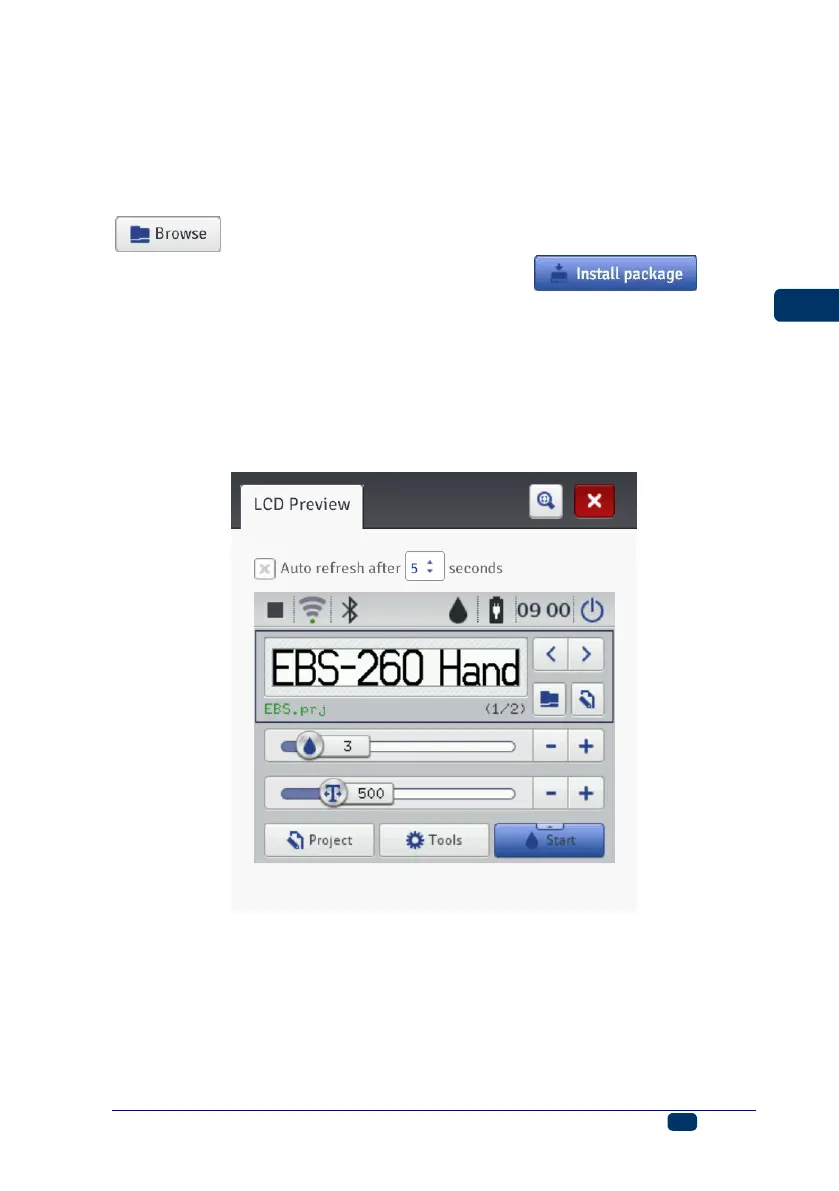
LCD Preview
In the Service menu, which is on the menu bar, choose LCD Preview.
Owing to the preview function you can use the processor to see what is
displayed on the printer LCD and also to operate the printer with the mouse.
The image is refreshed at a time interval to be chosen in the drop-down list
when the Auto refresh after check box is ticked.
Printer Control
See Printing a Project via Web Browser (p. 121).
The Printer control menu is not available to Offline WUI, but you can manage
operation of a selected printer via a printer network – see Printer network (p.
110).



 To Next Page