40
EBS Ink Jet Systeme 20140704#1.0
Getting Started
Projects for printing can be created and edited in two ways: via the touch screen
of the printer and with a processor that is available via a Web Browser.
Operating the Printer via Printer Touch Screen
File Manager
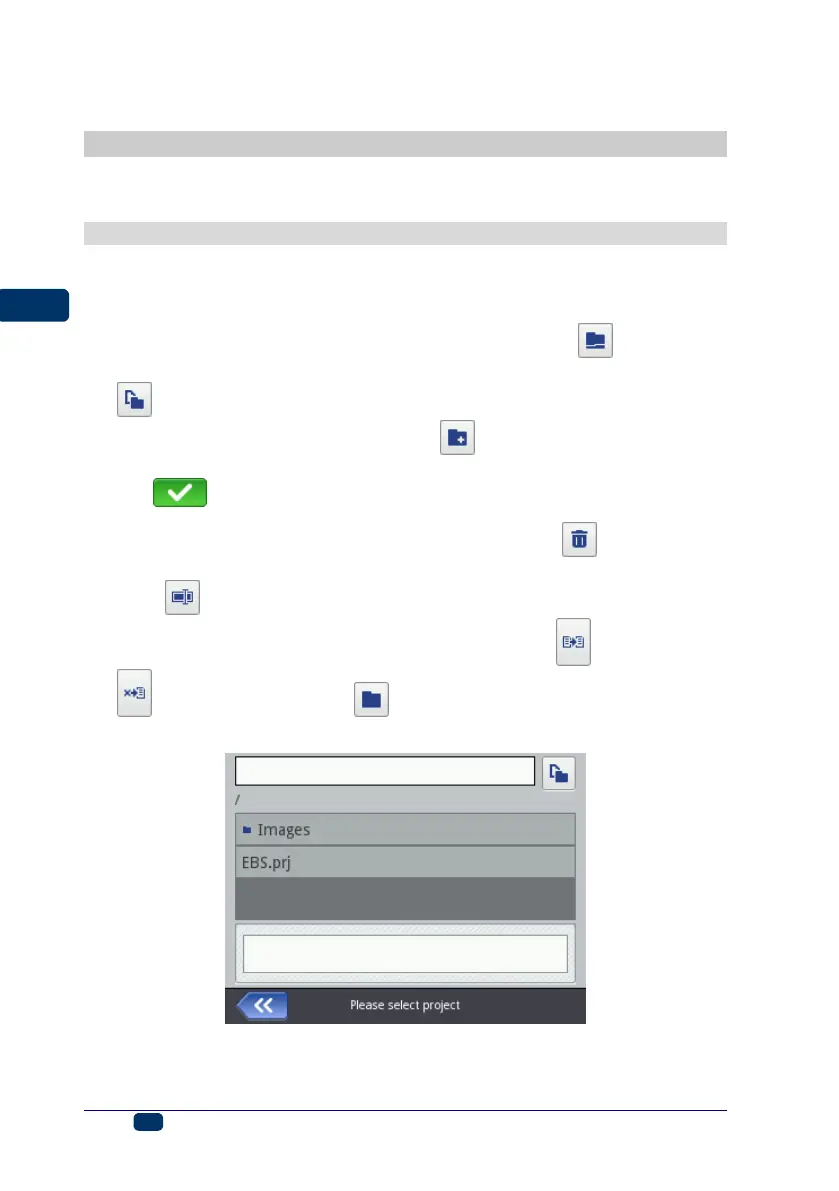
File Manager is available after Create project, Edit project have been touched
(they are accessible with the Project button (T)) or after the open-project-
for-printing button (L) accessible on the main screen has been touched. Touch
the button to move to the File Manager. In the newly displayed screen you
can manage files and directories. Touch the button in order to create a new
folder. Type in a name of the new folder on the screen displayed and confirm
with the button.
Highlight a file or folder name in the list and then touch the button, in order
to delete the file or folder. Highlight a file or folder name in the list, and then
touch the button in order to change the name of the file or folder.
You can copy files and move them among folders with the copy button and
the move button. Touch the button in order to close the File Manager
and return to the previous screen.



 To Next Page