26
EBS Ink Jet Systeme 20140704#1.0
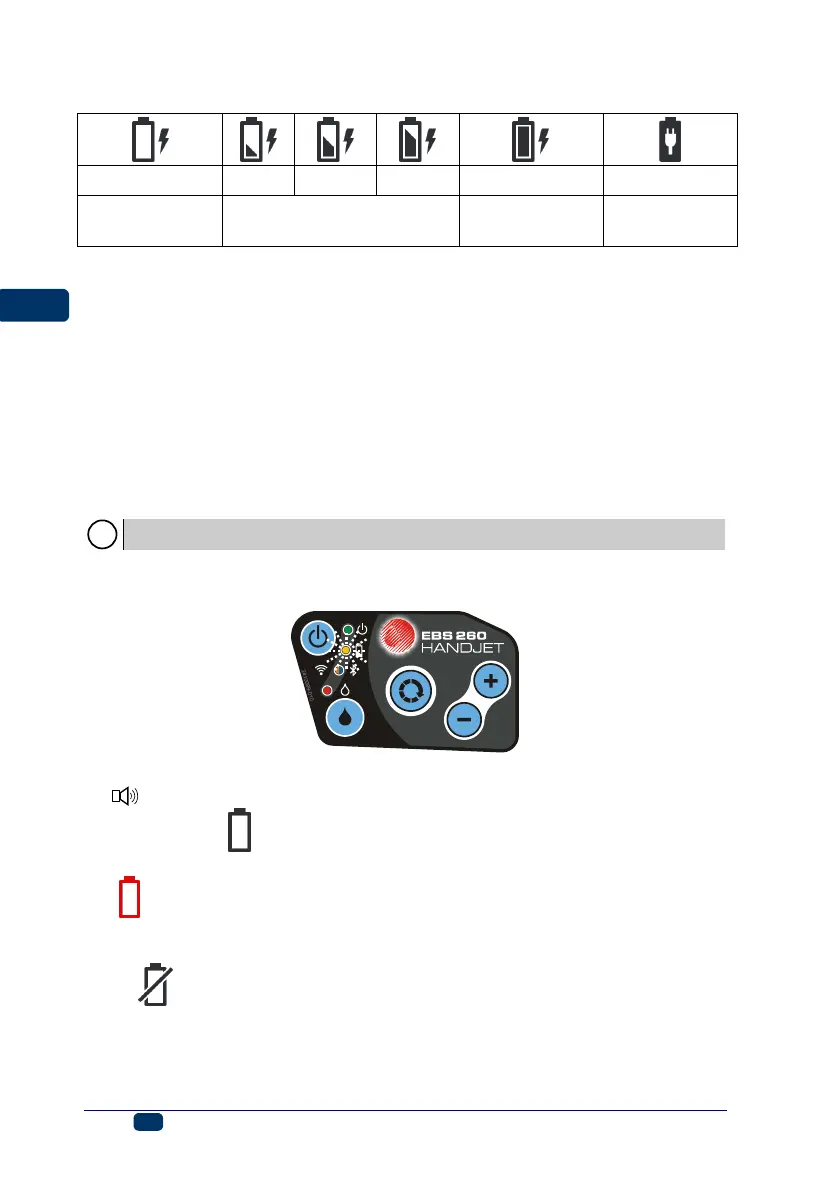
Recharging indicators:
diode 20 flickers
4 x per second
diode 20
flickers 2 x per second
diode 20
flickers every 1s
diode 20 emits
cont. light
The HANDJET
®
EBS-260 printer should be stored with its batteries charged. If
the printer is to be stored for a longer time (6 months or longer) and its batteries
are not recharged, it may work for a shorter time after it has been recharged
afterwards or in certain circumstances even stop working. Such a phenomena is
caused by the properties of the batteries, which are always subject to the
process of self-discharging. In the consequence of self-discharging and long-
term storage in the discharge state, the maximum capacity of the batteries may
lower or the batteries may get damaged completely.
In order to avoid such a situation, it is necessary to charge batteries of the
HANDJET
®
EBS-260 printer at least twice a year (however not less
frequently than every 6 months). Otherwise, the printer may stop working or
the printer operation time after recharging may shorten dramatically.
The battery is not replaceable as standard.
Low-battery Indicator
The printer indicates a low-battery condition with a buzzing signal from buzzer
34
(provided that an appropriate alarm has been set – see Sound Settings
(p. 23)) and the icon (G) displayed on screen 12. An extreme discharge
condition (below 5%) is signaled with a very fast, uniform flicker of diode 20 and
the icon (G) displayed on screen 12. When the battery reaches its critical
condition, any further use of the printer is interrupted and the printer switches off
automatically. The battery should be recharged.
If the icon (G) is additionally displayed, this may mean that there is no
communication with the battery controller or that the battery is damaged – when
such an icon is displayed, restart the printer; when the problem does not
subside, contact your service point.



 To Next Page