98
EBS Ink Jet Systeme 20140704#1.0
You can convert a Communications Port-type object into another text object
with the button.
Touch the button in order to confirm the settings and to add the object to
a project.
Text Object – Text File
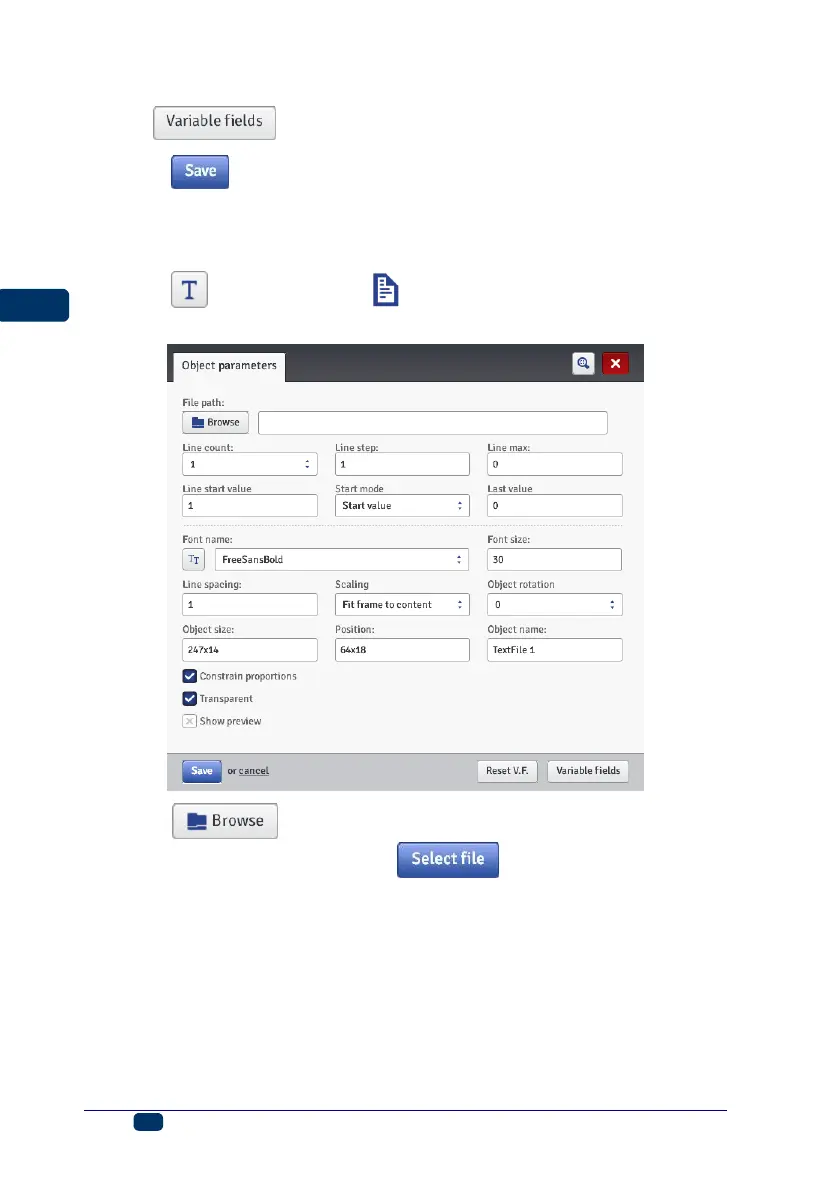
The Text file text object is used for printing the data stored in a TXT file.
Touch the button and then the button in order to add a new Text file-
type text object to a project.
Touch the button and choose a file name out of those listed in the
window displayed, and then touch the button in order to roll-in the
text file.
The parameters of a Text file object are as follow:
Line count – the number of lines to be added to the object from the text file.
Line step – the number of lines by which text file data moves each time a
print is made. If the Line count is greater than the Line step, the data
moves by the number of lines given in the Line count.
Line max – the last line of text to be included in a printout.
Line start value – the text line to be added to an object as a first one.
The Start mode parameter is used to define which line of the text file is to be
rolled-in after printer operation has been resumed. Two options are possible:



 To Next Page