20140704#1.0 EBS Ink Jet Systeme
25
Energy Management
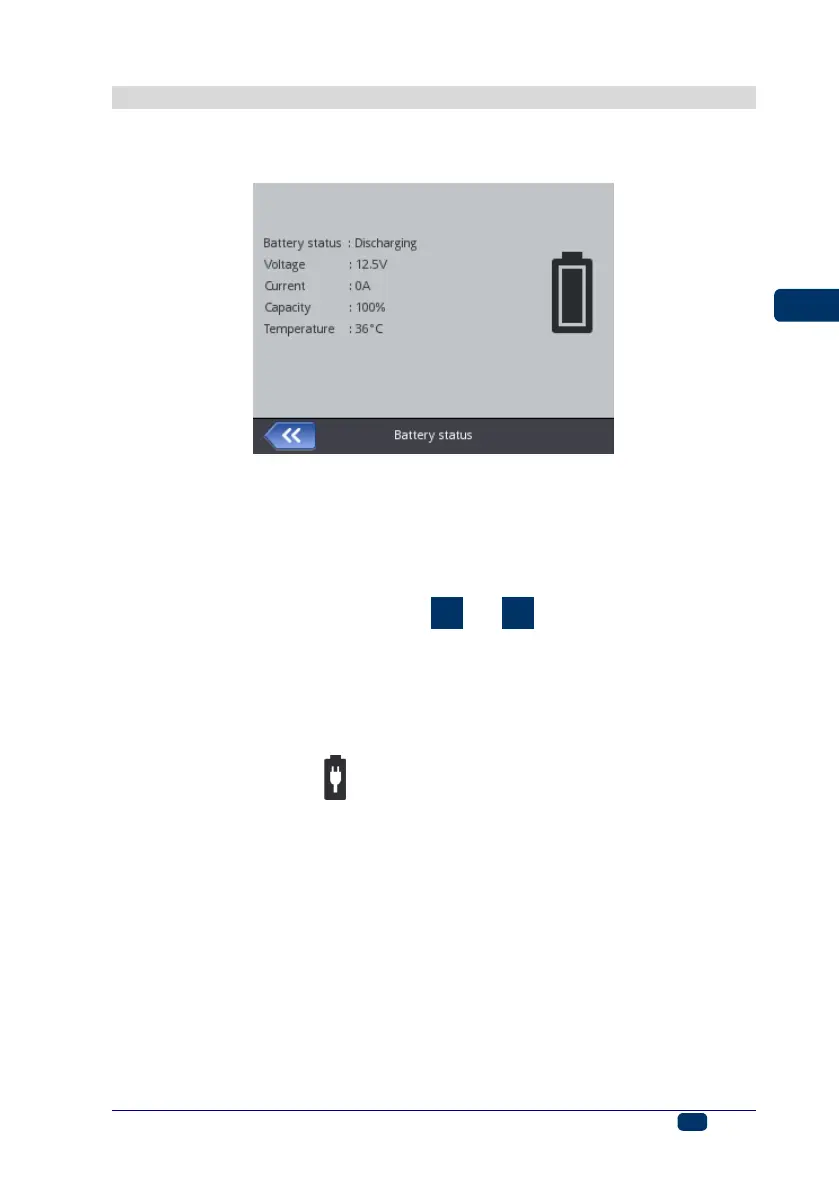
The detailed information on the batteries (the battery status, voltage, current,
charge level, temperature) is available after the battery icon on the main display
top bar has been touched.
Charging the Battery
A LI-ION top-quality battery has been installed in the printer. It can be
recharged at any stage of printer operation.
The battery that is new or has not been used for a long time cannot be charged
up to its full capacity. Therefore, in order to form the battery follow three charge-
and-then-discharge cycles. See figures
and
.
1. Pull out plug 16 from socket 15 and tilt it.
2. Insert power pack connector 29 to socket 15 and the outlet plug of the
power pack 28 to a wall outlet.
3. When the battery is in the process of being recharged, diode 20 flickers,
and the battery-and-lightning-bolt icon appears on printer screen 12. Wait
until the recharging finishes, which is signaled with continuous light emitted
by diode 20 and the icon (G) displayed on screen 12. Do not turn the
mains electricity off or remove the power pack connector from socket 15
while recharging is in progress.
4. Remove power pack plug 29 and secure socket 15 with plug 16. Detach the
power pack from the mains and place it into the bag.
5. In order to maintain battery efficiency for a long time, the battery should not
be recharged until it is discharged completely – see Low-battery Indicator
(p. 26).



 To Next Page