36
EBS Ink Jet Systeme 20140704#1.0
with the button. On selecting the file or typing in its name, confirm the
selection with the button.
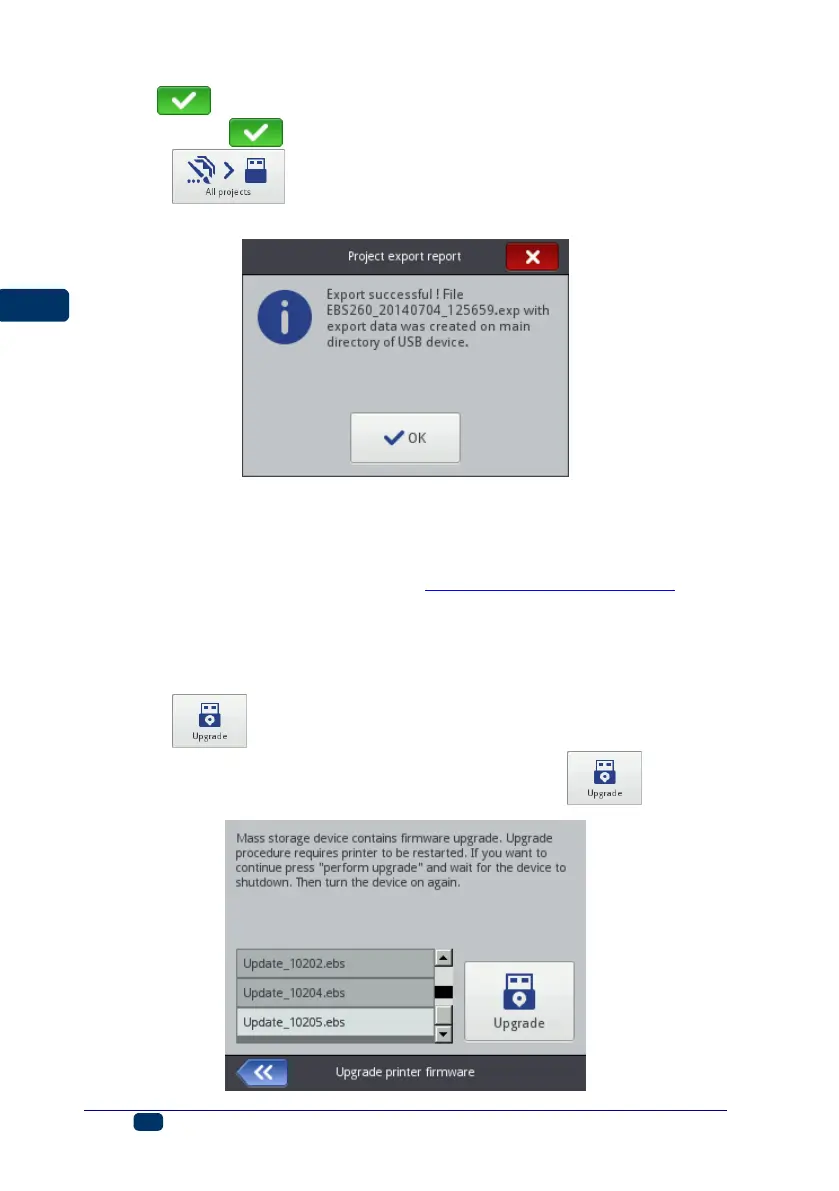
Touch the button in order to export all projects. If a single project
or all projects are exported successfully, the following message is displayed:
Updating Software
Owing to software updates, the printer always has up-to-date and improved
software, which makes it function better.
New versions of the software are stored at http://www.ebs-inkjet.pl/ebs260 in the
Information Materials sheet tab. The update may involve a loss of projects and user-
specific settings, and also the deletion of fonts and images installed. Make sure that
the projects and files you wish to save have been backed up before updating – see
Exporting Projects (p. 35) via the printer (only projects are exported) or Export
Project (p. 79) via EBS Web User Interface (projects and images are exported).
Touch the button. On the screen displayed choose an update file with
the extension EBS in the list. On selecting the file, touch the button.



 To Next Page