14
EBS Ink Jet Systeme 20140704#1.0
Simple menu
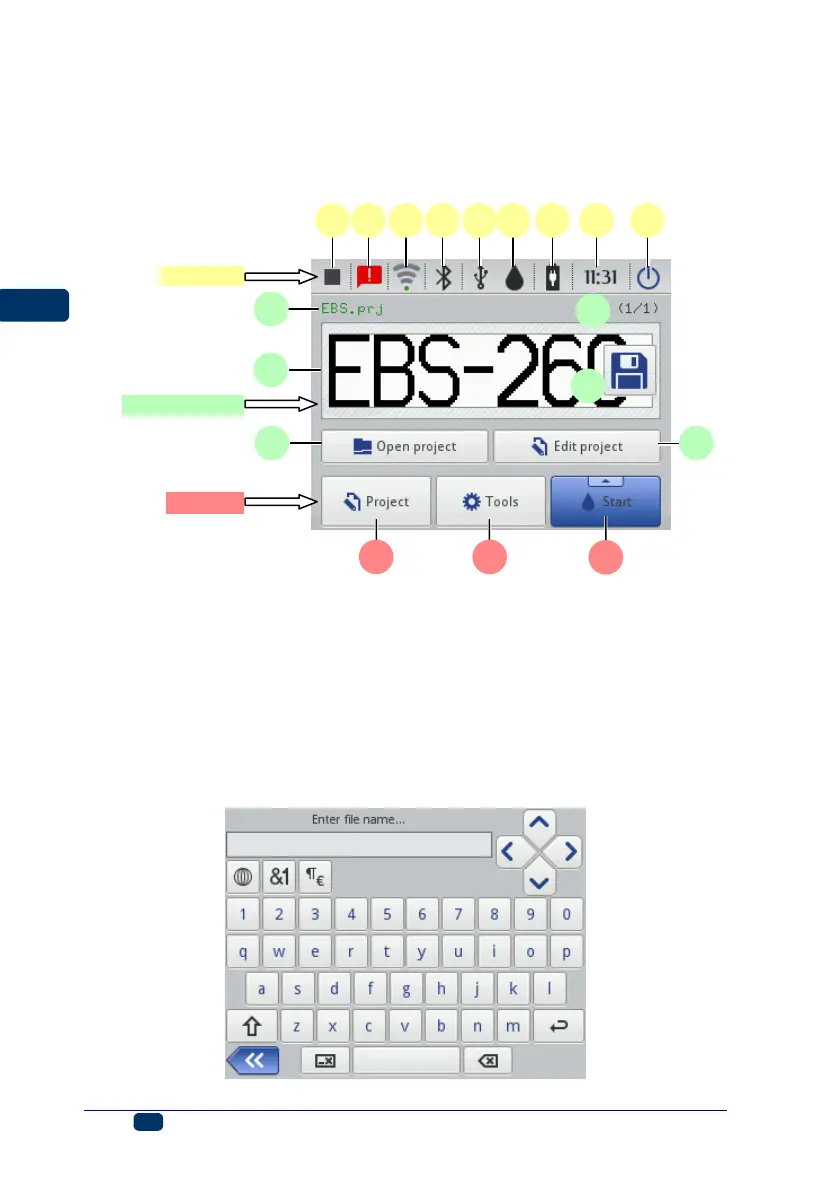
You can switch between the main screen and the simplified screen by touching the
selection button that is by the Simple menu option in the General Settings
Common sheet tab (see General Settings p. 21)).
Use can use the keys 25 and 26 on the keypad 10 to choose a project for
printing (within one folder).
LCD Keypad
The on-screen keypad can be used for changing the settings of parameter and
inputting text files from the printer touch screen (LCD) level. It is displayed on
the LCD display after a given parameter field has been chosen, while the
password is being typed in during logging in operation or while a text is being
input to a project.



 To Next Page