30
EBS Ink Jet Systeme 20140704#1.0
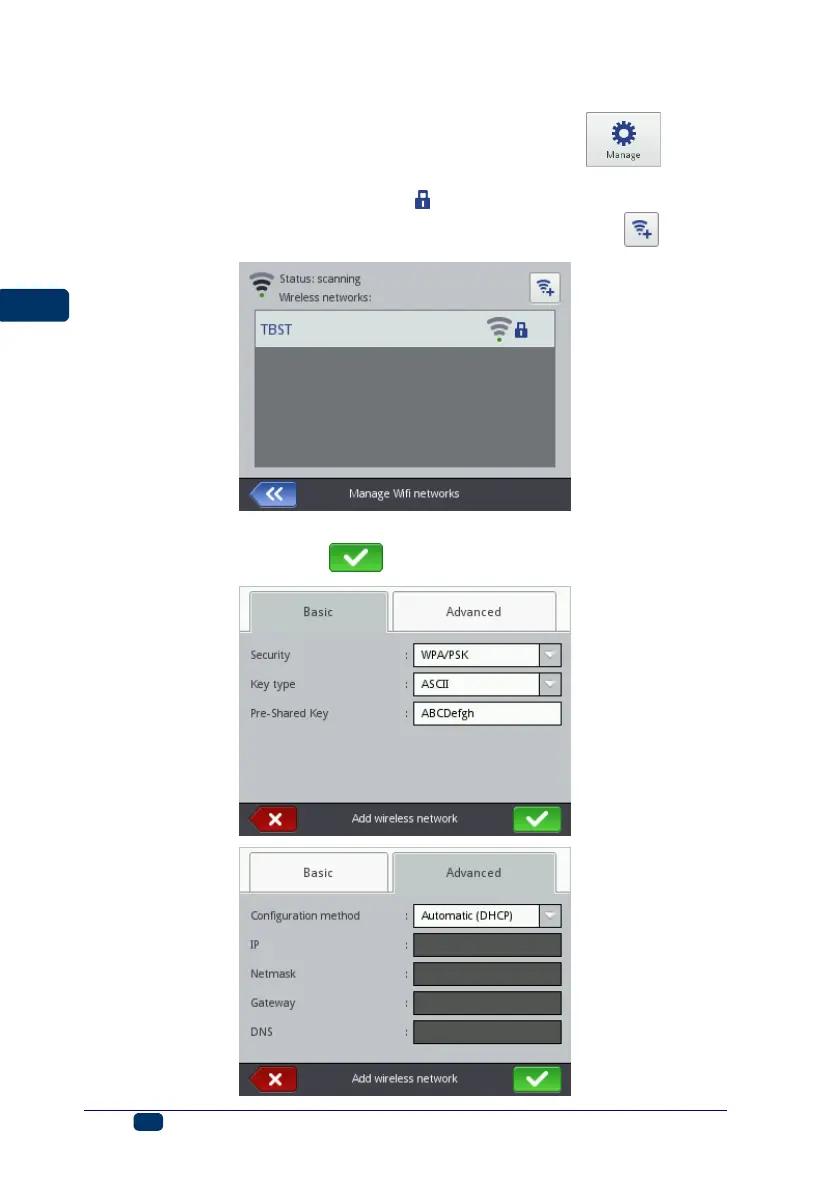
Connecting the Printer to a New Network via WiFi
1. Move to the WiFi parameter setting window and touch the button.
A list of the networks available is displayed, together with the information
whether a given network is secured ( ) or not.
2. Choose the network you wish to link to in the list and touch the button.
3. Type in the network data in the Basic and Advanced sheet tabs. Confirm
the modifications with the button.



 To Next Page