20140704#1.0 EBS Ink Jet Systeme
111
modify the menu names, key labels and the messages that are displayed on the
printer LCD and in the printer processor. Choose the language that you wish to
edit in the drop-down list, and then choose Editor (EBS Web User Interface
messages) or LCD (printer messages). On modifying a text touch the
button at the bottom of the page.
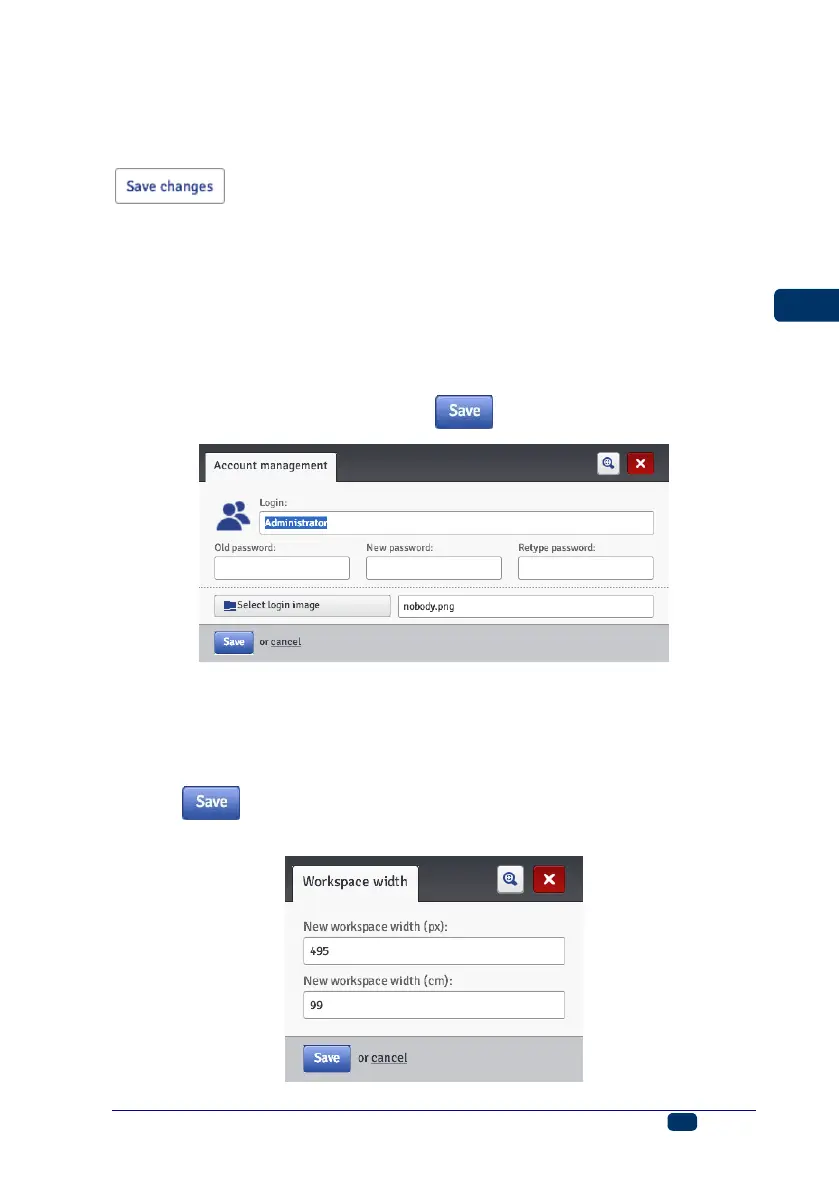
Account Manager
In the Tools menu, which is on the menu bar, you can choose Account
management. With this tool you can manage the data on the account of the
currently logged-in user.
You can re-name the user. For that purpose delete the name used so far in the
Login field and type in a new name.
In order to change the password of a given user, type in the Old password,
and then type in and repeat a New password. The new settings are available
after they have been confirmed with the button.
Workspace width
In the Tools menu, which is on the menu bar, you can choose Workspace
width. With that tool you can set the width of the edit area precisely. The setting
can be made in pixels (New workspace width (px)) or centimeters (New
workspace width (cm)) by choosing the proper field. Confirm the new setting
with the button.
The tool is available when a project is open and can be edited.



 To Next Page