20140704#1.0 EBS Ink Jet Systeme
99
Start value – the line defined by the setting of the Line start value
parameter is to be rolled-in,
Last value – the line shifted by the Line step in relation to the line on
which printing finished is to be rolled-in.
Line last value indicates the line that has been last printed. The line is
stored in memory provided that the printer is switched off properly – see
Switching the Printer Off (p. 16).
With the button you can modify the Line start value parameter. The
parameter is available for the counters whose Start mode parameter is set to
Start value.
You can convert a Text file-type object into another type of object with the
button.
Touch the button in order to confirm the settings and to add the object to
a project.
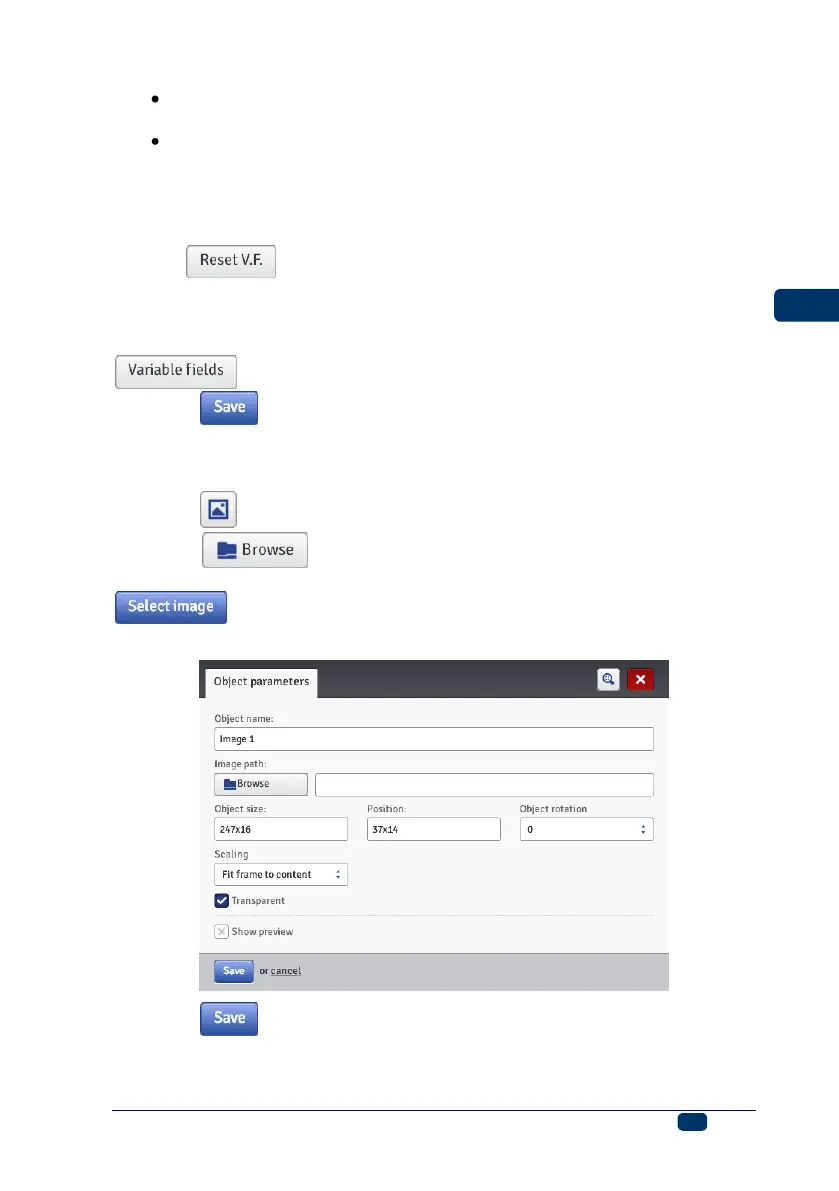
Image
Touch the button in order to add a new, Image-type object to a project.
Touch the button in order to roll-in an image from printer memory
for printing, choose a file name in the window displayed, and then touch the
button (see Image Manager (p. 105)). The printer can process
PNG files.
Touch the button in order to confirm the settings and to add the object to
a project.



 To Next Page