88
EBS Ink Jet Systeme 20140704#1.0
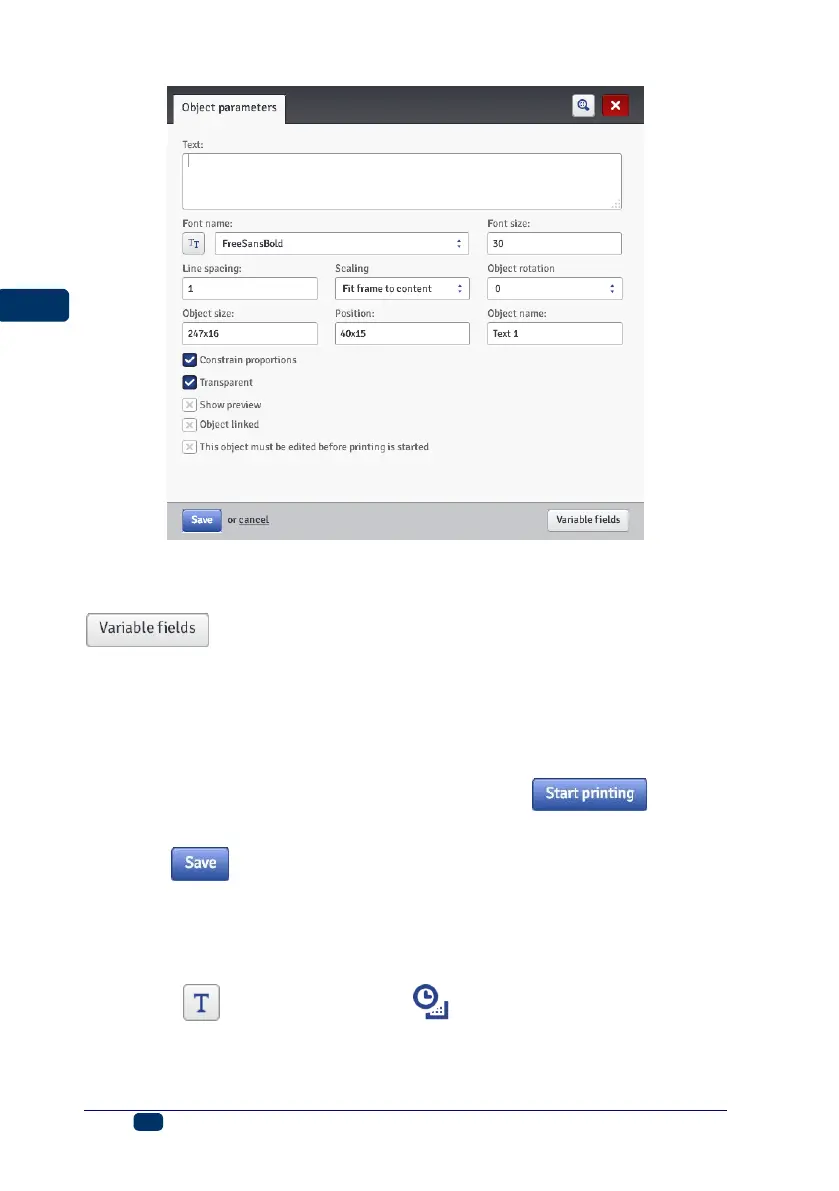
You can type in any characters string in the Text field. The division of a text into
lines can be done by pressing the ENTER button on the computer keypad.
You can convert a Normal Text-type object into another text object with the
button.
If the Object linked check box is ticked, the object assumes the setting of the
object chosen in the drop-down list. Another text object or a barcode can be
used as object linked.
If you need to edit your text just before it is printed, tick the check box for This
object must be edited before printing is started. The object parameters can
be modified in the window that is displayed when the button is
touched.
Touch the button in order to confirm the settings and to add the object to
a project.
Text Object – Date/Time
The Date/Time text object allows you to print the current date and the current
time and also an expiration date automatically.
Touch the button and then the button in order to add a new,
Date/Time-type text object to a project.



 To Next Page