16
EBS Ink Jet Systeme 20140704#1.0
l- ; z- ; c- ;
n- ;
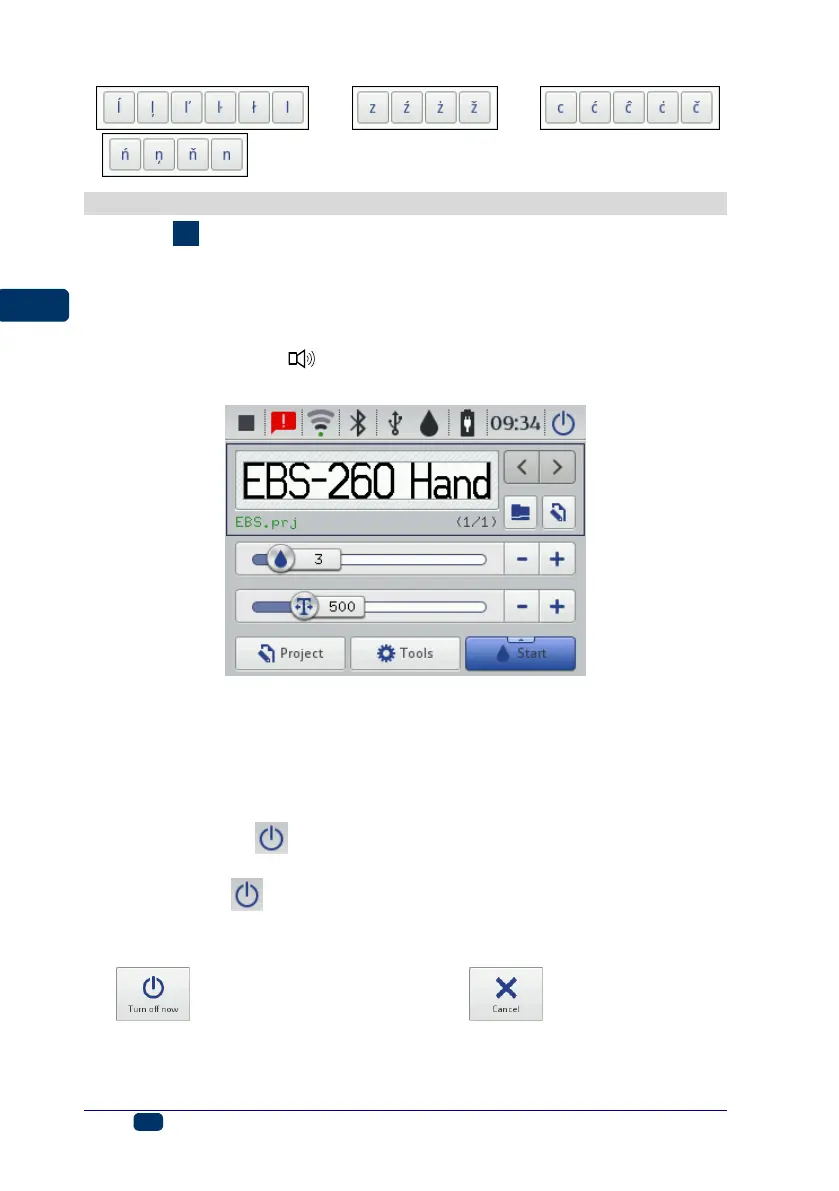
Switching the Printer On and Off
See figure
.
Switching the Printer On
Touch button 18 (and hold it on for about 1s) on the printer keypad 10. The
switching on is done properly when diode 19 emits lights and an audible signal
is heard from buzzer 34 . The printer is ready for operation when the main
screen is displayed (in about 30 s from the switching on).
When the printer is switched on, you can move to print a text file from printer
memory.
Switching the Printer Off
The printer can be switched off in three ways:
by means of button 18 on the printer keypad 10,
by means of the (I) button on the printer touch screen 12,
remotely, with EBS Web User Interface available via a Web Browser, by
means of the button.
When you press button 18, the display shows the message that the printer will
be switched off in 120 seconds. You can speed up this operation by touching
the button or cancel it by touching the button.



 To Next Page