20140704#1.0 EBS Ink Jet Systeme
83
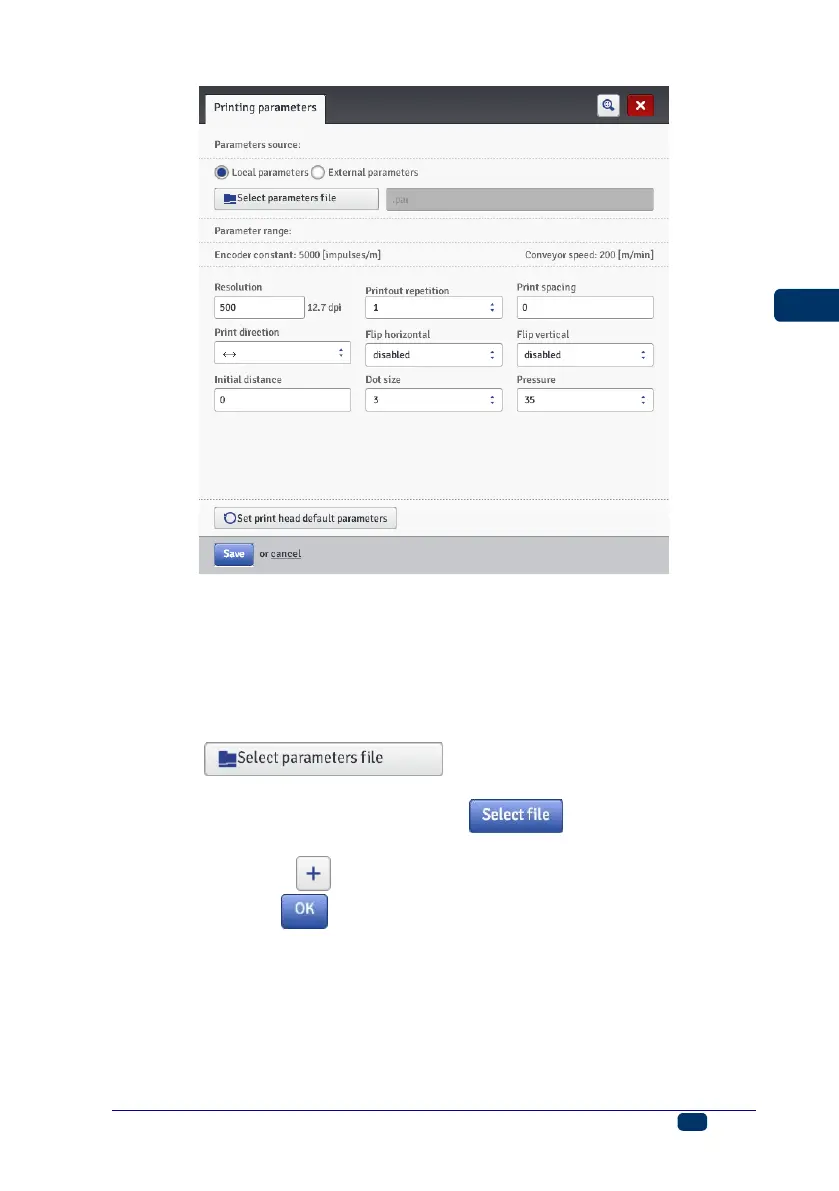
The printing parameters can be set in a table (Parameters source: Local
parameters) and they are different for every project.
You can also import the parameters from a file that must be compiled in
advance (Parameters source: External parameters). This option is very
useful when a set of parameters is common for a number of projects. Any
modification to the parameter file will apply at the same time to all the projects
where a given parameter file is used.
Touch the button in order to read-in parameters
from an external file; highlight a parameter file in the list in the ”Review
parameter files” window, and then touch the button.
In the ”Review parameter files” window you can save the parameter settings to
a file by touching the Create new file button. Type in a name of the file
and confirm with the button in the window that follows.
The ranges of the parameters are given in the upper part of the window (above
the division line) after the field of a parameter has been highlighted.
The Resolution parameter impacts on the visibility of the project
characters after they have been printed. It decides on print resolution,
which is given as a number of rows/meter. In other words, a change in the
width of characters printed and in the length of the entire project are the
visual effects of a change in the setting of the Resolution parameter.



 To Next Page