94
EBS Ink Jet Systeme 20140704#1.0
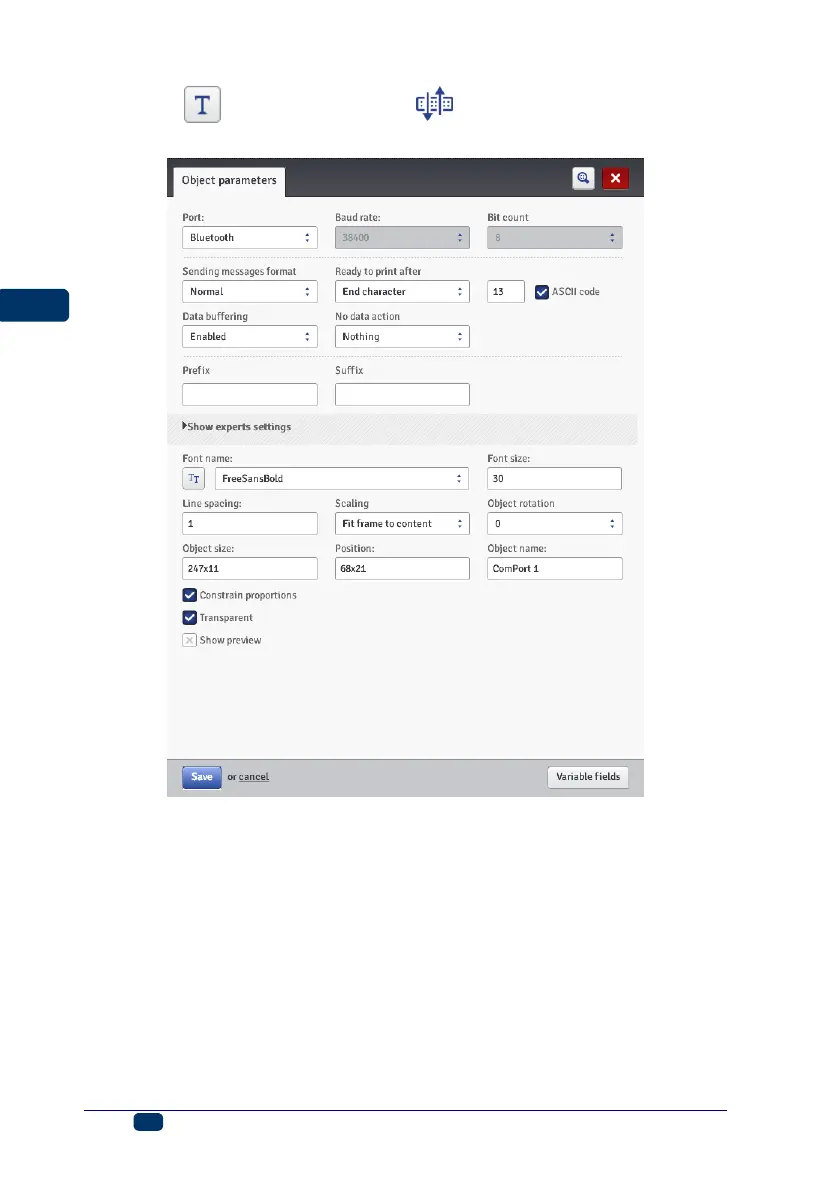
Touch the button and then the button in order to add a new,
Communications port-type text object to a project.
When added to a project, the Communications Port object is highlighted (e.g.
in blue). This means that its contents during printing depends on data
transferred to the communication port. If a greater number of Communications
Port objects are used, each of them is highlighted in a different color.
For a Communications Port object you can set the parameters that are
significant for establishing communication between the printer and an external
device. The printer and the device must have the same settings of the following
parameters to communicate successfully:
Port – it defines the name of a printer port to which an external device is
connected as a source of serial transmission signals in RS–232 standard,
for example. There is no physical RS–232 interface in the printer, so you
need to apply a USB – RS232 converter in order to connect an external
device. With such a converter you can connect an external device (e.g. a



 To Next Page