RESTRICTED USE ONLY Fargo Electronics, Inc.
DTC400e Card Printer User Guide (L001172 Rev. 1.1)
5-24
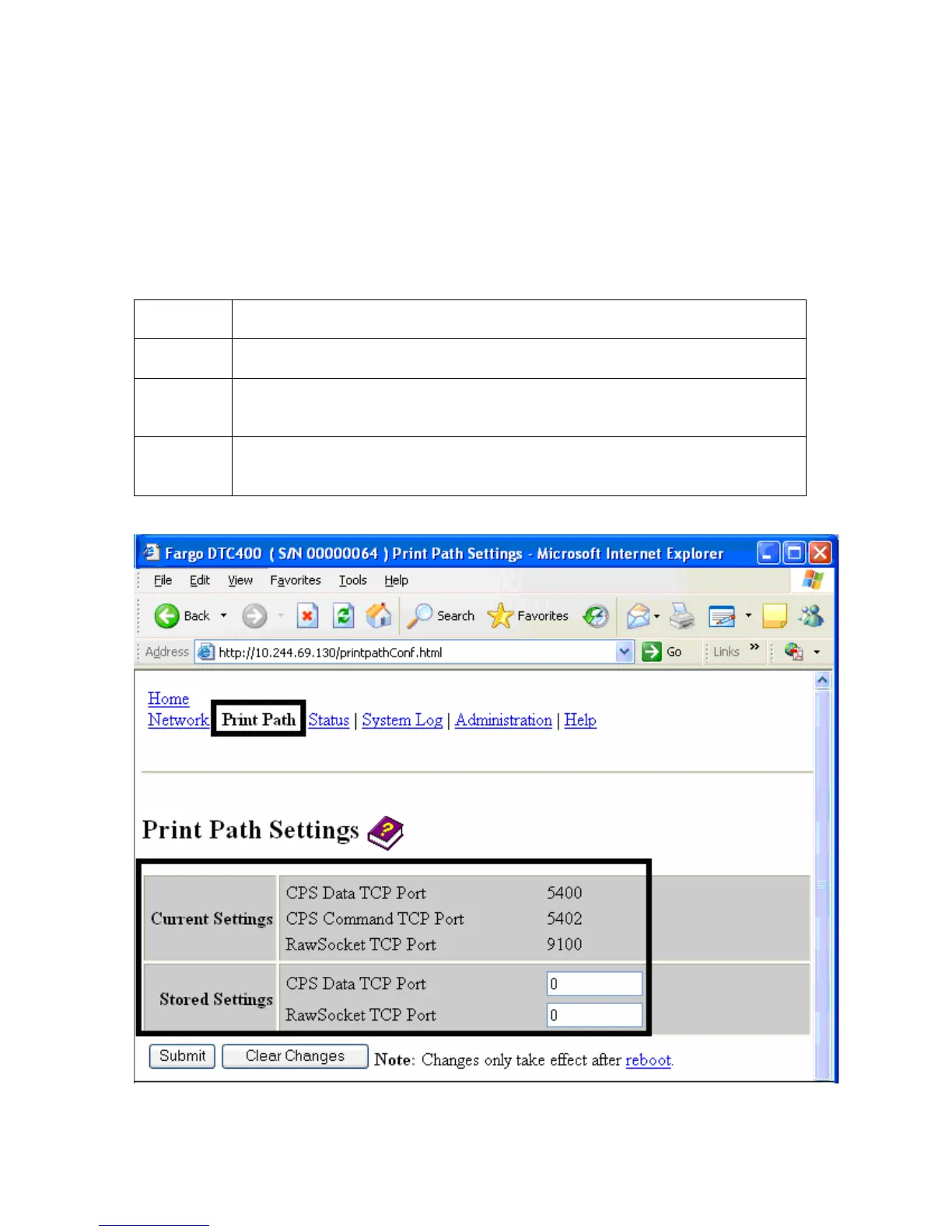
Using the Print Path page
The purpose of the Print Path page is to allow the User to view or change the TCP port
numbers used to communicate to the printer. If these settings are left to the default entry of 0
then the default ports of 9100, 5400 and 5402 will be used for the RawSocket TCP Port, the
CPS Data TCP Port and the CPS Command TCP Port respectively. The CPS Command
TCP Port is dependent on the setting of the CPS Data TCP Port and always two units
higher.
Step Procedure
1 Select the Print Path link.
2 View the active configuration of the printer in the Current Settings area on
this page.
3 New port numbers may be entered into the Stored Settings area in the
text boxes provided on this page.



 To Next Page