RESTRICTED USE ONLY Fargo Electronics, Inc.
DTC400e Card Printer User Guide (L001172 Rev. 1.1)
5-49
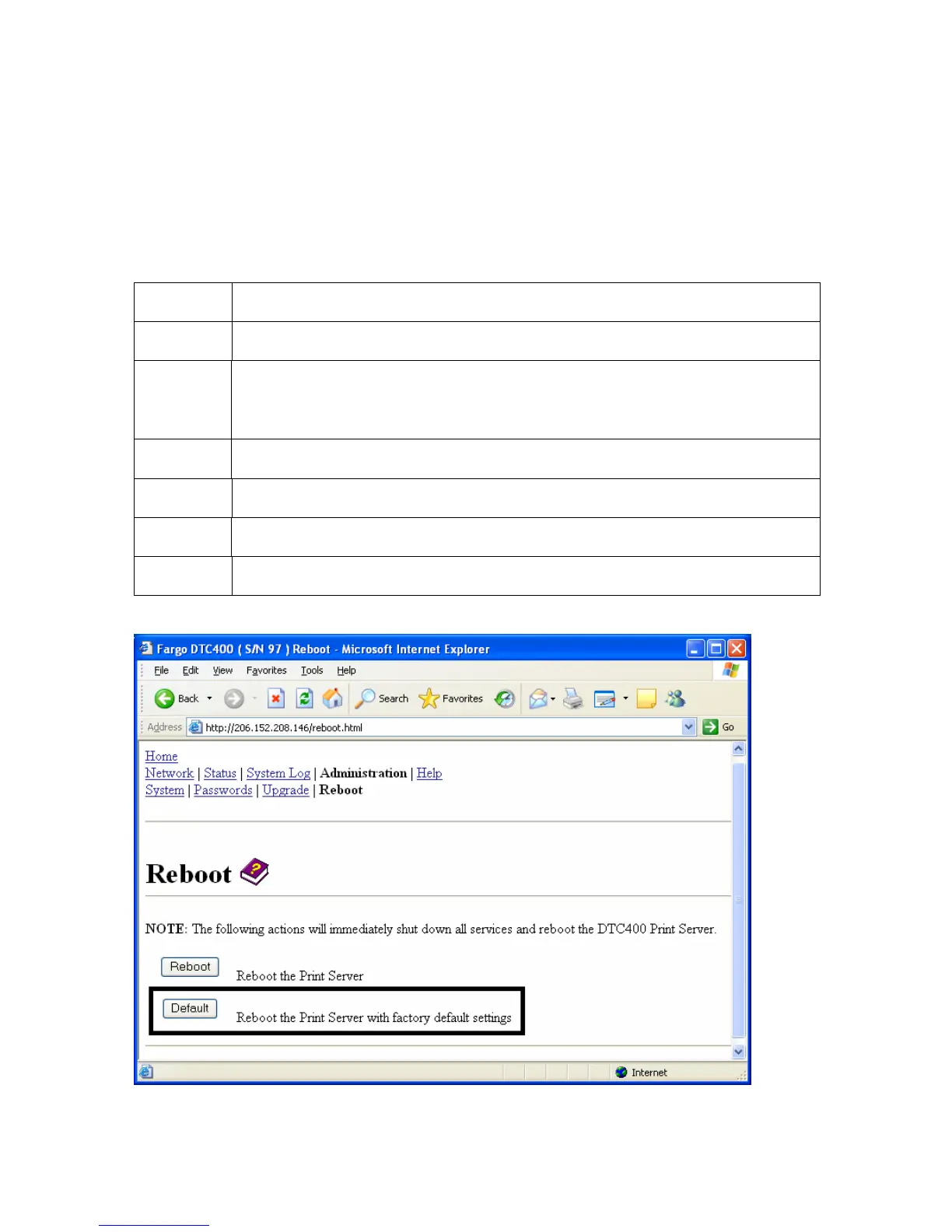
Resetting to Default Settings
The Reboot page also allows the User to reboot the Ethernet Print Server into a default
settings mode. (Note: This simply restarts the Printer in a different state with the settings in
memory temporarily ignored.)
When the Default button is selected, the stored settings in the Printer’s memory are not
changed.
Step Procedure
1 Select the Administration link.
2 Log in as a root User (using the password) if you are so prompted. (Note:
Any change of setting will only be accepted after you have successfully
logged in.)
3 Select the Reboot link.
4 Select the Default button.
5 Click the Yes button when prompted.
6 Wait for the Printer to reboot and display the home page.



 To Next Page