RESTRICTED USE ONLY Fargo Electronics, Inc.
DTC400e Card Printer User Guide (L001172 Rev. 1.1)
5-34
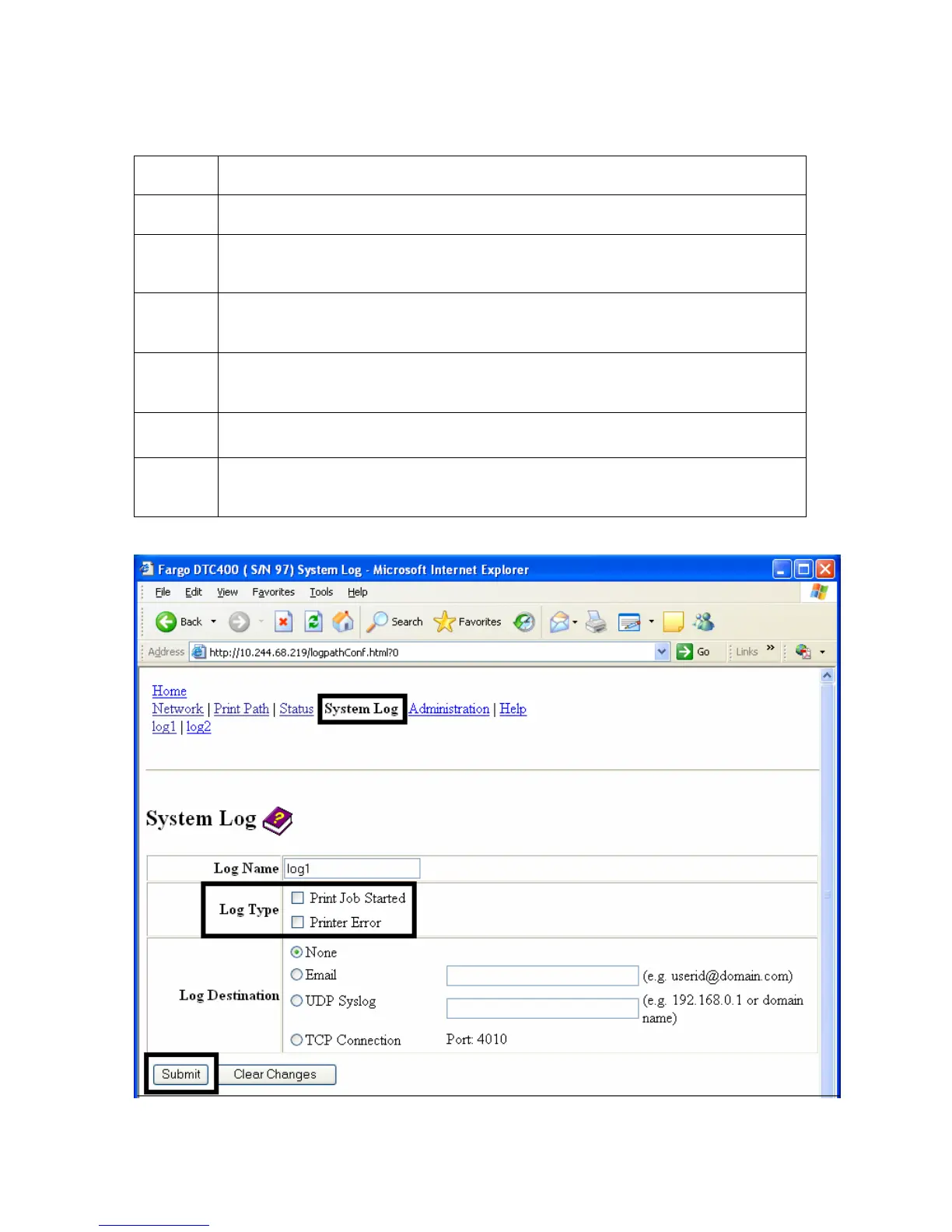
Selecting the Log Type
Step Procedure
1 Select the System Log link. See the next page.
2 Select the link for the log name you want to view or configure (the default
choices are log1 or log2).
3 Select the Print Job Started checkbox to generate the log entries for each
Print Job Started.
4 Select the Printer Error checkbox to generate the log entries for each
Printer Error.
5 Select the Submit button.
6 Login as a root User if you are so prompted. (Note: Any change of setting
will only be accepted after you have successfully logged in.)



 To Next Page