RESTRICTED USE ONLY Fargo Electronics, Inc.
DTC400e Card Printer User Guide (L001172 Rev. 1.1)
6-93
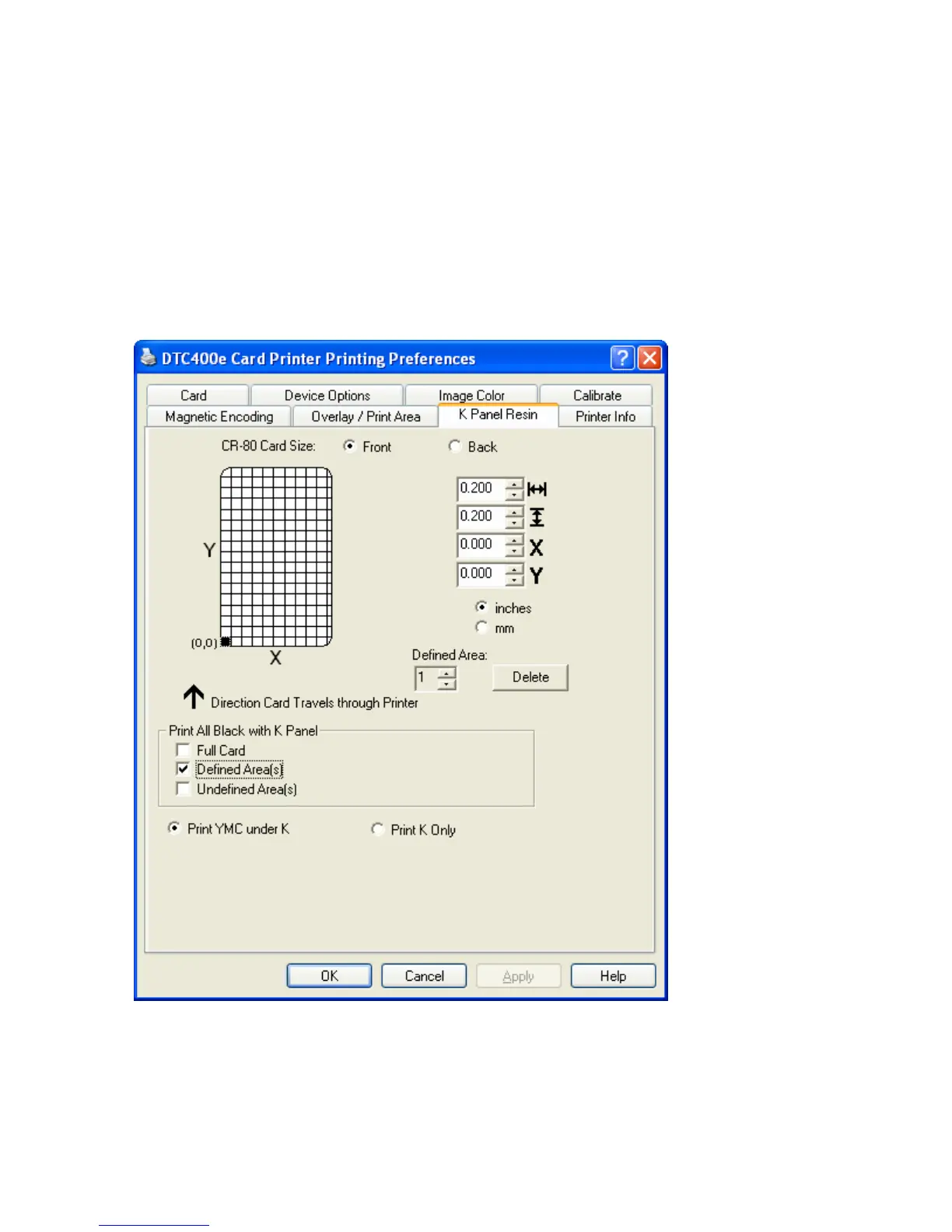
Using the K Panel Resin tab
Select the K Panel Resin option to control where the resin black (K) panel of a full-color
Ribbon is printed.
• If printing with a resin-only Ribbon type all K Panel Resin options will be grayed out.
• Resin black text is desirable due to its sharp, saturated black coloring and resin black bar
codes are often required by Ultra Violet barcode readers to ensure readability when
scanned.)



 To Next Page