RESTRICTED USE ONLY Fargo Electronics, Inc.
DTC400e Card Printer User Guide (L001172 Rev. 1.1)
6-37
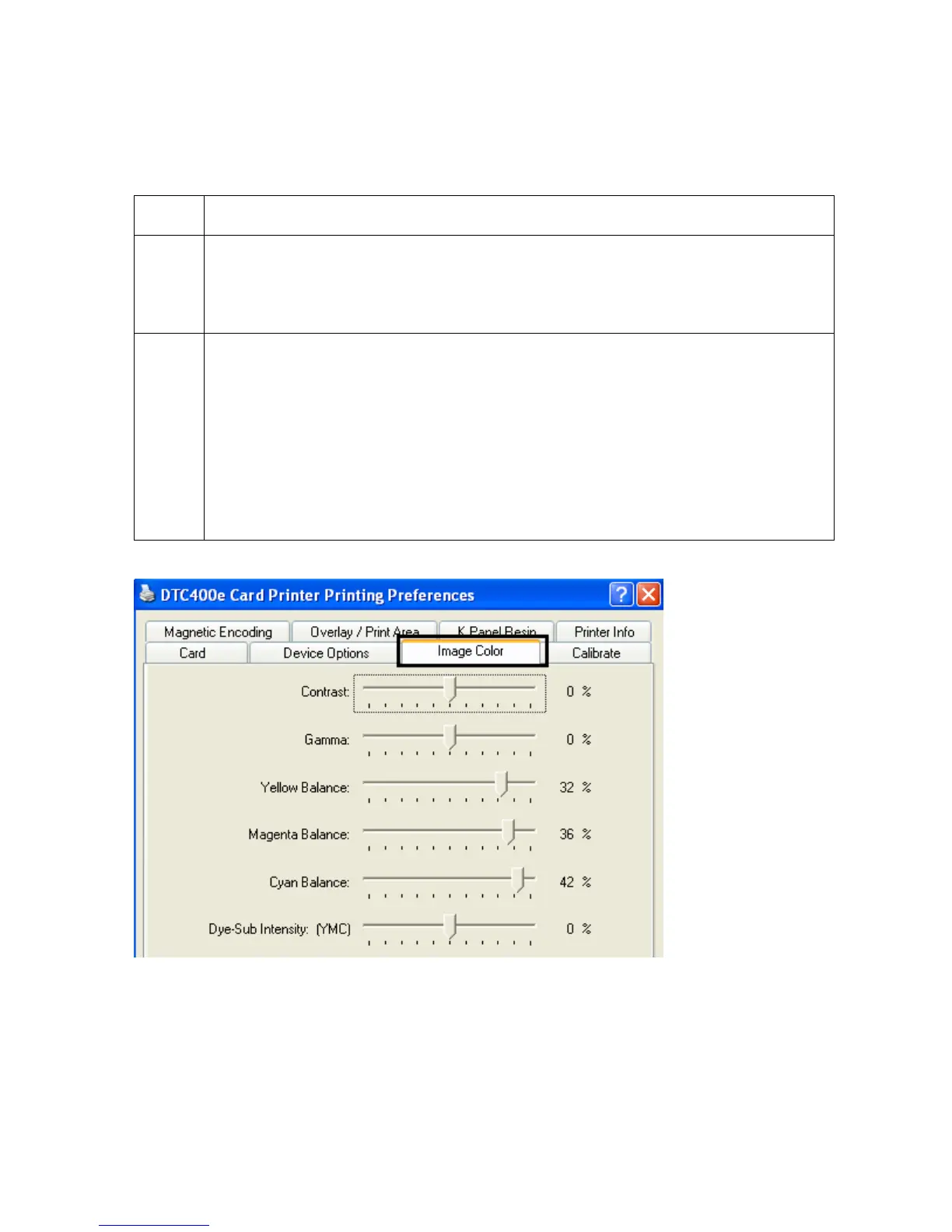
Using the Image Color tab
Step Procedure
1 Select Algebraic and then use this option to control the Contrast and Gamma
of the printed image, as well as the individual color balance of Yellow, Magenta
and Cyan. (Note: In most cases, the default settings of these options will
suffice.)
2 Control the overall darkness and lightness of the printed image by adjusting the
Dye-Sub Intensity slider
• Move the slide to the left to cause less heat to be used in the printing
process, thus generating a lighter print.
OR
• Move the slide to the right to cause more heat to be used, thus generating a
darker print. (Note: This slide only affects those images printed with dye-
sublimation Ribbon panels (YMC).)



 To Next Page