RESTRICTED USE ONLY Fargo Electronics, Inc.
DTC400e Card Printer User Guide (L001172 Rev. 1.1)
6-29
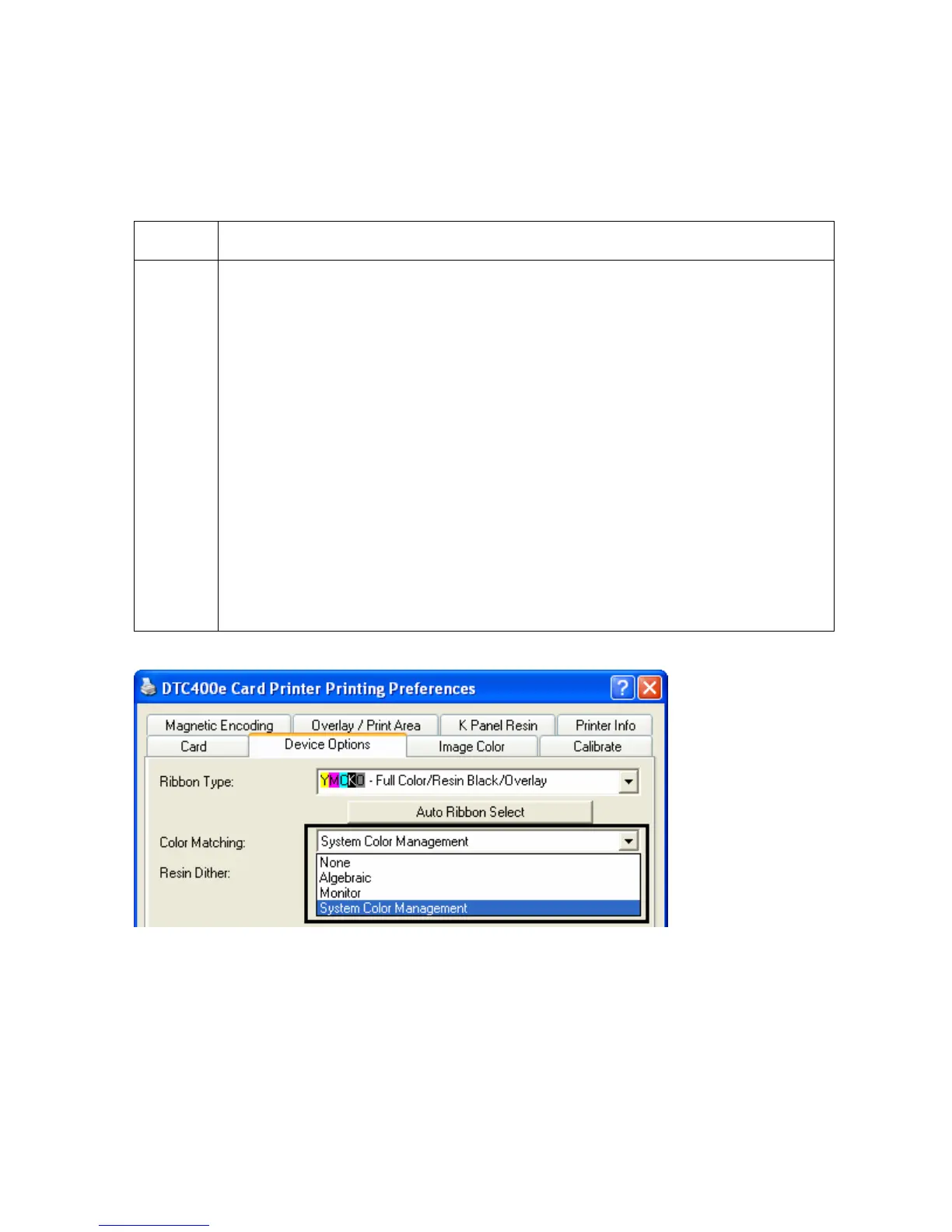
Adjusting the Color Matching option
Use the Color Matching dropdown menu to choose the color matching options which best
fits the print job requirements.
Step Description
1 Select None for print speed versus print color or for use of third party color
matching software.
OR
Select Algebraic (a) for the Printer Driver to make very simple, yet fast, color
balance adjustments; (b) for more natural looking images without actually
utilizing any specific color matching; or (c) for customized, printed coloring of
the cards through the Image Color tab.
OR
Select Monitor for the Printer Driver to make color corrections similar to the
Algebraic option but through a more complex color matching algorithm.
OR
Select System Color Management for Windows to make color corrections.
This provides a closer match to the sRGB color specifications. (Note: This
option shifts colors to a different color model so the colors in the image will
more closely match how they appear on the monitor.)



 To Next Page