RESTRICTED USE ONLY Fargo Electronics, Inc.
DTC400e Card Printer User Guide (L001172 Rev. 1.1)
6-20
Using the YMCFKO Ribbon in the Workbench
This process allows the user to configure the data that is printed with the fluorescent panel of
an YMCFKO or YMCFKOK Ribbon. Any software program may be used to print the special
florescent panel of the ribbon to a card once the driver and Workbench are set up correctly.
Step Procedure
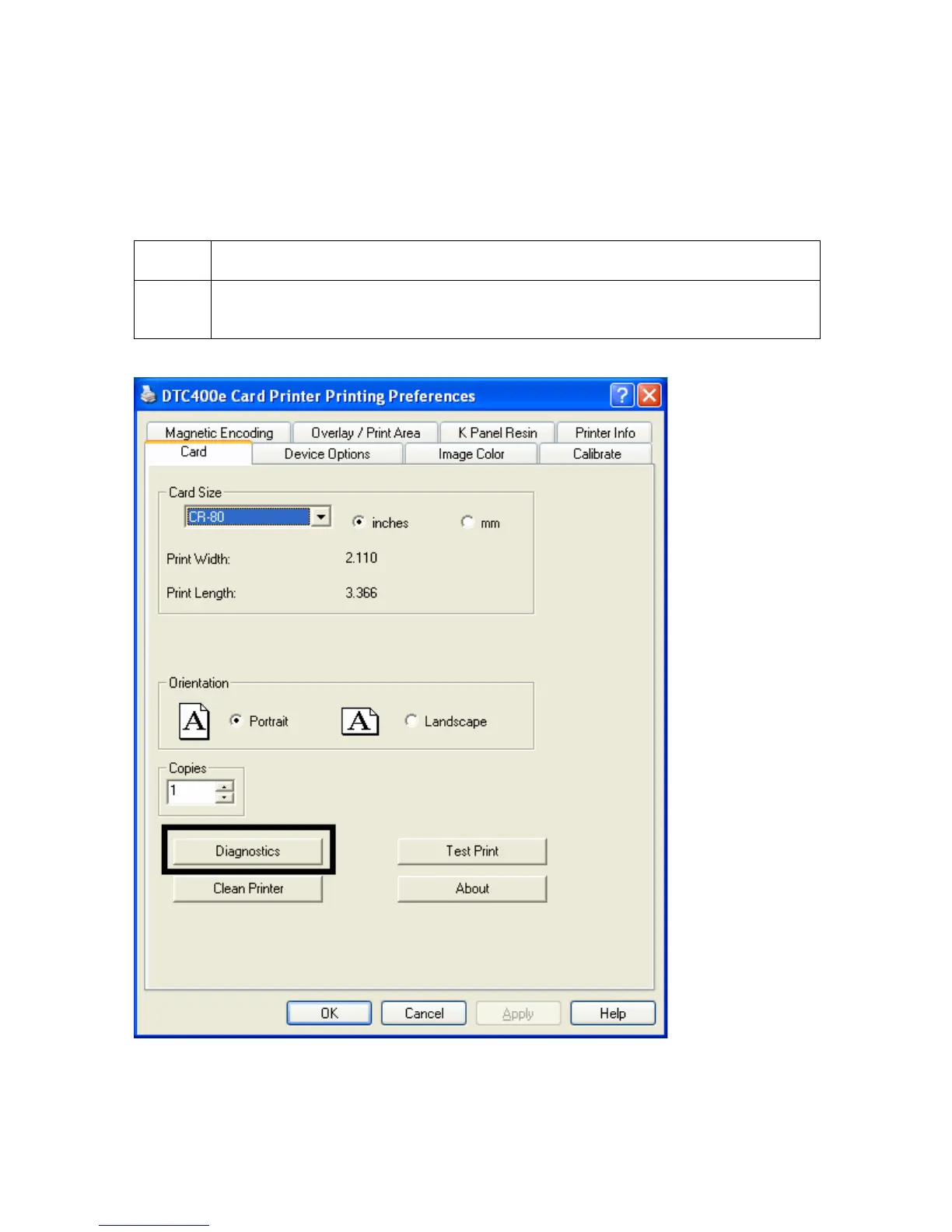
1 From the Driver Printing Preferences click on Diagnostics to bring up the
Fargo Workbench Printer Utility.



 To Next Page