RESTRICTED USE ONLY Fargo Electronics, Inc.
DTC400e Card Printer User Guide (L001172 Rev. 1.1)
6-11
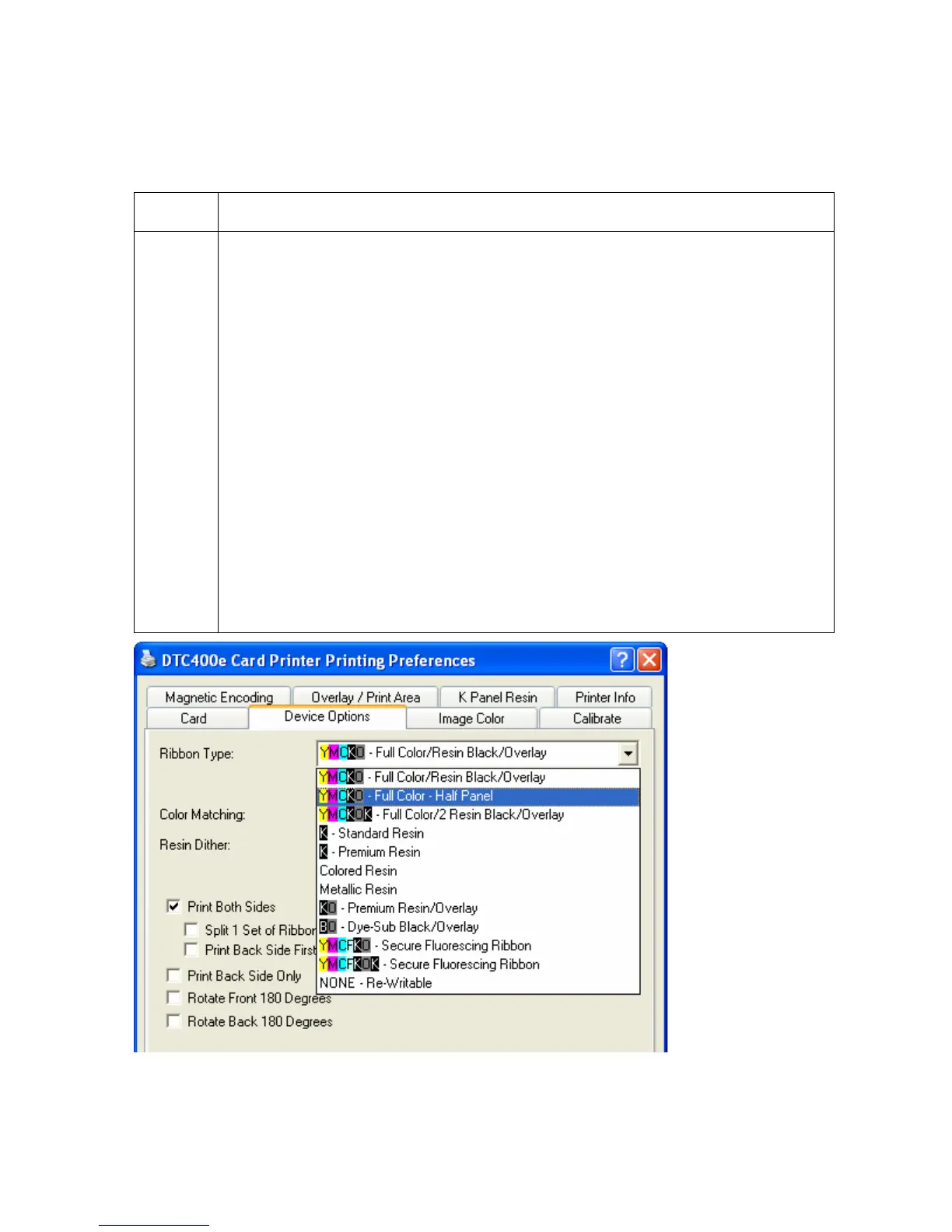
Adjusting the Ribbon Type option
Use the Ribbon Type option to select Print Ribbons.
Step Description
1 Select the appropriate Ribbon for the type of Print Ribbon in use.
• YMCKO – Full Color/Resin Black/Overlay
• YMCKO – Full Color – Half Panel
• YMCKOK – Full Color / 2 Resin Black/ Overlay
• YMCFKO – Full Color / 1 Resin Black/ Overlay/ UV Fluorescing Panel
• YMCFKOK – Full Color / 2 Resin Black/ Overlay/ UV Fluorescing Panel
• K – Standard Resin
• K – Premium Resin
• Colored Resin
• Metallic Resin
• KO – Premium Resin/Overlay
• BO – Dye Sub Black/Overlay
• NONE – Re-Writable



 To Next Page