RESTRICTED USE ONLY Fargo Electronics, Inc.
DTC400e Card Printer User Guide (L001172 Rev. 1.1)
5-54
Upgrading the Main Firmware with the Fargo Workbench Printer Utility
(continued)
Step Procedure
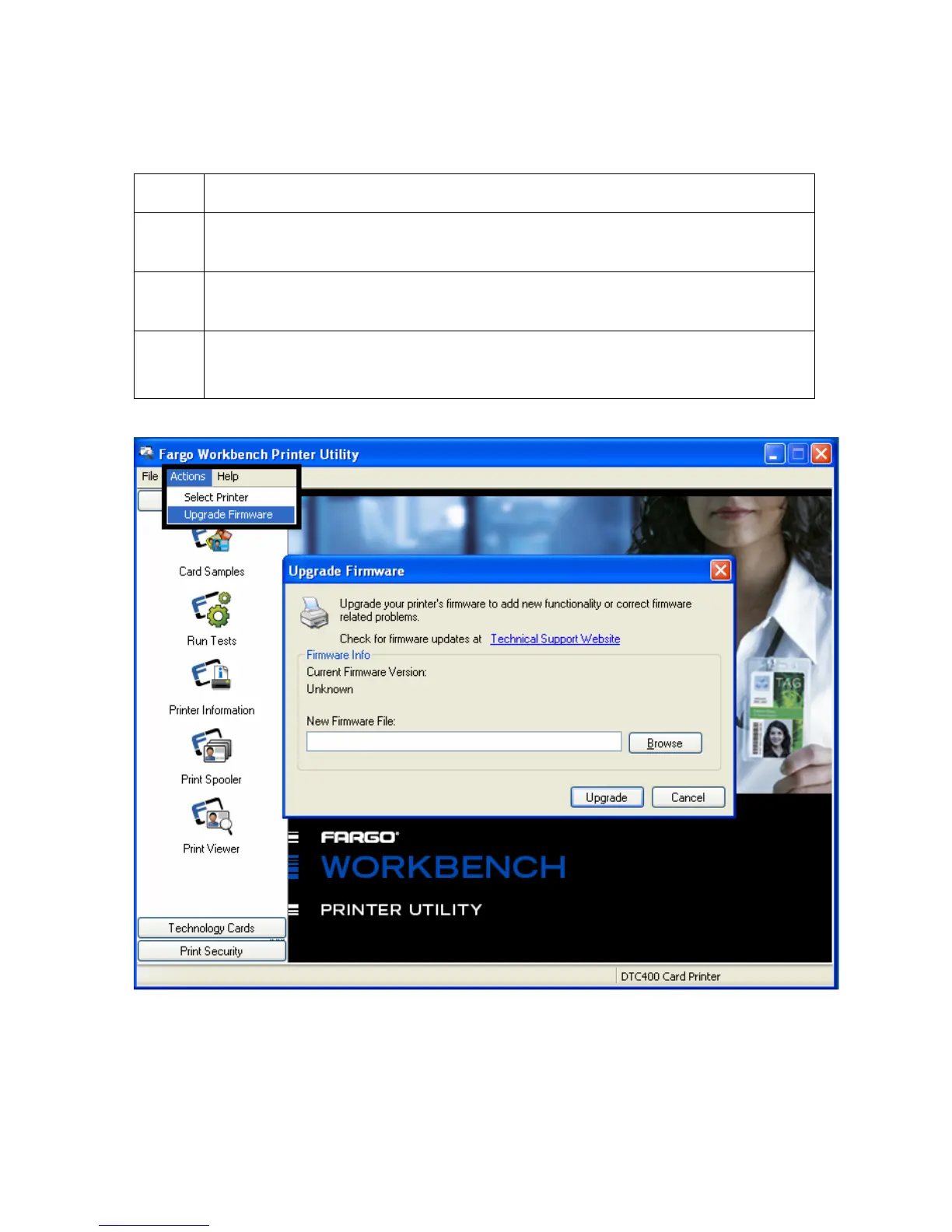
3 Access the Upgrade Firmware window from the Actions Menu, as shown
below.
4 Select the New Firmware File by clicking Browse and selecting the Firmware
file from the appropriate folder.
5 Begin the upgrade by clicking Upgrade, as shown below.
Refer to the Fargo Workbench Printer Utility User Guide at this time.



 To Next Page