Operating Procedures: Recording Movies (Saving Multiple Images)
C O N F I D E N T I A L – FEI Limited Rights Data5-24
Recording Movies (Saving Multiple Images)
This function captures dynamic experiments performed with the microscope and creates the digital video files (AVI).
Up to 4 imaging displays (not the optical one) can be recorded simultaneously with a synchronized start. It is possible
to switch between single and quad image mode while the video is recording. The movie has the following embedded
features:
• Resolution 768 × 512 or 1536 × 1024 (512 × 442 or 1024 × 884 for the 4:3 view)
• Databar image optionally included in the video
• Average or Integration changeable during recording
• Scan speed changeable during recording
• Reduced area pauses recording of all displays
• Remaining time indicator
• Single frame TIF images recordable during video sequence
• Compressed AVI (*.avi) formats
• Start, Stop and Pause onscreen indicators
• Preferences set-up dialog
Note
For the display(s) with the Enhanced Image module / Color tab / Enable check box ticked, the Movie recording is paused,
the colored TIF files are stored anyway if selected.
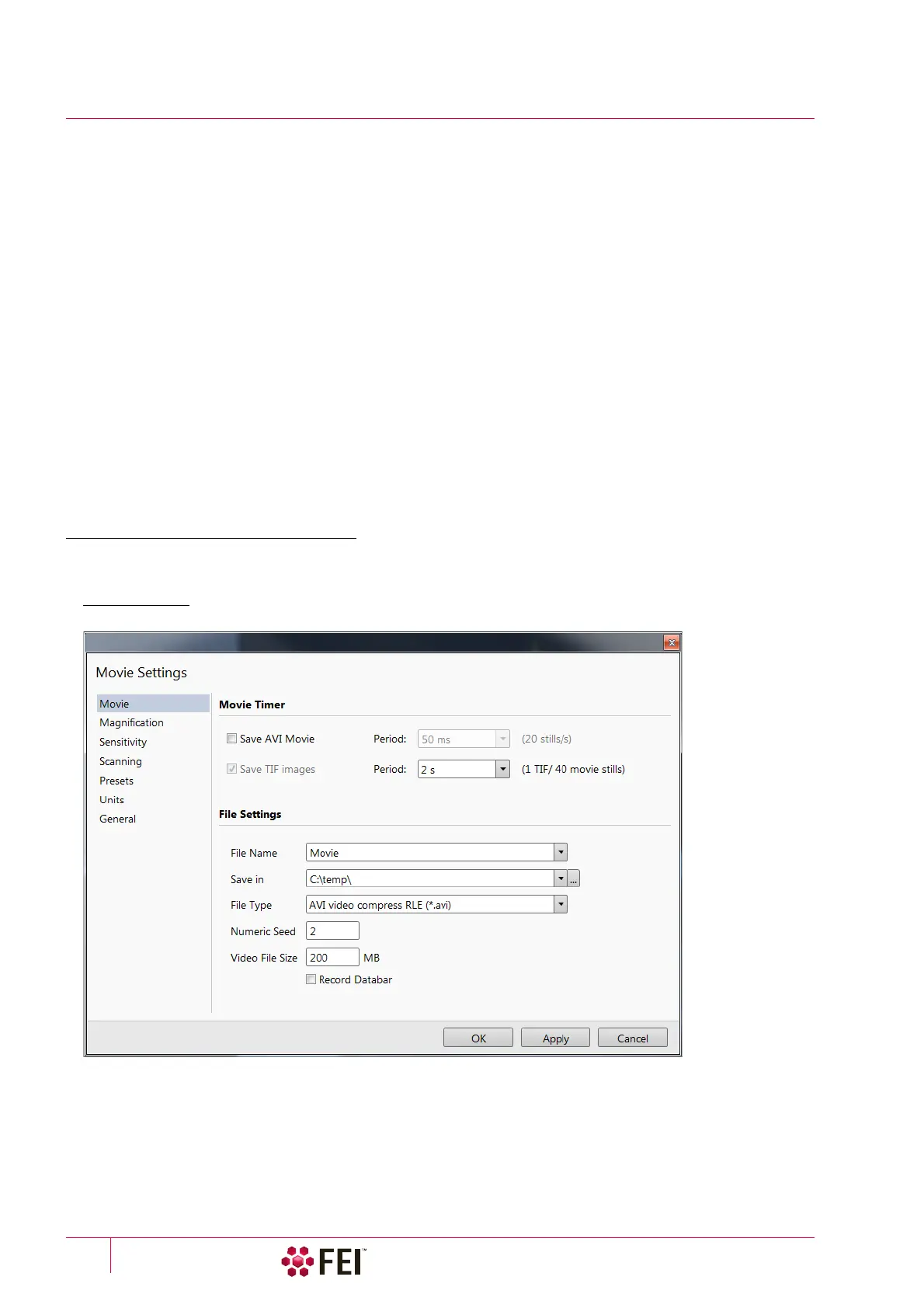
Movie Settings Dialog
The Preferences / Movie provides selections to set-up conditions for timing and save conditions for the resultant
movie.
FIGURE 5-8 Movie Preferences



 To Next Page