System Control: System States
C O N F I D E N T I A L – FEI Limited Rights Data 2-9
System Shutdown
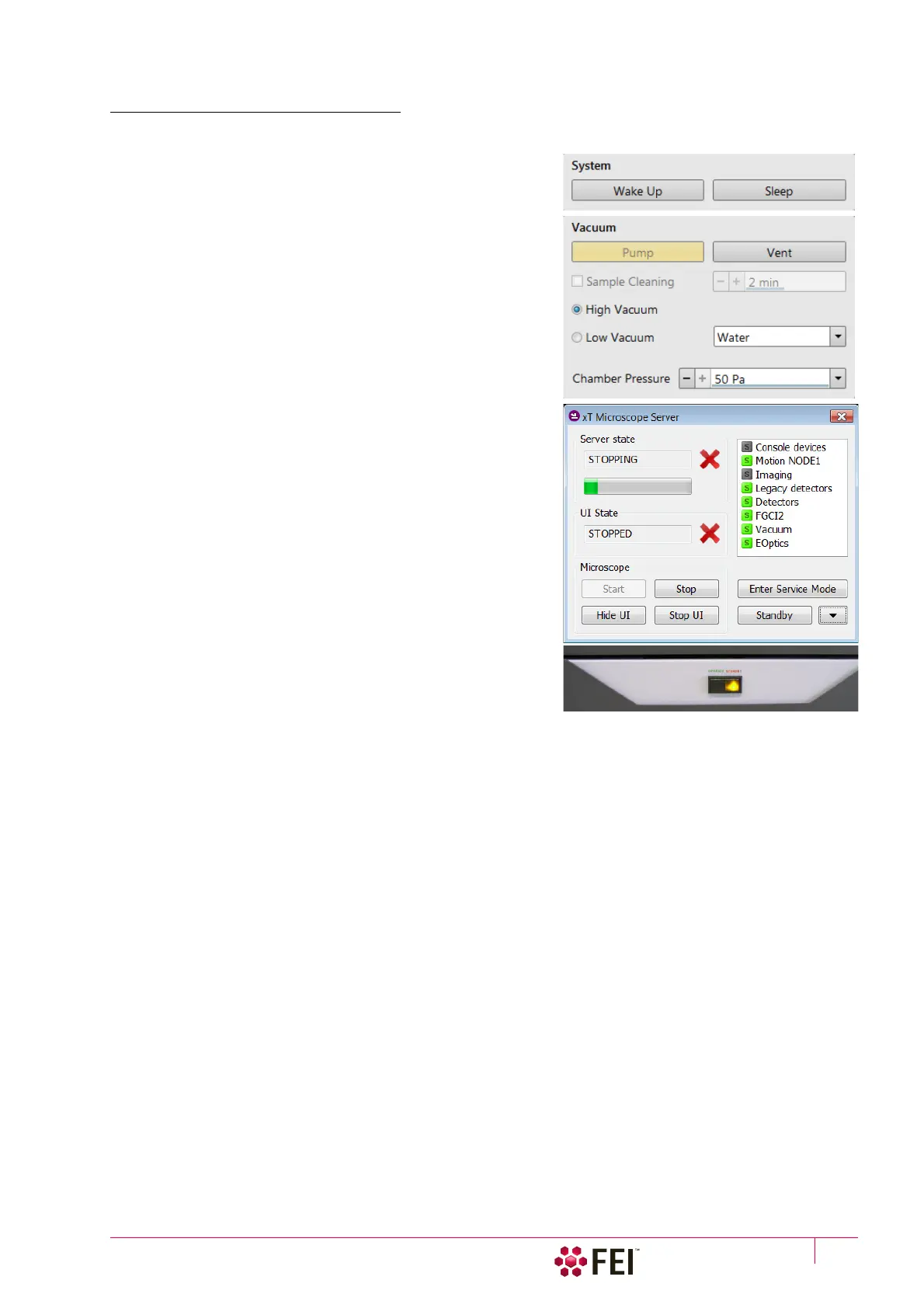
In case of emergency bring the system to the Complete shutdown state by following the procedure:
1. Click on the System module / Sleep button to stop the
accelerating voltage for both beams. A Column module source
progress bar indicates the actual status and the button turns
grey when finished.
2. Click on the Vacuum module / Vent button to vent the
chamber.
3. Switch off the Emitter with the use of the 5 – Emitter Startup
alignment, Step 2 of 2.
(f)
4. Click on the xT microscope Server software / Standby button.
This stops the UI, the xT microscope Server application
services and the console (the green power button on the
microscope front control panel changes to amber one).
5. Shutdown the Windows 7™ and switch Off the monitor.
(g)
6. If there is a demand, disconnect the power cord and any other
input / output if used.
(h)
Note
f)
Switching off the console when Emitter is On is not optimal and
sparing way for the emitter – it may deteriorate the filament lifetime.
Supervisor should use the xT microscope Server Standby button only
in case of emergency.
g)
The system can be left in this state if electrical power is supplied to
the instrument because the pumps are running and pumping the
column.
h)
The Complete shutdown procedure brings the system to the non-
powered state, where the vacuum in the column area is no longer
supported by running pumps. All valves are closed, and the electron
column and specimen chamber areas are vented. Normally it is used for
a system transportation or for service actions, like repair to essential
systems (electrical and air supplies).



 To Next Page