Operating Procedures: Recording Movies (Saving Multiple Images)
C O N F I D E N T I A L – FEI Limited Rights Data 5-27
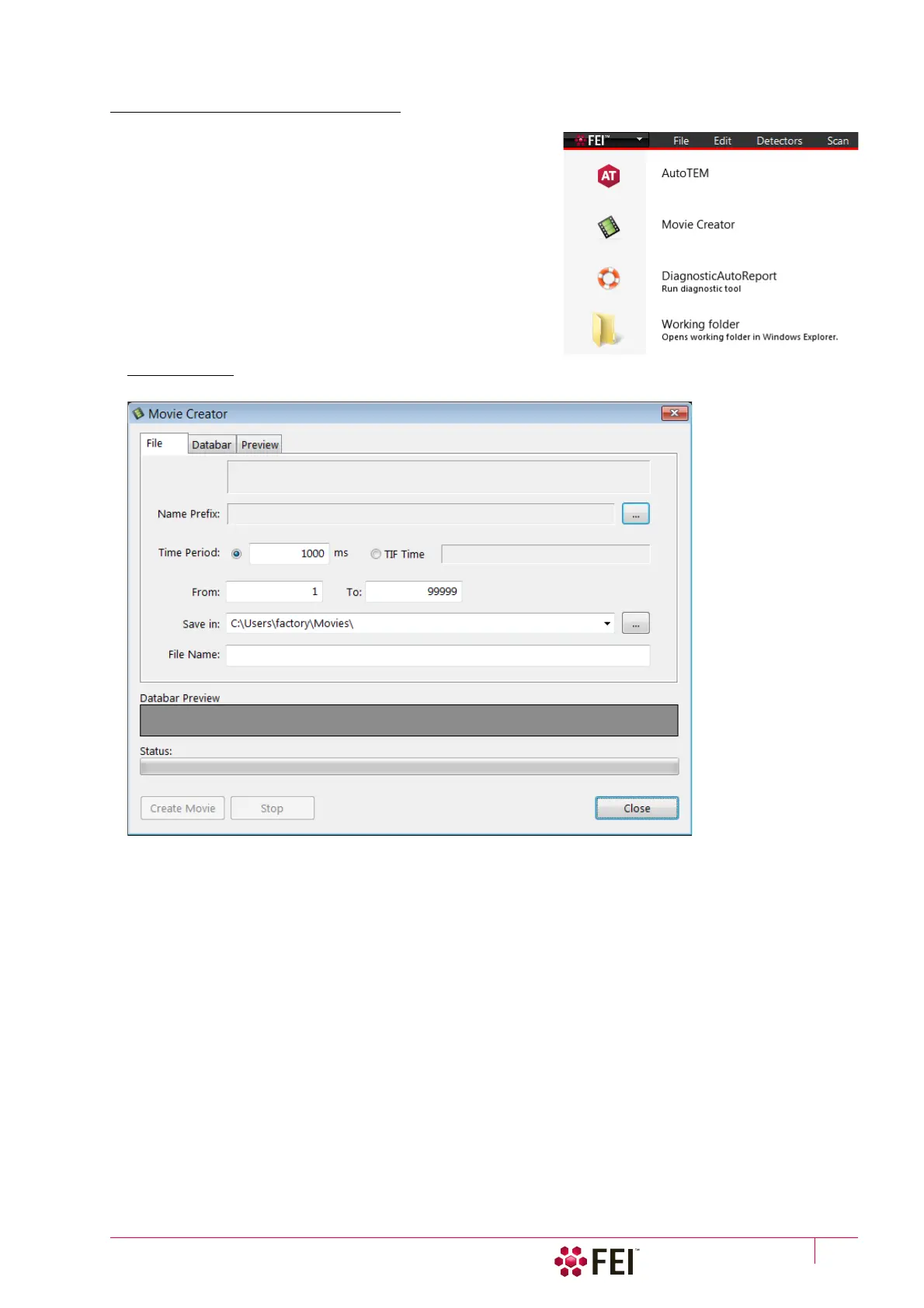
Movie Creator
This is a separate program that creates a single AVI movie file
from a sequence of TIF images. Click on the FEI menu / Movie
Creator to activate the tabbed dialogs.
The following items are common for all tabs:
•
Databar Preview
– shows the databar created within the
Databar tab.
• Status – shows the progress of movie creation process.
• Create Movie button – opens the Movie Creator dialog.
• Stop button – stops the movie creation process.
• Close button – closes the Movie Creator program.
File Tab
FIGURE 5-9 Movie Creator dialog / File tab
• Name Prefix – click on the … button to browse the TIF files (with the desired sequence prefix) folder. It is not
necessary to choose the first file in a row.
• Time Period – click the [ms] radio button to select a custom timing for the movie playback.
One may experiment for instance: 200 ms/per image (good for most movies to speed it up) for 100 images
results in 20 second total movie duration.
• Time Period – click the TIF Time radio button to select a timing for the movie playback.
• From / To – enter the number of the starting / ending frame. This field is filled automatically with the first / last
frame available.
• Save in – enter the path where the AVI file should be saved. Click on the … button to browse it.
• File Name – enter the resulting AVI file name. This field is filled automatically with the first image file name.



 To Next Page