Maintenance: Shutter
C O N F I D E N T I A L – FEI Limited Rights Data6-4
Installation of Aperture Rod
1. Check that there are no fibres on the rod ‘o’ ring. Do not grease the ‘o’ ring.
2. Install the Aperture rod back into the Aperture Adjuster assembly on the column and turn the end screw
mechanism until the holder is hand tight.
3. Pump the microscope specimen chamber.
4. Reconnect the heater cable to the outer end of the rod.
Run the E-column Aperture Selection alignment (see Chapter 4).
Shutter
The Shutter aperture is designed to protect in-column detectors from a pollution produced during ion beam milling.
Its insertion is controlled automatically by the system from the chamber front-left side just under the final lens pole.
Exchange procedure
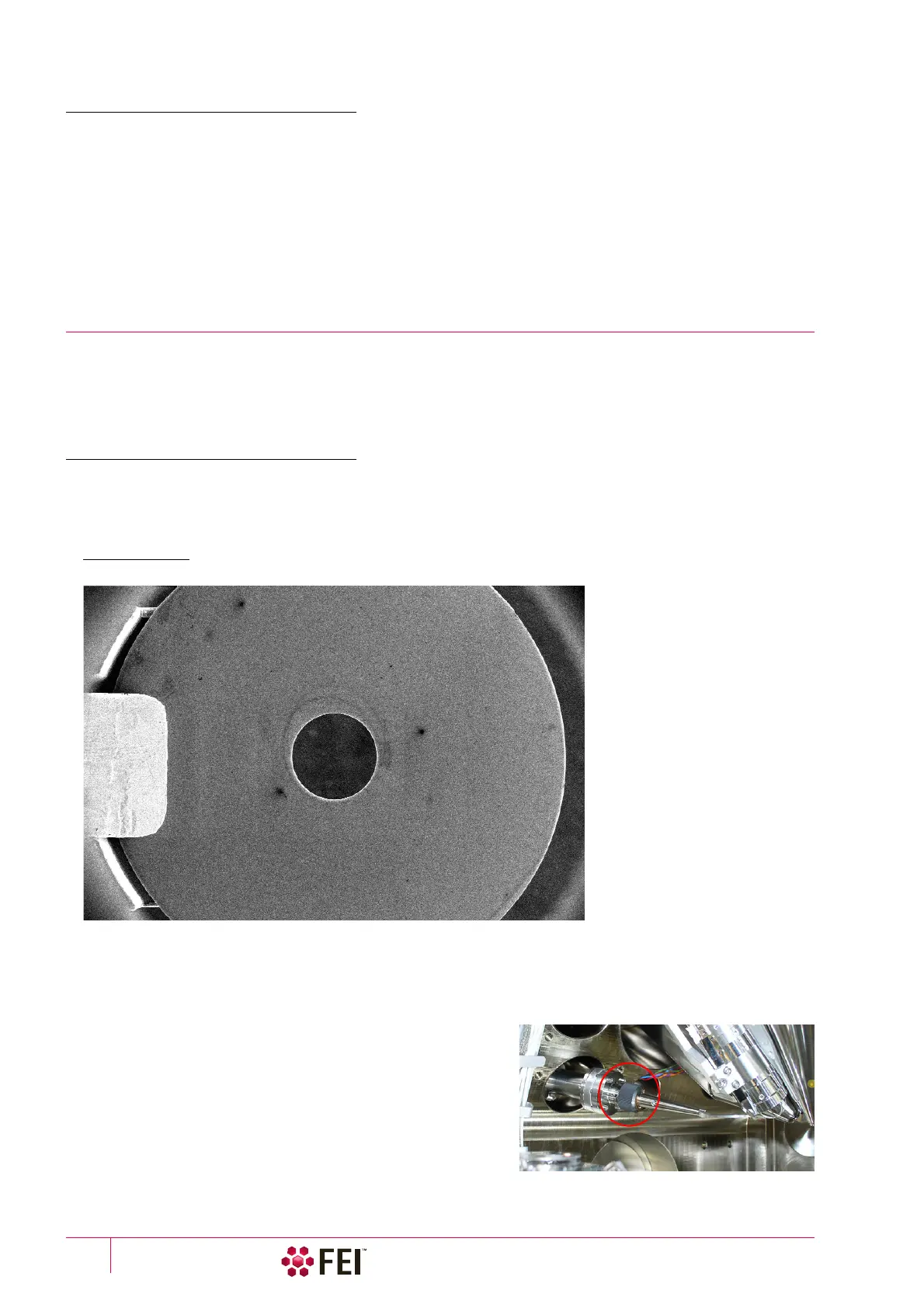
The shutter aperture should be replaced when it is mechanically damaged or when it causes high astigmatism or
charging because of pollutions. Before continuing with the procedure check the aperture position by observing it
with Scan menu / Alternate Electron/Ion scanning (Ctrl + Shift + A) functionality. After exchanging of the aperture its
position should be like in the following figure – shutter aperture center is located at the image screen center.
FIGURE 6-3 Shutter aperture electron image position
Caution!
– Use the special load-base delivered with the system for this purpose.
– Use clean and dust free (e.g. vinyl) gloves.
– Keep all tools clean.
1. Vent the system and remove the shutter arm from the
microscope chamber by releasing the grey nut.



 To Next Page