Software Control: Microscope Control Software
C O N F I D E N T I A L – FEI Limited Rights Data3-6
Microscope Control Software
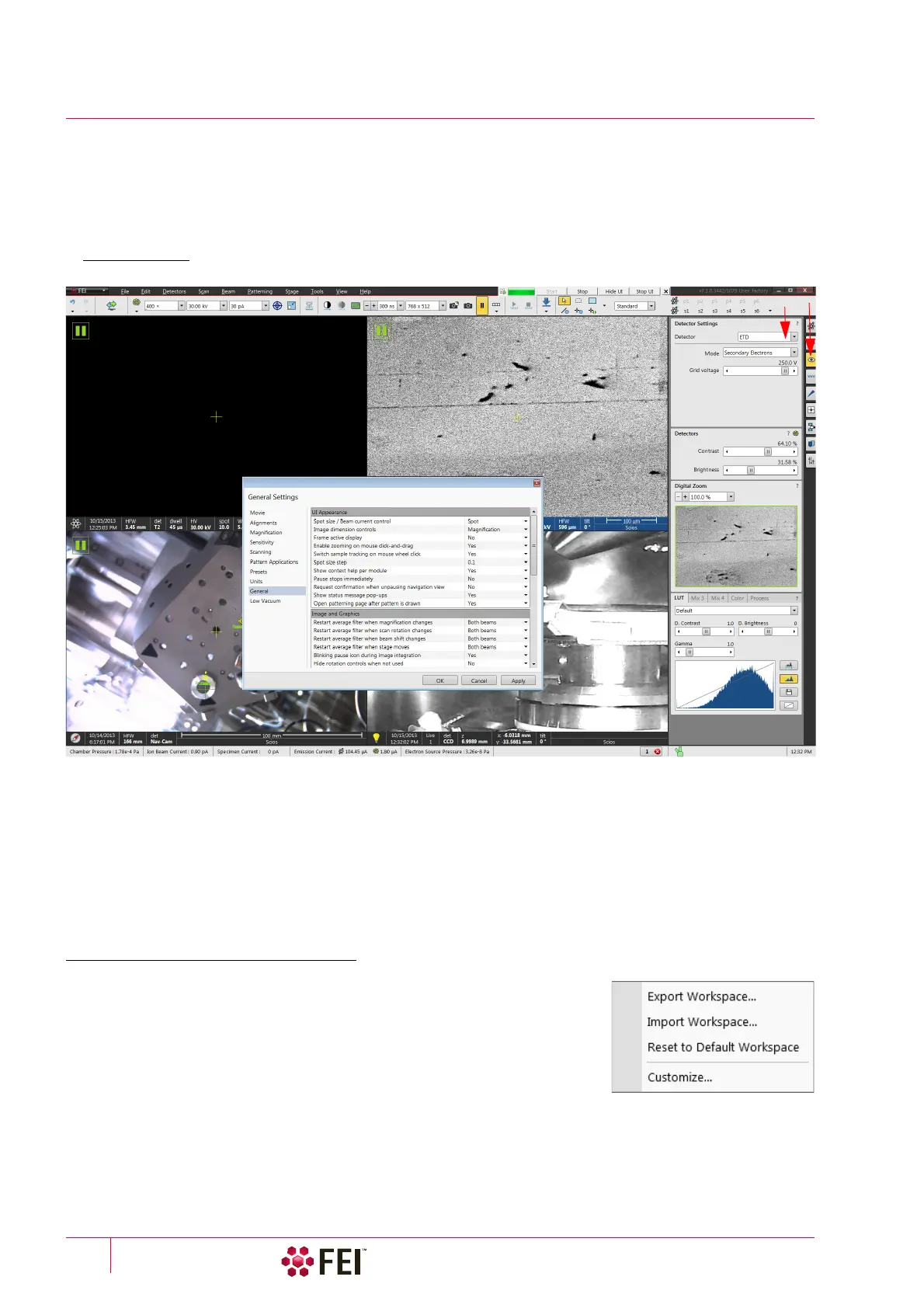
The Microscope Control software – simply User Interface (UI) – is made up of several elements which compose the
main window, showing status and control features within the Windows 7 operating system.
Note
To ensure correct representation of all UI entries (dialog and edit boxes, info fields etc.) within the Windows 7 environment
choose the FEI 01 screen theme.
FIGURE 3-2 Microscope Control Window
1. xT microscope Server – minimized application window
2. Menu bar – contains all operation menus and submenus
3. To olba r – functional icons for the most frequently used microscope controls
4. Imaging area – shows with adjustable Databar
5.
Control pages
– set of modules
6.
Modules
– microscope and imaging control elements
7. Preferences dialog – presetting of operating conditions
Workspace customization
It is possible to change the UI layout by right-clicking any free toolbar or
sidepane (pages) area and selecting Customize… item.
A user can save / load layouts by selecting the Export / Import Workspace… item
to / from the Workspace configuration (*.workspace) file.
Clicking the Reset to Default Workspace item restores the factory UI layout,
which is the one described in this manual.
1
3
5
7
4 - display 1
4 - display 3
4 - display 2
4 - display 4
6
2



 To Next Page