System Options: EasyLift
C O N F I D E N T I A L – FEI Limited Rights Data7-16
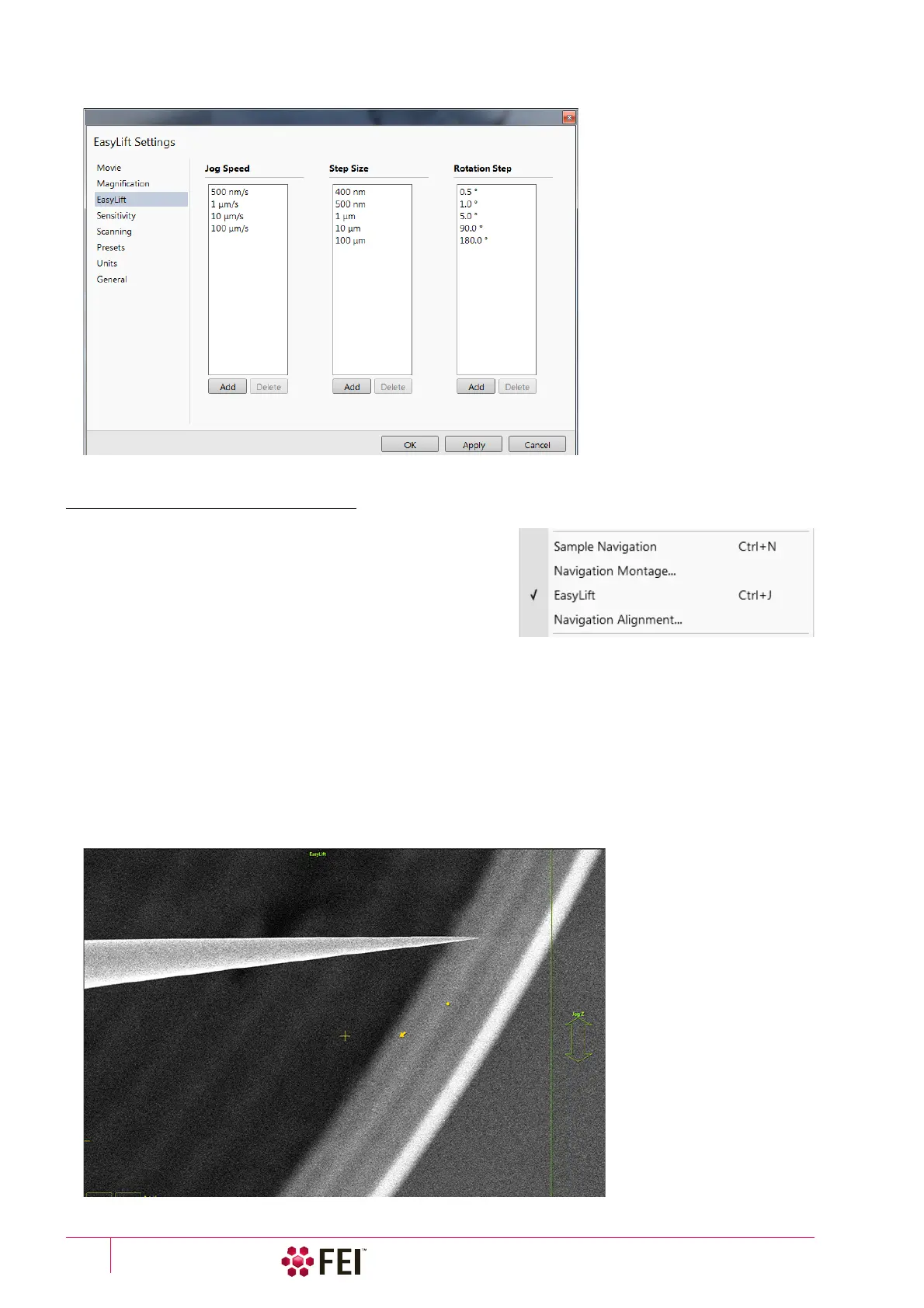
All movement increments can be predefined in the Preferences / EasyLift section.
EasyLift Display Control
The EasyLift can be directly controlled within the imaging display.
This mode can be activated by selecting in the Stage menu /
EasyLift item (Ctrl+J) and the EasyLift controls will be shown in
the active display (SEM or FIB).
This functionality can be automatic when set in the Preferences
dialog / General section / Automatic EasyLift display control item
to Yes.
Note
This software feature is not available for the EasyLift LT version.
• On the left side from the vertical green line (EasyLift header) the X / Y movements are controlled. The user can
make jog moves by clicking on & dragging.
• The functionality of the Jog Z and Rotation arrows corresponds to the one described for the EasyLift module
control.
Note
When the EasyLift is display controlled and the Patterning / Measurements / Annotations / Text overlay cursor is active
(creating / moving a selected graphical element), be aware it has priority before the EasyLift control.
More the mouse cursor is positioned from the starting point, more quickly moves the needle.



 To Next Page