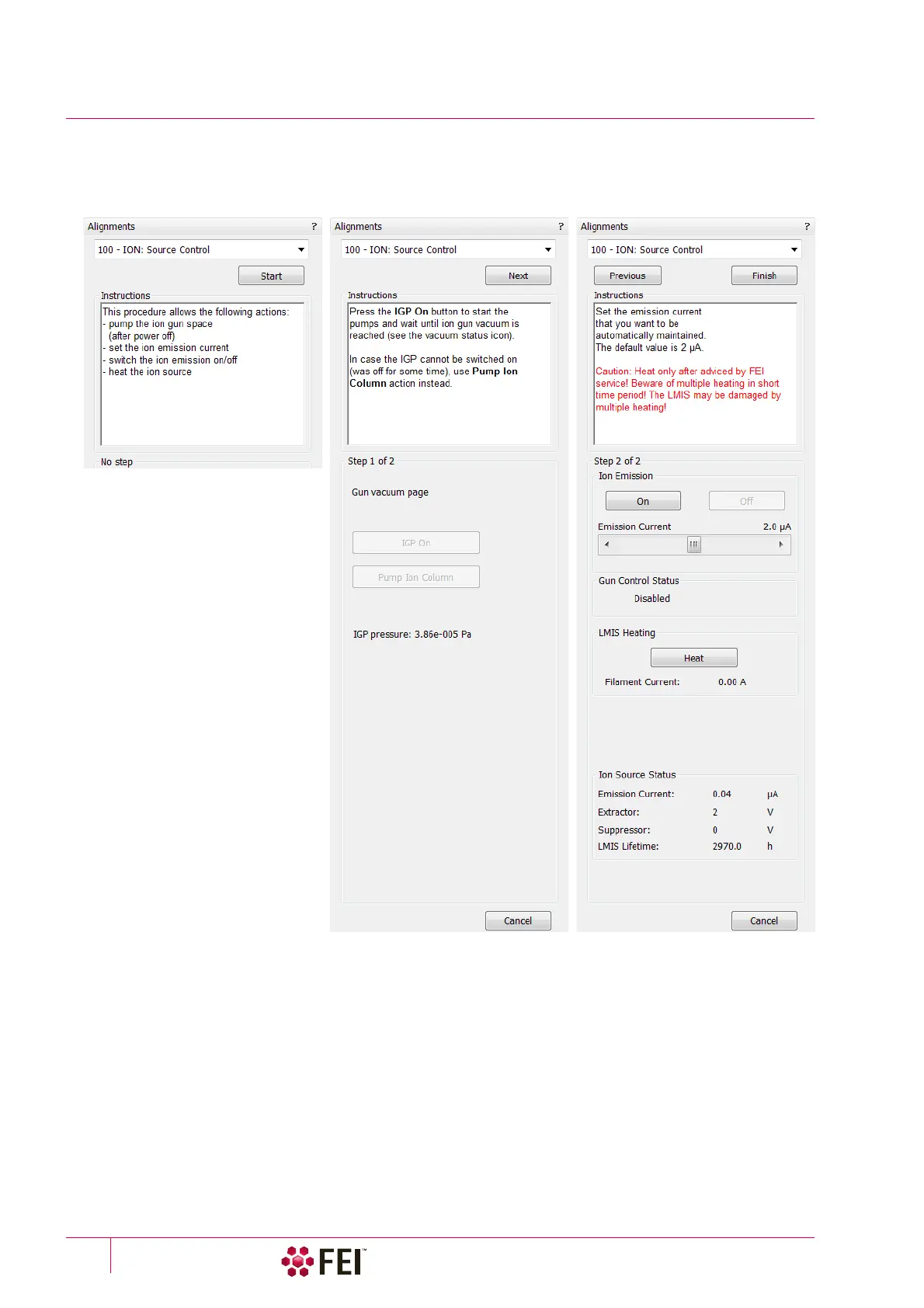
Alignments: 100 – ION: Source Control
C O N F I D E N T I A L – FEI Limited Rights Data4-14
100 – ION: Source Control
This procedure enables to start and stop the Ion source emission, to monitor LMIS status, to heat the Ion Source in
cases when ion source doesn't start, spontaneously switches off or was not used for longer time.
Particular Control Elements
Ion Emission
• On / Off button – starts / stops the ion source emission. The behaviour is similar to clicking on the Wake Up /
Sleep button without influencing to the Electron source.
Note
The ion source start procedure may not be successful at the first attempt. If this happens, try it again.
• Emission Current slider – enables to set its size which is automatically maintained. Emission Current may be set
before ion emission is started or directly during the ion emitting. Default emission current setting is 2
µA (the
slider range is from 1.5 to 2.5
µA). After each UI or microscope server restart the default value is automatically
set.
• Gun Control Status – possible states are: (Offline / Disabled / Idle / Maintain / Heating / Shutting Down)



 To Next Page