Alignments: Automatic Alignments
C O N F I D E N T I A L – FEI Limited Rights Data 4-3
Automatic Alignments
Some of Alignments (or a set of alignments) have a different
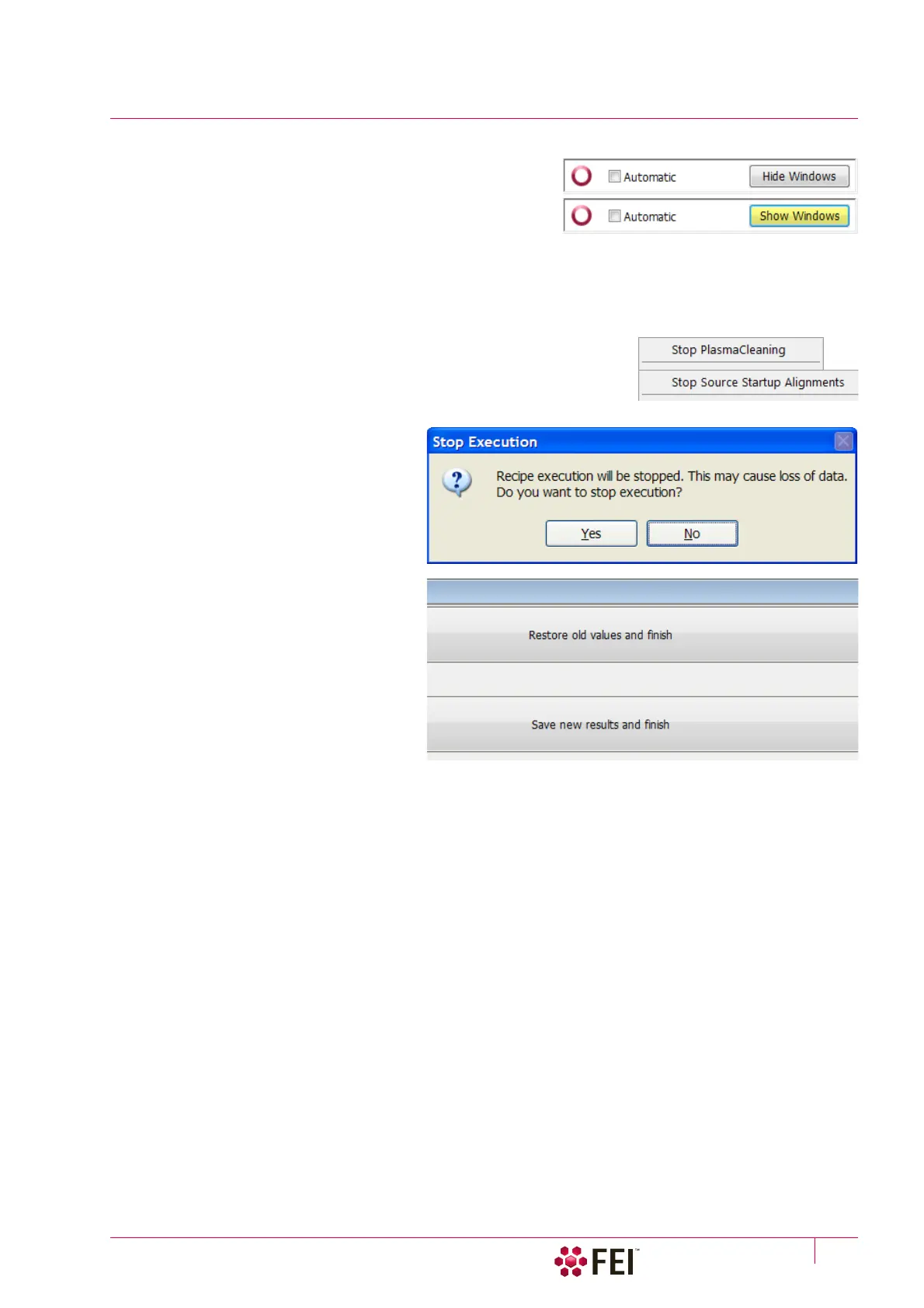
approach and most of the procedures can run automatically by
checking the Automatic check box placed at the bottom of the
alignment module. Automatic progress can be started / stopped
at any time during the procedure. Accessible informational
windows can be turned on / off by the Show / Hide Window
button. The alignment sequence can be cancelled / continued by the Cancel / Next button.
Caution!
Read carefully the instructions provided by the system before proceeding with any alignment!
If you have any e-beam alignment procedure selected and you want to select
any other one, you must Finish or Cancel an actually opened procedure first.
To start alignment procedure or to stop one in progress right-click on the red
circle and select required action (Start / Stop – variable) from the context
menu. A confirmation dialog is shown.
When interrupting any alignment
(clicking on the Cancel button, selecting the
Stop item in the menu, closing the UI)
nothing is saved. In all cases the alignment
windows disappear and the Stop Execution
dialog appears.
The last page of every alignment offers one
or more of following choices:
• Restore old values and finish: undoes the
adjustments, nothing will be saved.
• Save new results and finish: keeps new
adjustment values and saves them.



 To Next Page