System Options: MEMS – Heating Stage
C O N F I D E N T I A L – FEI Limited Rights Data7-24
MEMS Installation
Caution!
Use dust free gloves when manipulating with MEMS Heating stage and within the microscope chamber!
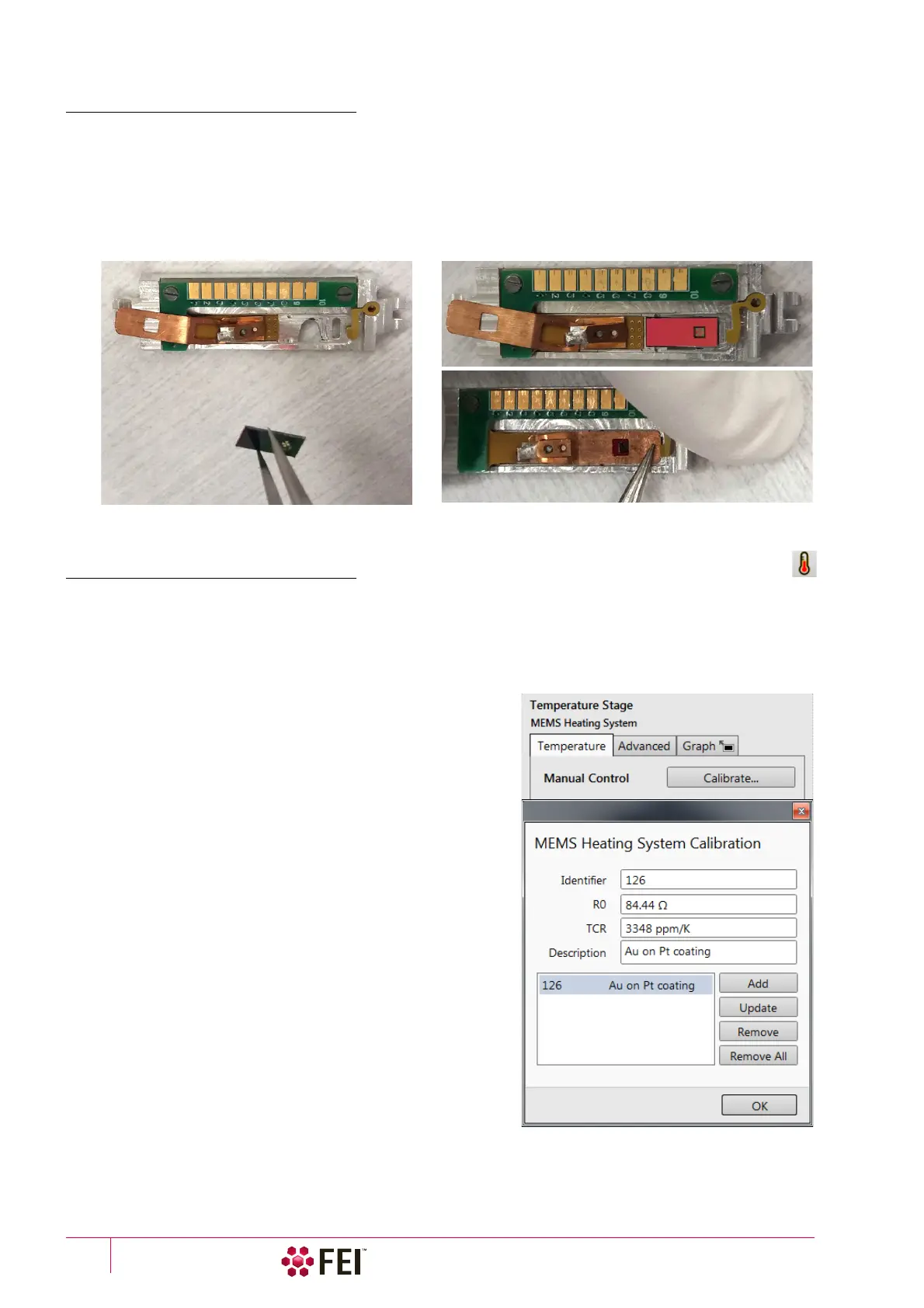
1. Open the MEMS Chip shutter placed at the bottom of the MEMS Holder.
2. Put the MEMS Chip to the MEMS Holder so the contacts on the chip meets contacts on the holder.
3. Secure the locking screw by the tweezers.
4. Insert the MEMS Holder into dedicated position of Multi-sample holder (see above).
Software Control
The MEMS heating stage is software controlled using the xT microscope Control software / Temperature page
(added when MEMS is installed) / Temperature Stage module. If the stage is installed and detected, the type is
indicated at the top of the module and controls are available.
Temperature Stage module
When a MEMS chip is replaced (or after xT Microscope Server
restart), click the Manual Control / Calibrate button to open the
MEMS Heating System Calibration dialog for editing chip
parameters, that are enclosed in the MEMS chip package:
• Identifier – user chip number (its position within the package)
• R0 – Room Resistance
• TCR – Temperature Coefficient of Resistance
• Description – user chip description
It is possible to store parameters for several chips. To maintain
data, use the Add, Update, Remove, Remove All buttons.
After completing the Calibrate button changes to the On button.



 To Next Page