Software Control: Microscope Control Software
C O N F I D E N T I A L – FEI Limited Rights Data 3-29
Status Bar
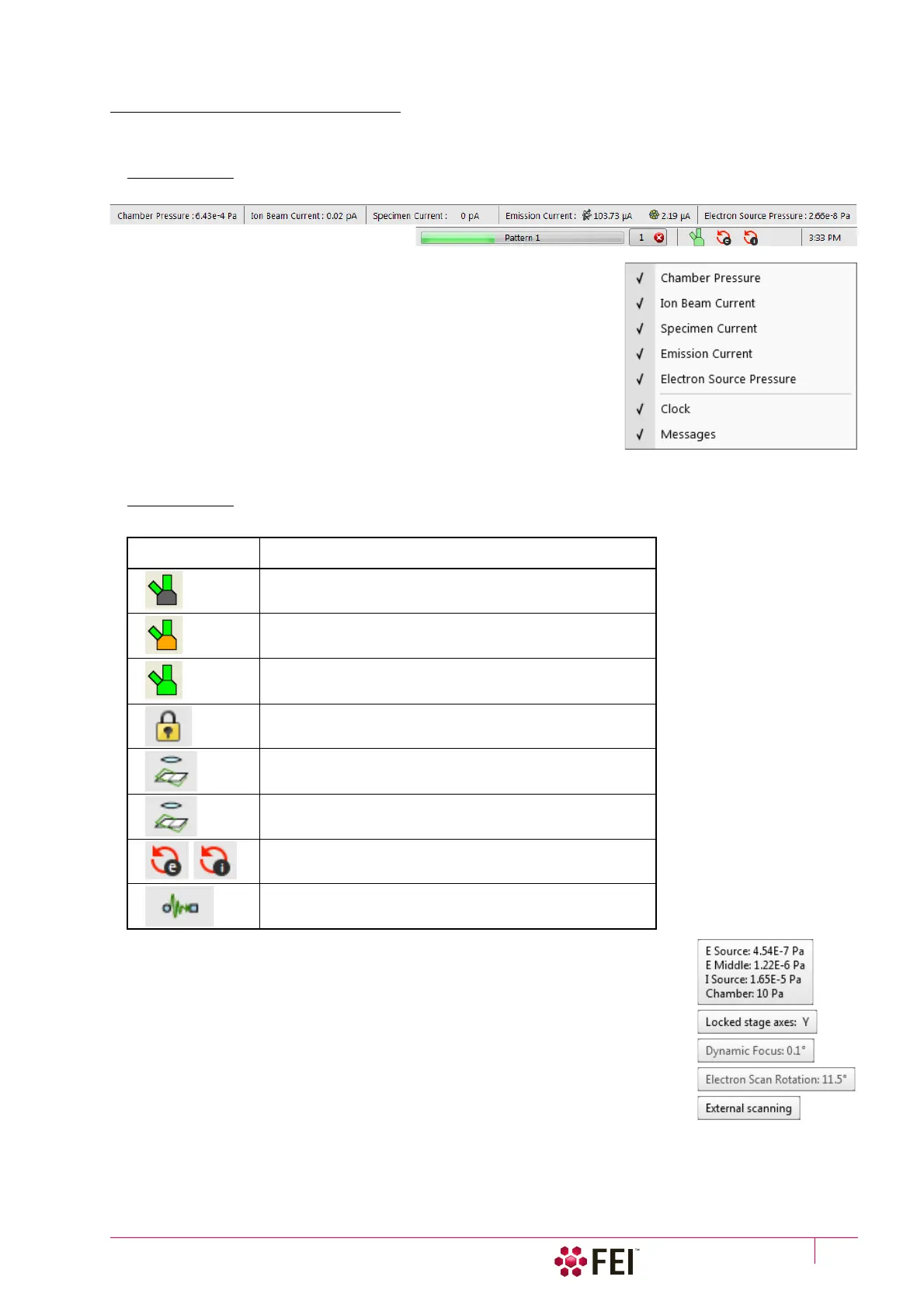
The Status bar can be found at the base of the UI screen and it contains several user selectable items and
information about running system processes (patterning for instance).
FIGURE 3-15 Status Bar (divided to left / right part)
Right-click on the Status bar and check items to be shown:
• Chamber Pressure – the specimen chamber pressure
• Ion Beam Current – correct ion beam current value in case the beam is
blanked
When it reverts into operation (unblanked), the value has no point.
• Specimen Current – the electron current reaching the specimen
• Emission Current – the electron / ion current leaving the source
• Electron Source Pressure – pressure in the corresponding vacuum system
section
• Clock – can be shown at the bottom right window corner
• Messages – Application Status incoming notice can be shown
The system conditions are shown by means of the icons:
When you hover the mouse over any icon, a corresponding tooltip appears with actual
status for the parameter(s) or just an information.
Table 3-1
Status Icons
Icon Status
Source space Vacuum / Chamber Vented
Source space Vacuum / Chamber Pumping or Venting
Source space Vacuum / Chamber Vacuum
(ready for the microscope operation)
Stage axes – Lock (any one)
Dynamic Focus is On (Electron)
Tilt Correction is On (Electron and/or Ion)
Scan Rotation is not zero
External scanning mode is On



 To Next Page