Operating Procedures: Recording Movies (Saving Multiple Images)
C O N F I D E N T I A L – FEI Limited Rights Data5-28
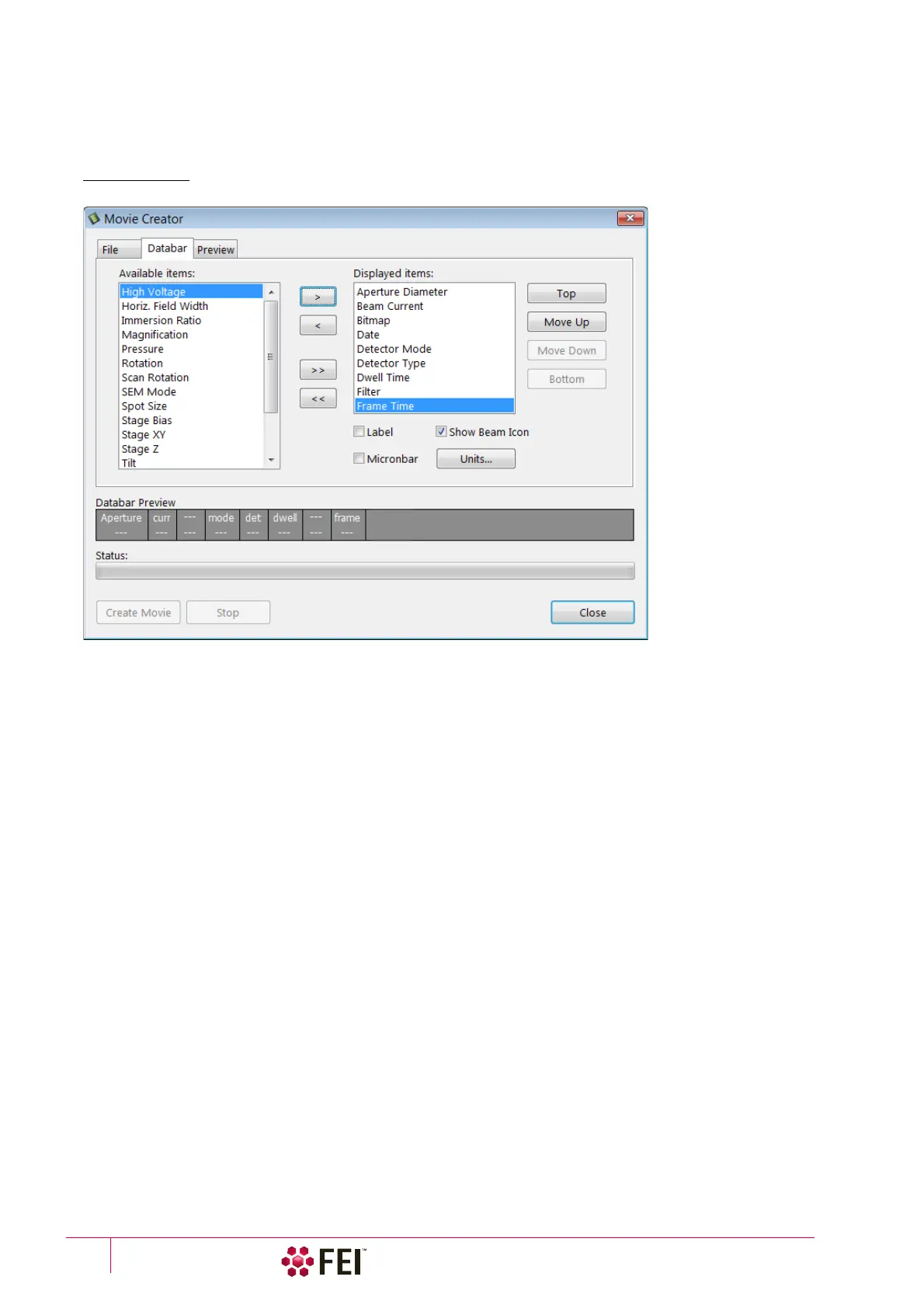
Databar Tab
Settings made in this dialog does not affect the databar or units settings used in the UI.
Note
The Databar Preview does not show any item until you enter the File tab / Name Prefix field.
FIGURE 5-10 Movie Creator dialog / Databar tab
• Available / Displayed items: lists – all items that can be entered in the databar / are already present in the
databar.
• > / >> (< / <<) button –add one / all item(s) from the Available list to the Displayed list (removes one / all
item(s) from the Displayed list back to the Available list).
Since there is a finite amount of the databar space, the area expands or contracts as other items are added to or
removed from the Databar. The item exceeding the allowable space is ignored.
• Move Up / Move Down / Top / Bottom button – moves a position up / a position down / to the top / to the
bottom in the Displayed list (a position to the left / a position to the right / to the left / to the right in the Databar
Preview).
• Label / Show Beam Icon / Micronbar check boxes – set the show of the appropriate items in the Databar. The
Micronbar scales to the magnification.
• Units button – sets the Units of Measure / Pressure / Temperature used in the movie Databar.



 To Next Page