Operating Procedures: Patterning
C O N F I D E N T I A L – FEI Limited Rights Data5-46
Pattern Types
Patterns are automatically assigned to one or more particular processes.
They are distinguishable by a different cross-hatch.
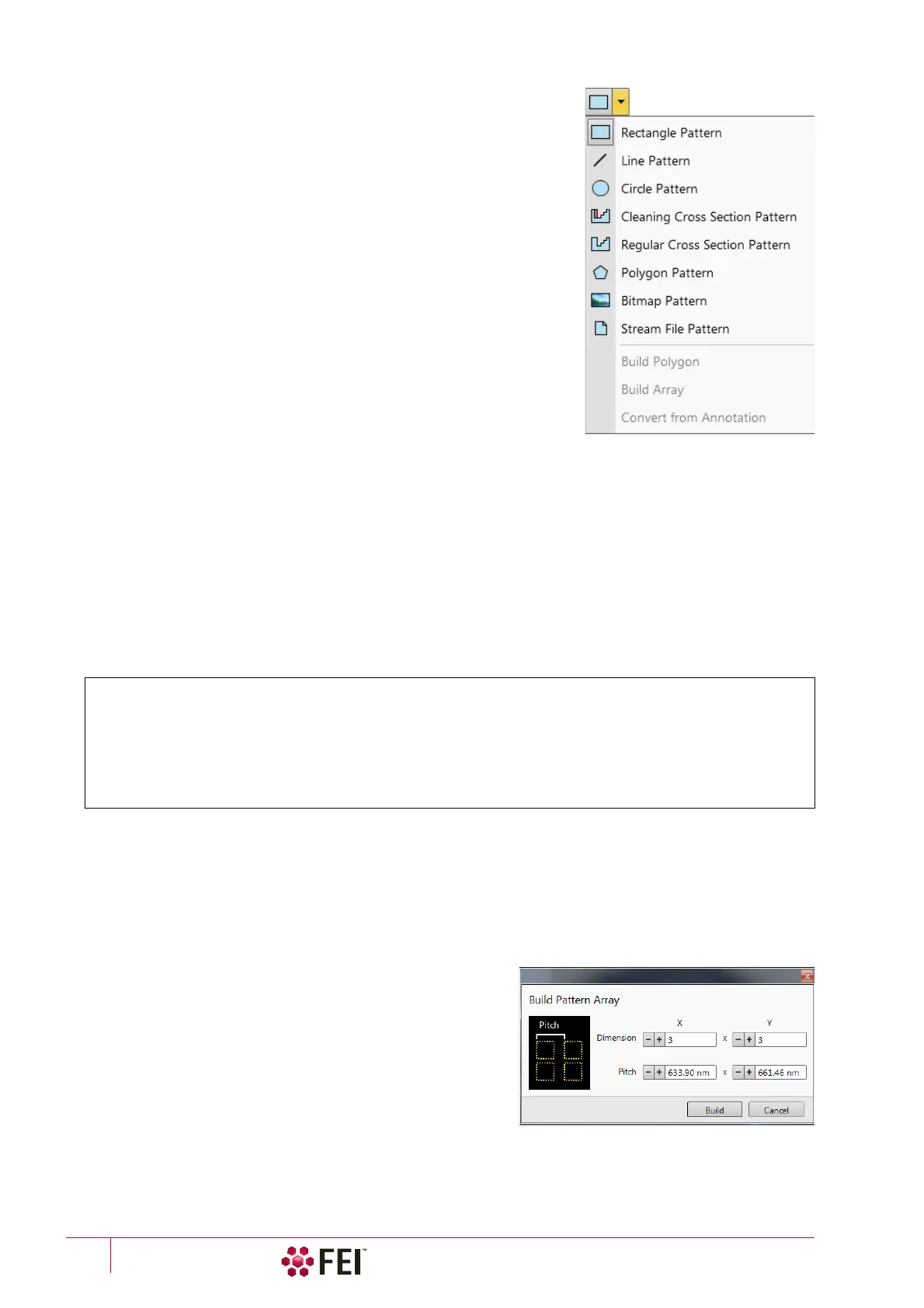
The Rectangle / Line / Circle / Polygon pattern is dedicated to both milling
and deposition.
The Cleaning Cross Section pattern is processed line by line (each line with
set number of passes).
The Regular Cross Section pattern has two possibilities selectable in the
Property editor:
• Scan Method: Multipass – processes entire pattern and starts again (with
set number of passes)
• Scan Method: Stairstep – the pattern is created as a compilation of five
rectangles with specified overlap between them. Each one is processed
with the set number of passes.
The
Bitmap
pattern enables importing bitmaps as a pattern. It must be 24 bit
RGB
bitmap, each pixel consists of:
• Red component – actually not used
• Green component – determines if the beam is blanked.
Any value other then 0 activates the beam
• Blue component – determines the dwell time per pixel:
If the value is 0, the pixel is skipped (no
milling or deposition proceeds).
If the value is 1 (border), the dwell time is the lowest (approx. 100 ns).
If the value is 255 (border), the dwell time is identical as it is set for the pattern.
The dwell time for values in between the border values is
linearly interpolated.
Note
When drawing a bitmap, we recommend using black (0 / 0 / 0) for no milling points and white (255 / 255 / 255) for milling
points.
Do not forget to optimize other properties such as the Application file, Z size, leading edge etc.
The Stream File pattern is created as an ASCII text or binary file that addresses directly the patterning DAC (Digital
Analog Converter) and produces custom pattern files. The 16-bit DAC is used so the patterning field is divided into
65 536 steps in both X- and Y-axis,
The file must begin with an s, indicating a stream file. The second line defines the number of loop repeats (40×).
The third line indicates the total number of X, Y coordinates (pixels) in one loop (5 × 5 = 25 in this case). The 96
figure represents dwell time in units of 100 ns (=9.6 µs).
Note
Stream files cannot be created directly from UI, use any suitable text processor. There are several stream file types, which
are recognizable by the first header line (s16 / s16,25ns / s16,DAC / s16,25ns,DAC).
When two patterns are overlapping, it is possible to join them into one pattern by use of the Build Polygon
functionality.
Selected patterns can be multiplied by the use of
Build Array
functionality. The Dimension / Pitch means number of repetition /
distance.
It is possible to convert any selected Annotation or Measurement
graphic to a Bitmap type pattern shape with the use of Convert
from Annotation item.
s16
40
25
96 1229 2867
96 1639 2867
96 2048 2867
96 2457 2867
96 2867 2867
96 1229 2457
96 1639 2457
96 2048 2457
96 2457 2457
96 2867 2457
96 1229 2048
96 1639 2048
96 2048 2048
96 2457 2048
96 2867 2048
96 1229 1639
96 1639 1639
96 2048 1639
96 2457 1639
96 2867 1639
96 1229 1229
96 1639 1229
96 2048 1229
96 2457 1229
96 2867 1229



 To Next Page