Operating Procedures: Patterning
C O N F I D E N T I A L – FEI Limited Rights Data 5-51
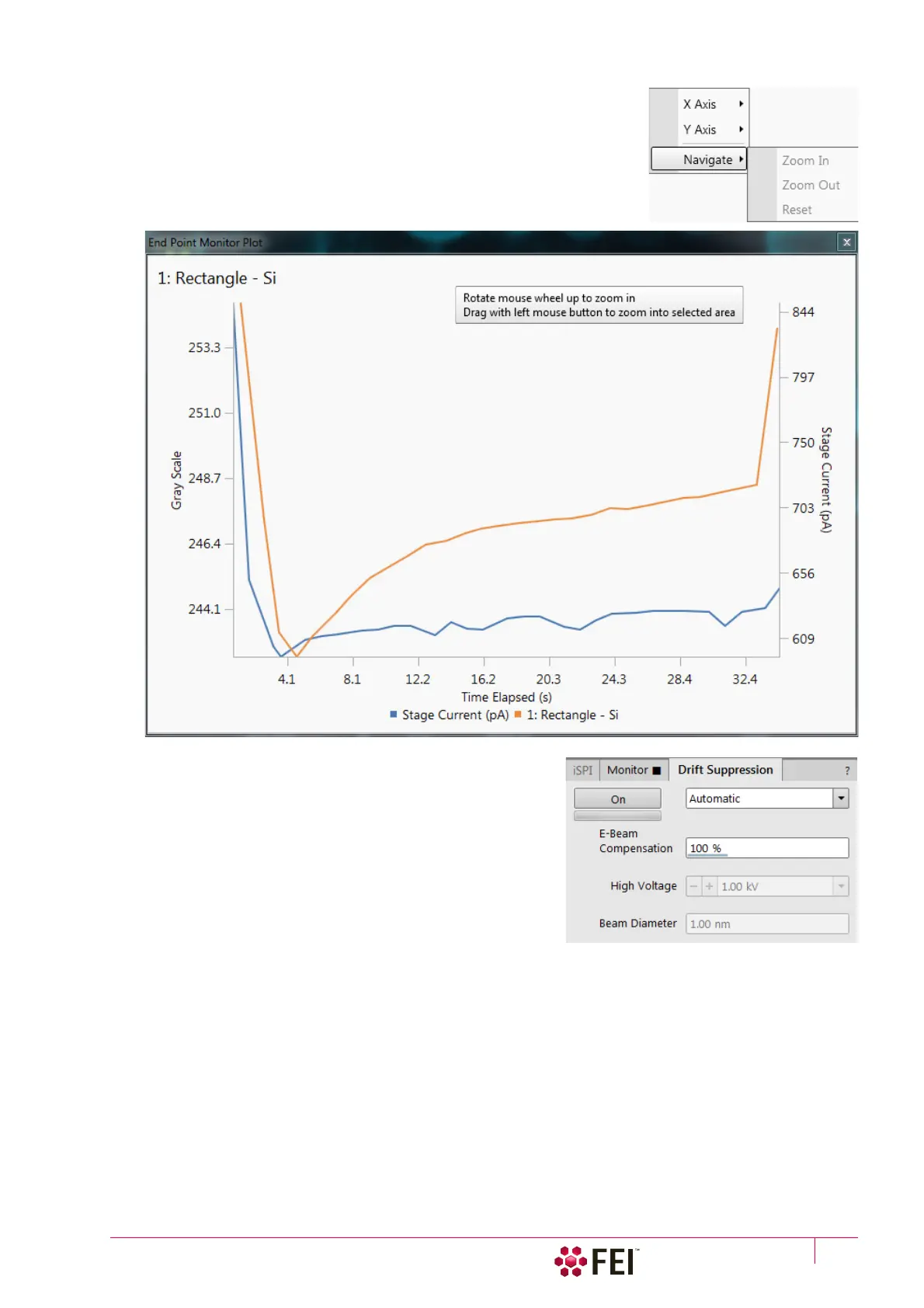
• Navigate menu (Zoom In / Zoom Out / Reset): it is possible to
zoom in
/ out
and reset a scale to default. A tooltip is given with another possibilities also.
Initially the graph is auto-scaled, meaning that the minimum and maximum
of both axes are computed automatically so that the graph is completely
visible. As points are added during patterning the graph may rescale to
achieve this. Dragging a rectangle in the graph when in Zoom In mode
zooms in that rectangle and the graph switches to a fixed-zoom. Switching
back to auto-zoom is possible via the Reset item.
Drift Suppression tab Module
Clicking on the On button switches the Drift Suppression mode on
(the Drift Suppression tab becomes highlighted in orange) / off.
This is a special electron beam mode used for ion beam imaging
of non-conductive samples and also for patterning.
The ions can positively charge the sample causing an imaging
drift and spoiling the beam probe quality. In the Drift Suppression
mode, the electron beam (produced by the electron beam
column) is used to compensate for the positive charging. The
electron beam is activated and set to the spot mode automatically
during the milling.
If the Automatic is selected, the system uses preset E-beam Compensation, High Voltage and Beam Diameter values.
If any of several Custom modes is selected and changed to find the optimal setting, values are saved automatically.
To optimize the Drift Suppression parameters so that there are no charging effects visible in the ion beam imaging
(it must be stable in position, focus and brightness), move the Scan menu / Spot mode point in the electron
imaging display by clicking on a suitable place. Set the High Voltage to about 1 kV and the E-Beam Compensation to
100%. When using high spot size numbers (> 6) optimize the current with the source shift. If the neutralization is
not sufficient increase the high voltage. Try to find the optimal electron Beam Diameter value.
Check periodically (using the Snapshot – Ctrl + F4) if the ion beam patterning does not drift.
When the message Drift Suppression out of range is shown in all active I-beam displays (image acquisition or
patterning), the tooltip informs the user about the situation:
Drift Suppression is active. For optimal performance, decrease the ion beam current to 15 nA or less.
This message will disappear when the I-beam current is decreased below 15 nA.



 To Next Page