System Options: Optional Detectors
C O N F I D E N T I A L – FEI Limited Rights Data 7-9
Detector Settings
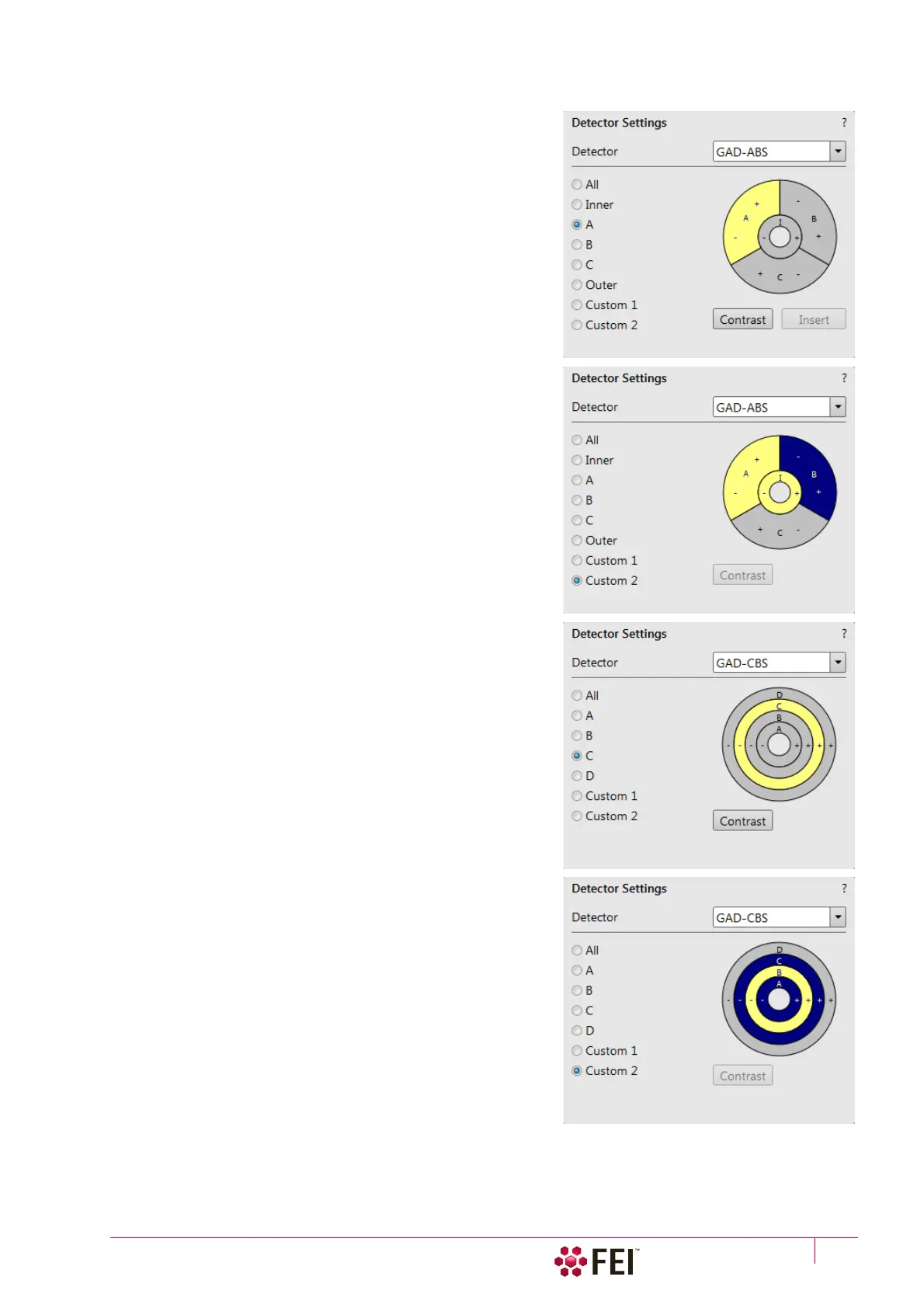
• Select the GAD–ABS from the Detector Settings module /
Detector list box / GAD–ABS or GAD–CBS detector.
Choose required diode segment(s) by clicking the relevant radio
button:
• All is the normal BSE image with suppressed topographical
contrast and maximum atomic number contrast.
• Inner / Outer uses shadows to create strong topographical and
atomic number contrast.
• A / B / C is the pseudo-topographical image with suppressed
atomic number contrast and maximum topographical
contrast.
• Custom 1 / 2 can be set by a user by clicking the selected
segments to add signal to (+ yellow background) / subtract
signal from (– blue background) the overall detector signal. By
clicking on the same (+ / -) sign again turns the segment
background grey, this segment sends no signal.
Note
To set segments to subtract signal is allowed only for Custom 2.
Set combination remains stored under particular number and user.
• The Contrast button equalizes signals (contrast) from different
segments not to override one another and to have same
contrast in different displays in which the GAD–ABS / GAD–
CBS detector is used.
Distribution of electrons collected by detector segments changes
with setting of working distance, lens mode and Beam
Deceleration mode.
It is also possible to set different segments in particular displays
and thereafter to use the Enhanced Image module / Mix 3 or Mix 4
tab to mix color coded signals to create color images.
Note
Whenever the GAD is selected, the optical display is paused (because
the CCD camera infra-red LED’s are switched off not to emit the
photons supersaturating the detector diode).



 To Next Page