Software Control: FEI Account Manager application
C O N F I D E N T I A L – FEI Limited Rights Data 3-51
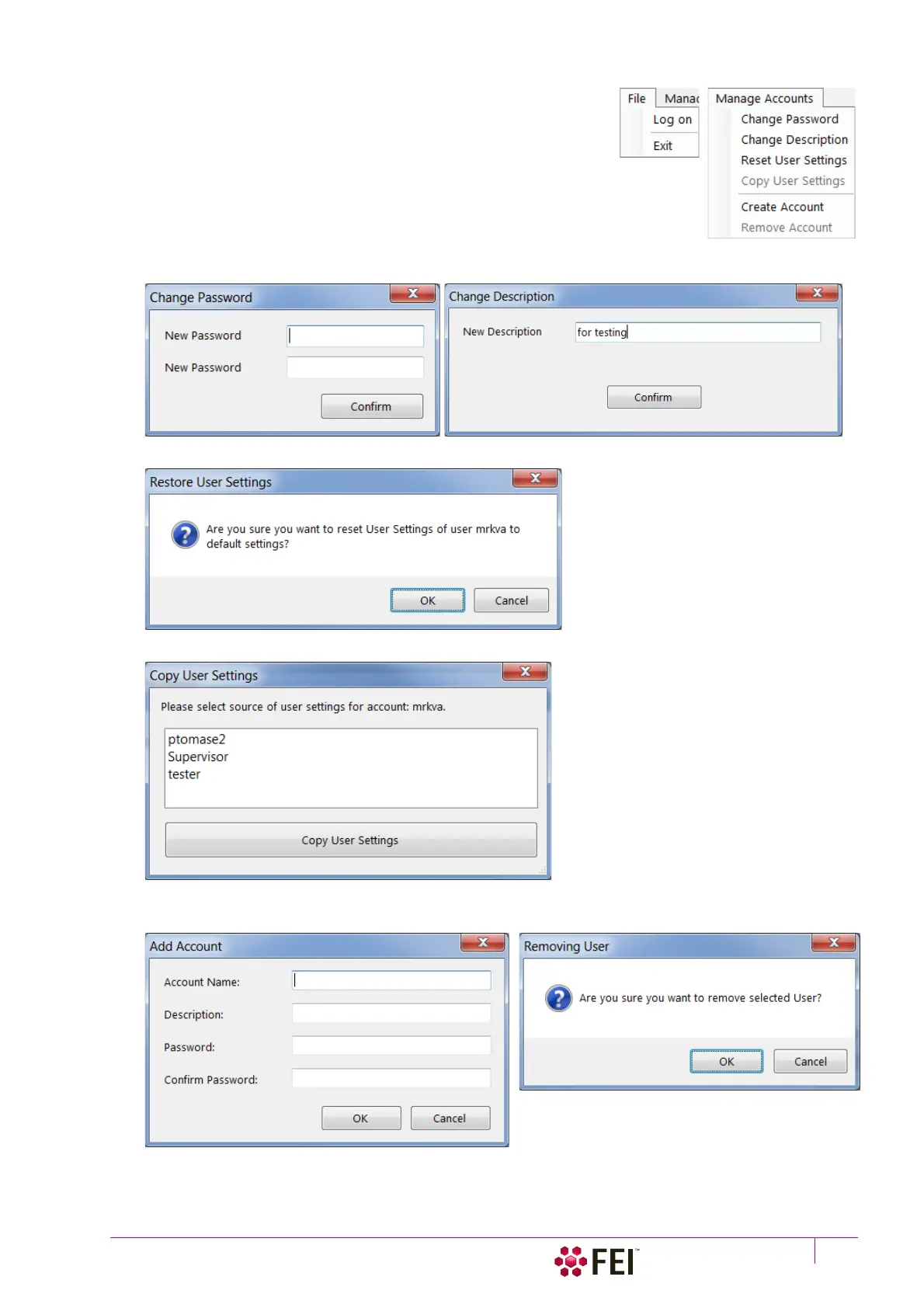
The File and Manage Accounts menus contains the same controls (with a
few exceptions), as the buttons placed at the right side of the window.
Some actions are intended for supervisor only.
Clicking the button / menu item starts the action for a selected
(highlighted) account.
• Log on – logs on a new user (an actual user is logged out)
• Exit – exits the application
• Change Password / Description – sets a new password / account description.
• Reset User Settings – restores user account setting to the factory default.
• Copy User Settings – select a user account from which settings are copied.
• Add (Create) (Supervisor) / Remove Account (Supervisor) – enter information to create a new user account.
To remove user account the confirmation is needed.
• User Sessions (Supervisor) – shows the login (.CSV) file for all user accounts.



 To Next Page