Pulse Period
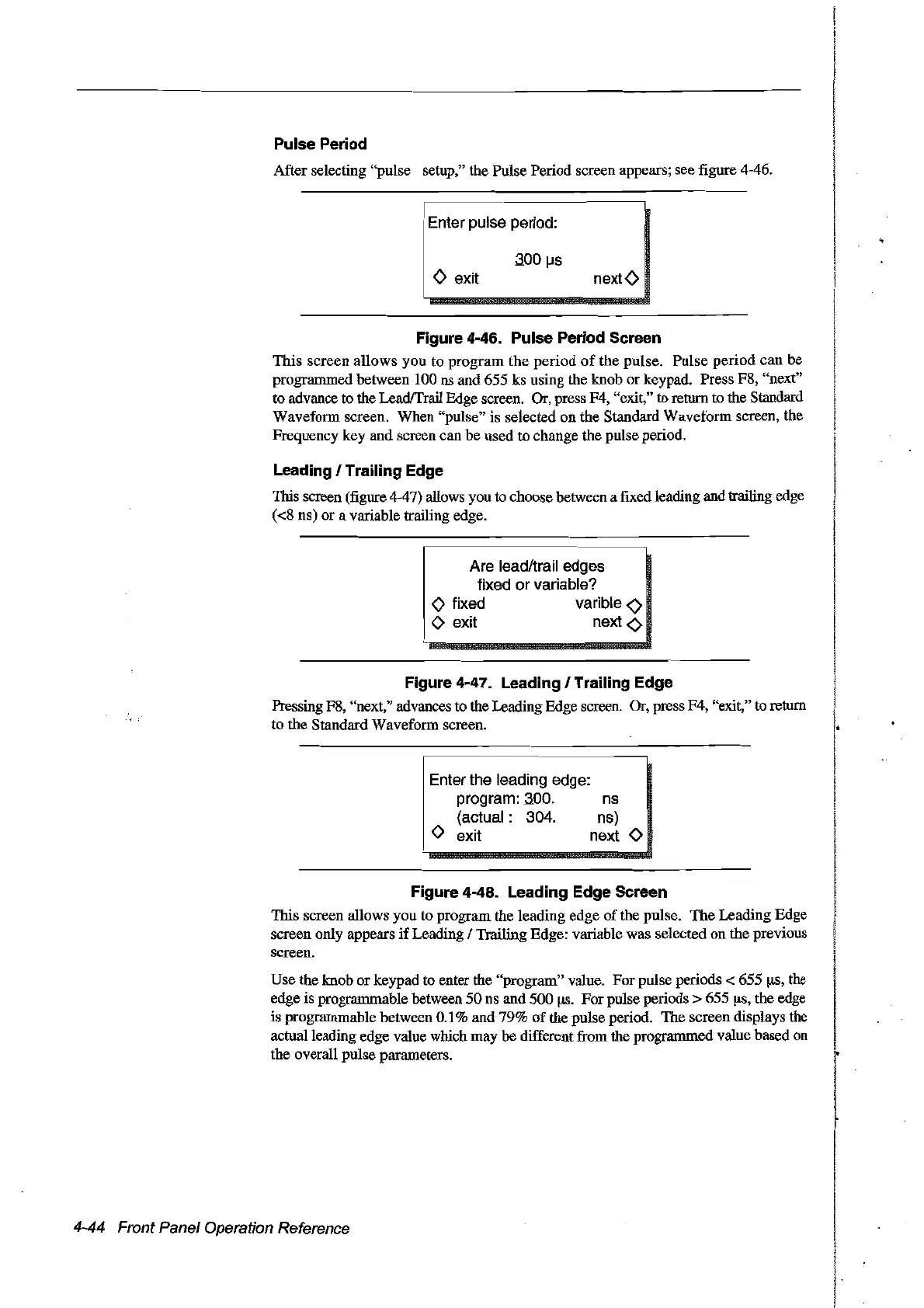
After selecting "pulse setup," the Pulse Period screen appears; see figure 4-46.
Enter pulse period:
o exit
aoo(.Js
nextO
ns
ns)
next
0
Figure 4-46. Pulse Period Sereen
This
screen
allows
you
to
program
the
period
of
the
pulse.
Pulse
period
can
be
programmed between 100 ns
and
655 ks using the knob
or
keypad. Press F8, "next"
to advance to the LeadfTrail Edge screen. Or, press F4, "exit,"
ta
return to the Standard
Waveform screen. When "pulse" is selected
on
the Standard Waveform screen, the
Frequency key and screen can be used to change the pulse period.
Leading 1Trailing Edge
This screen (figure 4-47) allows you to choose between a
flXed
leading and trailing edge
«8
ns)
or
a variable trailing edge.
~
Are leadltrailedges .
fixed or variable?
o fixed varible
<0
o exit next
<>
Figure 4-47. Leading 1Trailing Edge
Pressing F8, "next," advances
ta
the Leading Edge screen. Or, press F4, "exit," to return
to
the
Standard Waveform screen.
Enter the leading edge:
program: aoo.
(actual: 304.
o exit
Figure 4-48. Leading Edge Sereen
This screen allows you to program
the
leading edge
of
the pulse.
The
Leading Edge
screen only appears
if
Leading 1Trailing Edge: variable was selected
on
the
previous
screen.
Use the knob
or
keypad to enter the "program" value.
For
pulse periods < 655
!JS,
the
edge
is
programmable between
50
ns
and 500!JS.
For
pulse periods > 655
!1s,
the
edge
is programmable between 0.1% and 79%
of
the pulse period.
The
screen displays the
actualleading edge value which
may
be different from the prograrnmed value based
on
the overall pulse parameters.
4-44 Front Panel Operation Reference
Artisan Technology Group - Quality Instrumentation ... Guaranteed | (888) 88-SOURCE | www.artisantg.com



 To Next Page