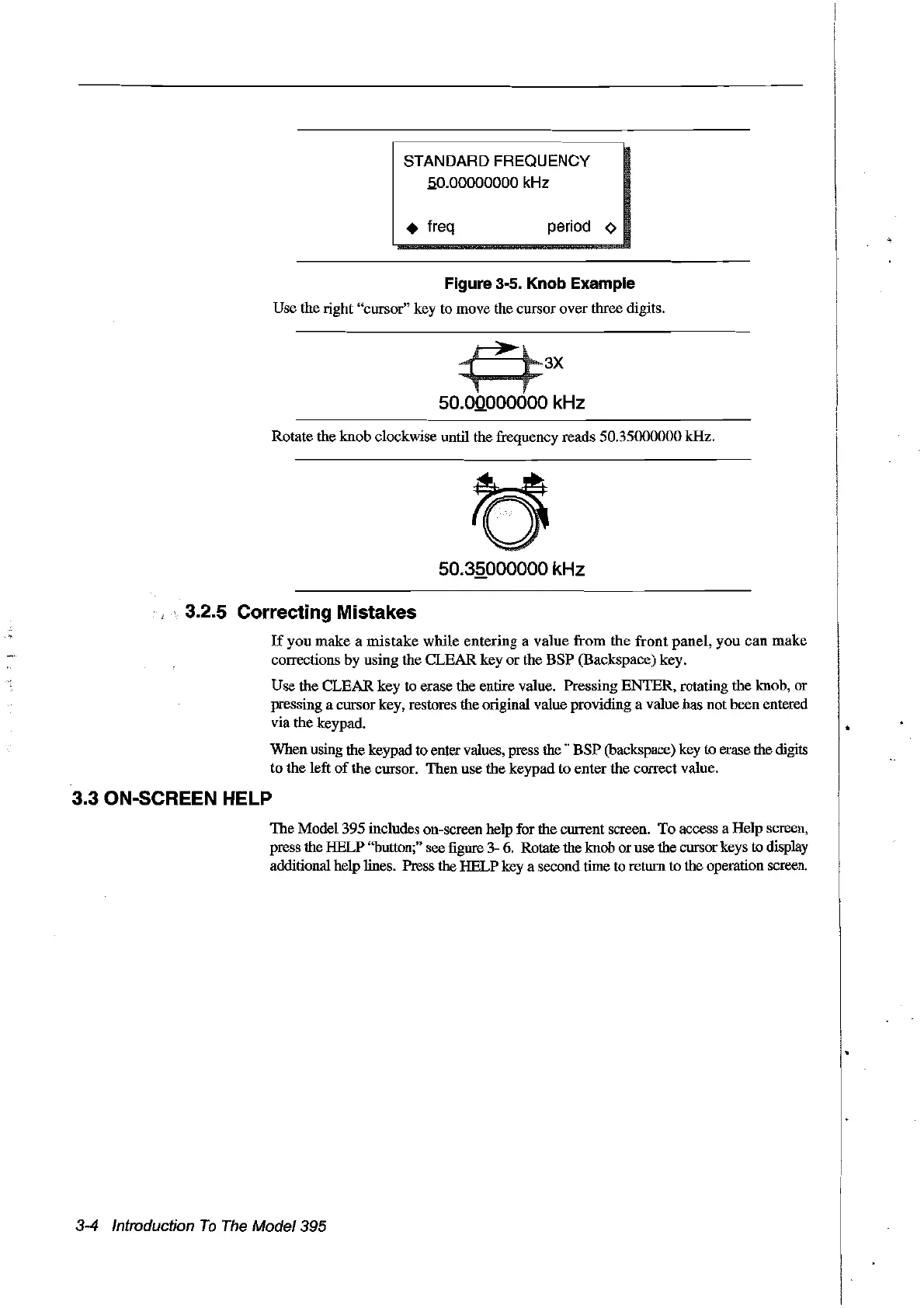
STANDARD FREQUENCY
50.00000000
kHz
• freq period
~
Figure 3-5. Knob Example
Use the right "cursor" key to move the cursor over three digits.
3X
50.0.0.000000 kHz
Rotate the knob clockwise until the frequency reads 50.35000000 kHz.
50.35000000 kHz
3.2.5 Correcting Mistakes
If
you
make
a
mistake
while entering a value
from
the
front
panel, you
can
make
corrections by using the CLEAR key or the BSP (Backspace) key.
Use the CLEAR key
to
erase the entire value. Pressing ENTER, rotating the knob, or
pressing a cursor key, restores the original value providing a value has not been entered
via the keypad.
When using the keypad to enter values, press
the"
BSP
(backspace) key ta erase the digits
to
the left
of
the cursor. Then use the keypad to enter the correctvalue.
3.3 ON-SCREEN HELP
The Model 395 incIudes on-screen help for the current screen.
Ta
access a Help screen,
press the HELP "buttan;" see figure 3- 6. Rotate the knob oruse the cursor keys
ta display
additional help lines. Press the HELP key a second time to return
ta
the operation screen.
3-4 Introduction
To
The
Model395
Artisan Technology Group - Quality Instrumentation ... Guaranteed | (888) 88-SOURCE | www.artisantg.com



 To Next Page