5.4 IEEE-488.1 (GPIB) SETUP
Operating
the
Model 395 via IEEE-488 consists
of
three steps: hardware setup,
instrumentsetup, andcommands.
If
the unitdoes notcontain an IEEE interface, the
IEEE-488 screens will not appear on the menu.
5.4.1 Hardware Setup
Paragraph 2.7.2 describes the Model395's IEEE-488 hardware connections. The
IEEE-488 able sets are available fram Wavetek-Datron
in
1 meter (pIN 630364) and
2 meter (pIN 630366) lengths.
5.4.2 Instrument Setup
Press
the
REMOTE
key
on
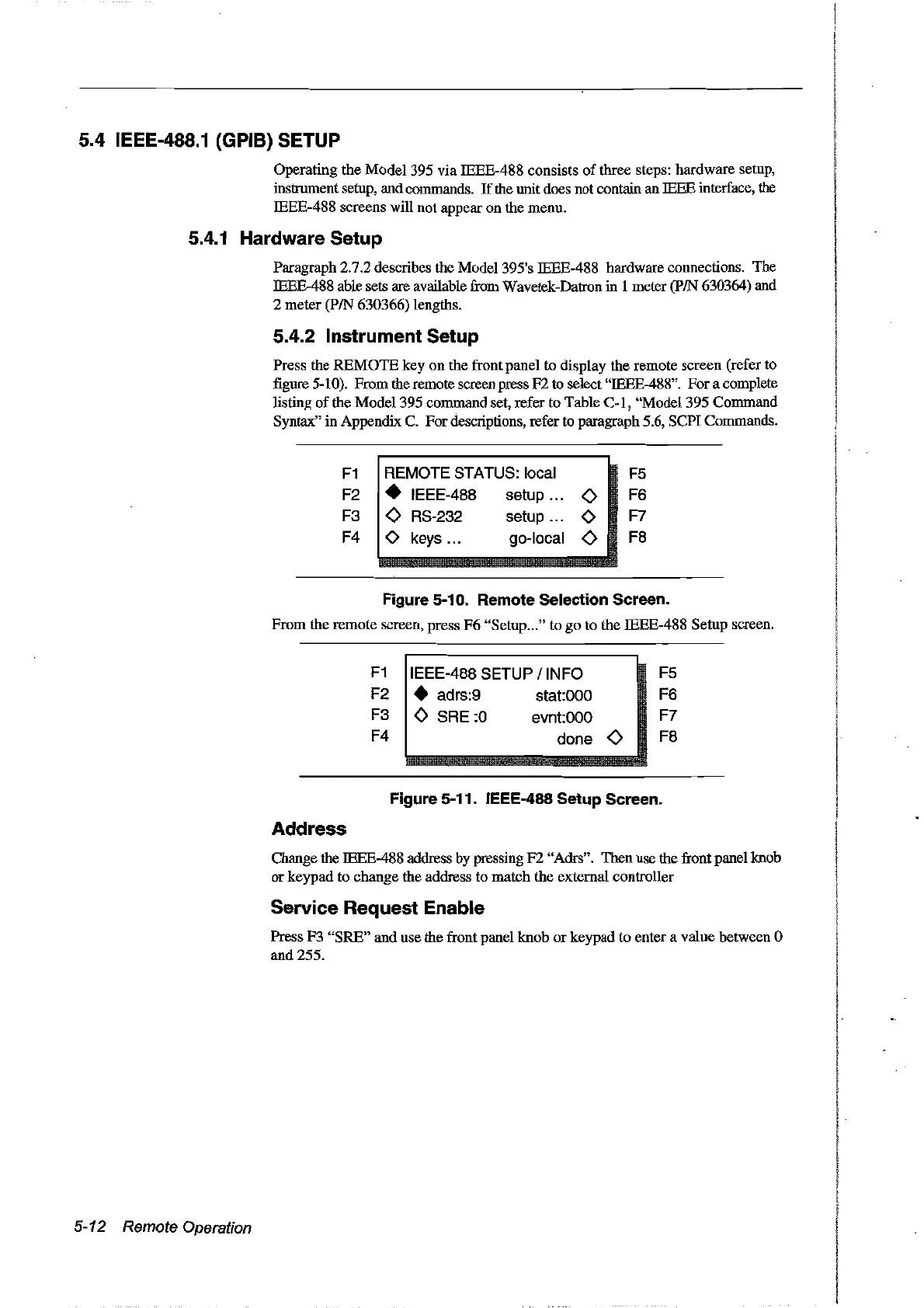
the front panel to display the remote screen (refer to
figure 5-10). From the remote screen press
F2
to select "IEEE-488". For a complete
listing
of
the Model 395 command set, refer to Table C-1, "Model 395 Command
Syntax"
in
Appendix C. Fordescriptions, refer to paragraph 5.6, SCPI Commands.
F1
REMOTE STATUS: local
F5
F2 • IEEE-488 setup
<>
F6
F3
<>
RS-232 setup 0 F7
F4
0 keys... go-local
<>
F8
Figure 5-10. Remote Selection Sereen.
From the remote screen, press
F6
"Setup..."
to
go
to the IEEE-488 Setup screen.
F1
IEEE-488 SETUP / INFO F5
F2 • adrs:9
statOOO
F6
F3
<>
SRE:O
evntOOO
F7
F4
done
<>
F8
Figure 5-11. IEEE-488 Setup Screen.
Address
Change the IEEE-488 address bypressing
F2
"Adrs". Then use the front panel knob
or
keypad to change the address to match the external controller
Service Request Enable
Press F3
"SRE"
and use the front panel knob
or
keypad to enter a value between 0
and 255.
5-12 Remote Operation
Artisan Technology Group - Quality Instrumentation ... Guaranteed | (888) 88-SOURCE | www.artisantg.com



 To Next Page