FREQUENCV
( )
STANDARDFREQUENCY
1.000000000 kHz
• freq period<>
Figure 3-1. Frequeney Sereen
Try pressing the TRIO
IN
key
or
MODE key to display their screens.
3.2.2 Soflkeys
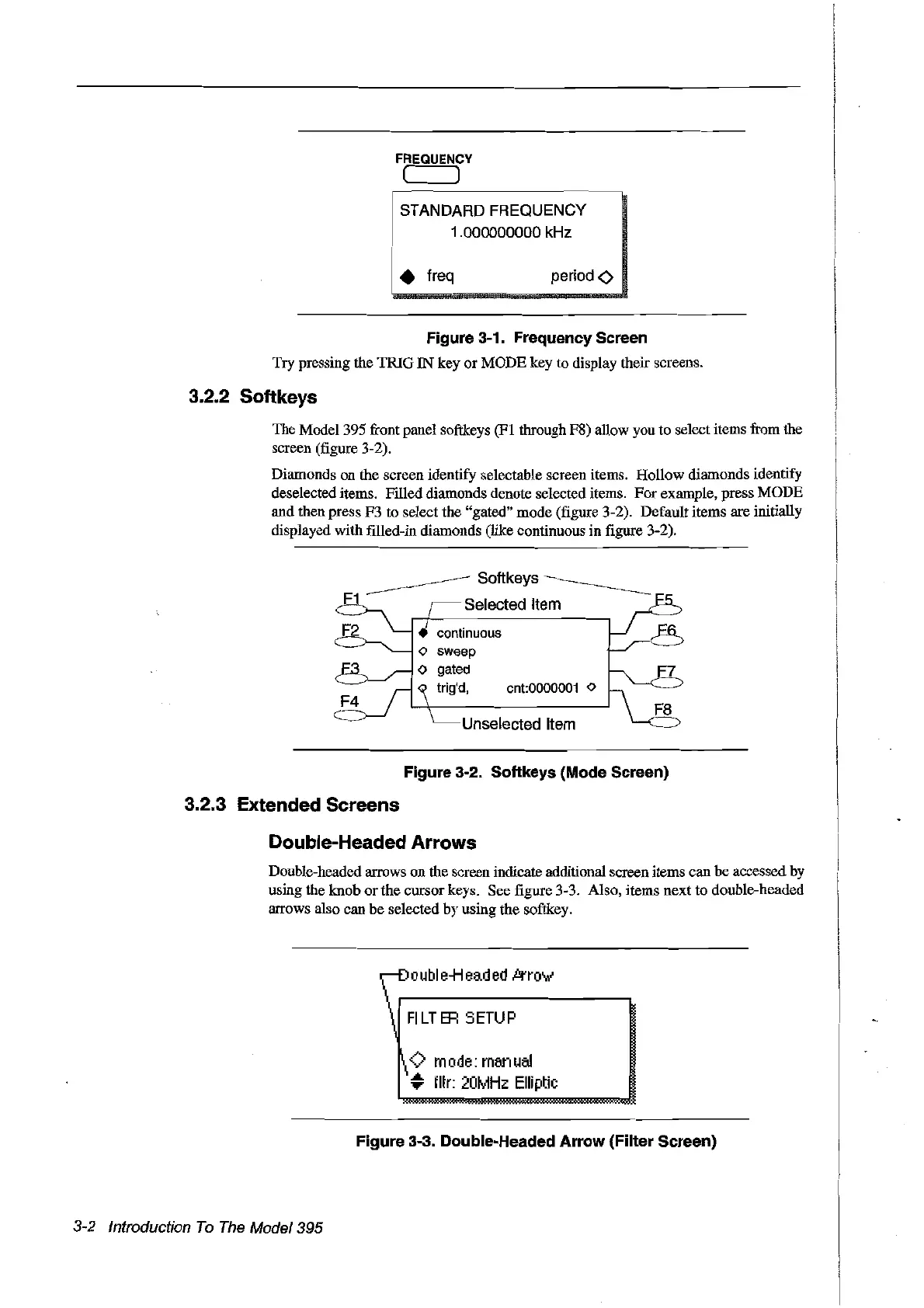
The Model 395 front panel softkeys (FI through F8) allow you to select items from the
screen (figure 3-2).
Diamonds on the screen identify selectable screen items. Hollow diamonds identify
deselected items. Filled diamonds denote selected items.
For
example, press
MODE
and then press F3 to select the "gated" mode (figure 3-2). Default items are initially
displayed with filled-in diamonds (like continuous in figure 3-2).
Softkeys
Selected Item
cnt:0000001
<>
Unselected Item
Figure 3-2. Softkeys (Mode Sereen)
3.2.3 Extended Screens
Double-Headed
Arrows
Double-headed arrows on the screen indicate additional screen items can be accessed
by
using the knob
or
the cursorkeys. See figure 3-3. Also, items next to double-headed
arrows also can
be
selected by using the softkey.
o
ubl
e-H
ead
ed
kro\
....
FI
LT
ER
S
ETUP
<>
mode:
manual
#;
fltr:
2üMHz
Elli
ptie
Figure 3-3. Double-Headed
Arrow
(Filter Sereen)
3-2 Introduction
Ta
The
Madel 395
Artisan Technology Group - Quality Instrumentation ... Guaranteed | (888) 88-SOURCE | www.artisantg.com



 To Next Page