... Ellipsis
An
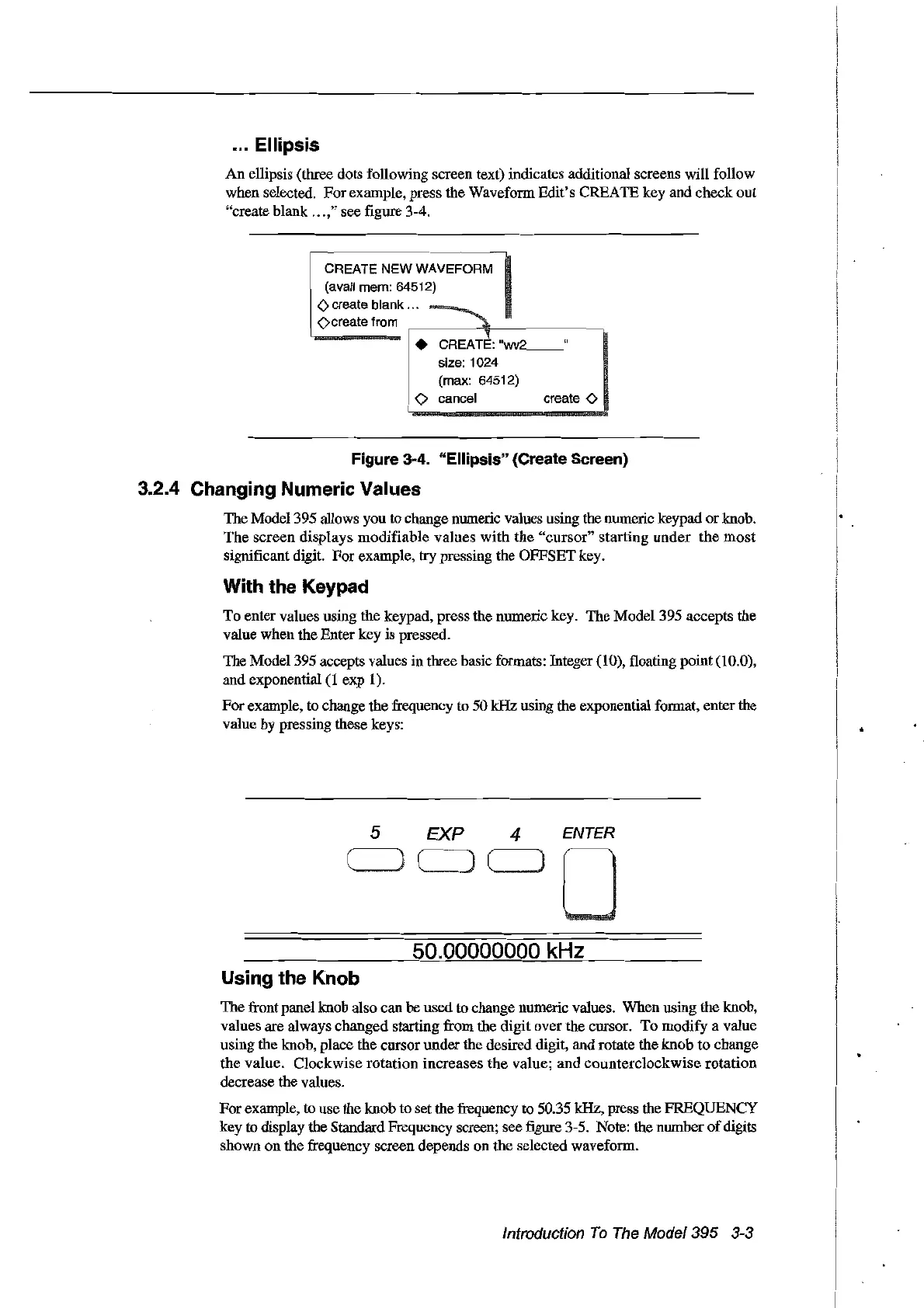
el1ipsis (three dots fol1owing screen text) indicates additional screens will follow
when selected.
For
example, press the Waveform
Edit's
CREAlE
key
and
eheck
out
"create blank
...
," see figure 3-4.
create 0
1.
C~EA
Œ
"",,
__
u
size: 1024
i (max: 64512)
<>
cancel
CREATE
NEW
WAVEFORM
(avai! mem: 64512)
<>
create blank ...
<)create trom
Figure 3·4. "Ellipsis" (Create Sereen)
3.2.4 Changing Numeric Values
The
Model 395 allows you to change nomeric values using the nomeric keypad
or
knob.
The
screen
displays
modifiable
values
with
the
"cursor"
starting
under
the
most
significant digit.
For
example, try pressing the
OFFSET
key.
With the Keypad
To
enter
values using
the
keypad, press
the
numerie key.
The
Model395
accepts
the
value
when
the
Enter key
is
pressed.
The
Model395
accepts values in three basic formats: Integer (10), fioating
point
(10.0),
and
exponential (1
exp
1).
For
example, to change
the
frequency
to
50
kHz
using the exponential format, enter the
value by pressing these keys:
5
EXP
4
ENTER
50.00000000 kHz
Usiog the Knob
The
front panel knob also can
be
used to change numeric values.
When
using the knob,
values
are
always
ehanged
starting
from
the
digit
over
the cursor.
To
modify
a value
using the knob, place the
cursor
under
the
desired digit,
and
rotate the
knob
to
change
the
value.
Clockwise
rotation
increases
the
value;
and
counterclockwise
rotation
decrease the values.
For
example,
ta
use the
knob
to
set the frequency to 50.35 kHz, press the
FREQUENCY
key
to
display the Standard Frequency screen;
see
figure 3-5. Note: the
nomber
of
digits
shown
on
the
frequency screen depends
on
the
selected waveform.
Introduction
To
The
Model395 3-3
Artisan Technology Group - Quality Instrumentation ... Guaranteed | (888) 88-SOURCE | www.artisantg.com



 To Next Page