To
SCM the Model 395,
Select the Waveform;
Program the frequency;
Define the Amplitude;
Set up the operating Mode.
Press the
AM
IN key and select (F4)
"SCM
(5Vpp=200%)." Connect the
modulating source to the
AM
IN
connector (figure 4-10 ).
Also see:
Amplitude
MAIN
OUT
Frequency
Mode
4.4.3 ARBITRARY WAVEFORMS
4.4.3.1 Introduction
Arbitrary waveforms are individual data points at addresses stored
in
internaI memory
of
the
Model
395.
To
generate
the
Arbitrary
waveform
a
clock
steps
the
memory
addresses
and
the
data
is
converted
to
an
analog
voltage.
The
analog
voltage
is
amplified by an output amplifier and routed to the Main
Out
connector.
By
controlling
the
dock
period
and
the total
number
of
points
in
each
cycle,
the
frequency
of
the
waveform can
be
increased
or
decreased.
In
the
Model
395,
Arbitrary
(Arb)
Waveforms
or
user-defined
waveforms
can
be
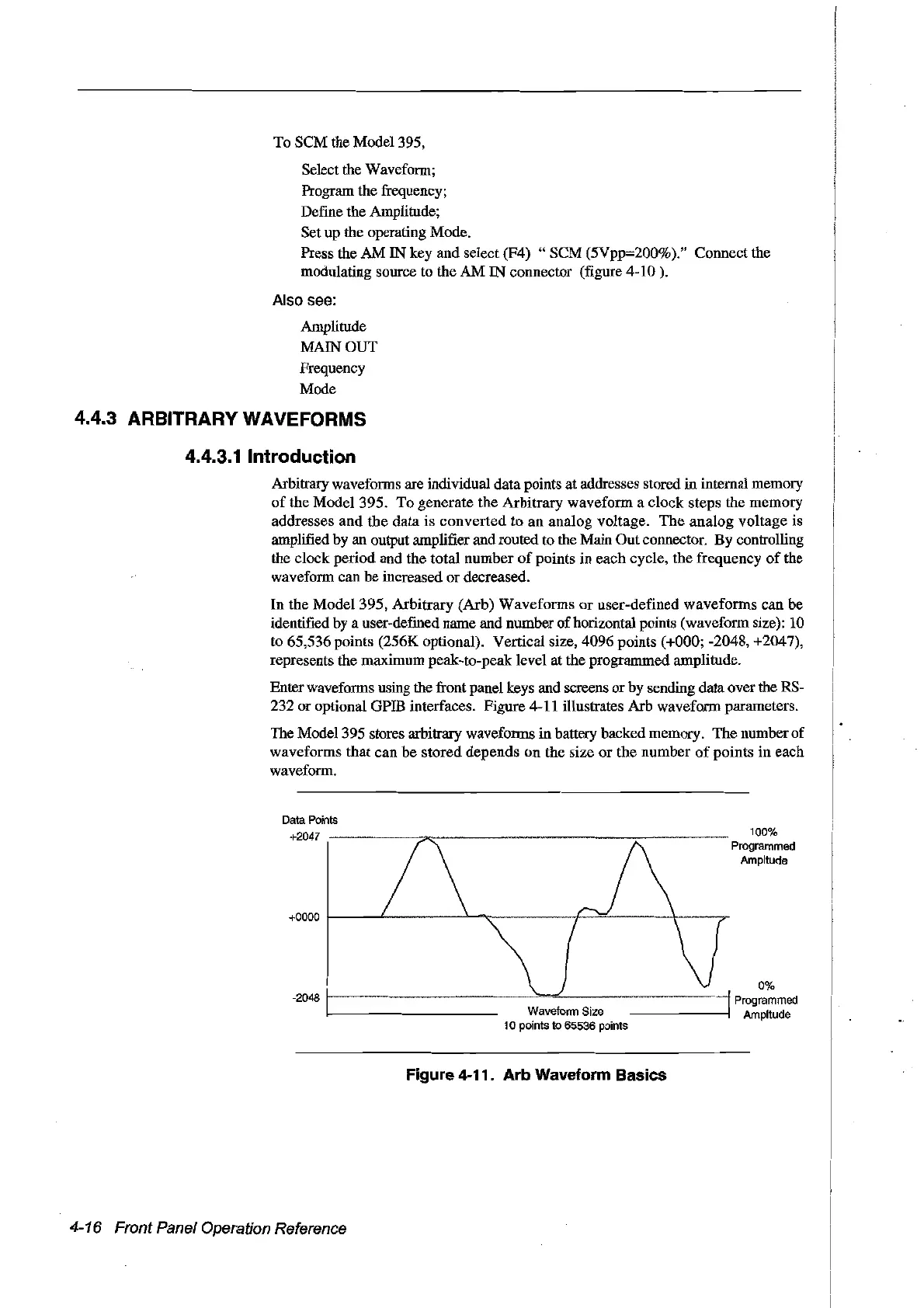
identified by a user-defined name and number
of
horizontal points (waveform size):
10
to
65,536 points (256K optional). Vertical size, 4096 points (+000; -2048, +2047),
represents the maximum peak-to-peak level
at
the prograrnmed amplitude.
Enter waveforms using the front panel keys and screens
or
by sending data over the RS-
232
or
optional GPIB interfaces. Figure 4-11 illustrates
Arb
waveform parameters.
The
Model 395 stores arbitrary waveforms
in
battery backedmemory.
The
number of
waveforms
that
can
be
stored
depends
on
the size
or
the
number
of
points
in
each
waveform.
0%
-2048
t-----
.....
~-----~-"':........-----.----....j
Programmed
Ampltude
+0000
t---L-------.lo.
........
---.~~.=...--
--'(---;r
Data Points
+2047 .
?"":
~----
100%
Programmed
Ampltude
Figure 4-11. Arb Waveform Basics
4-16 Front Panel Operation Reference
Artisan Technology Group - Quality Instrumentation ... Guaranteed | (888) 88-SOURCE | www.artisantg.com



 To Next Page