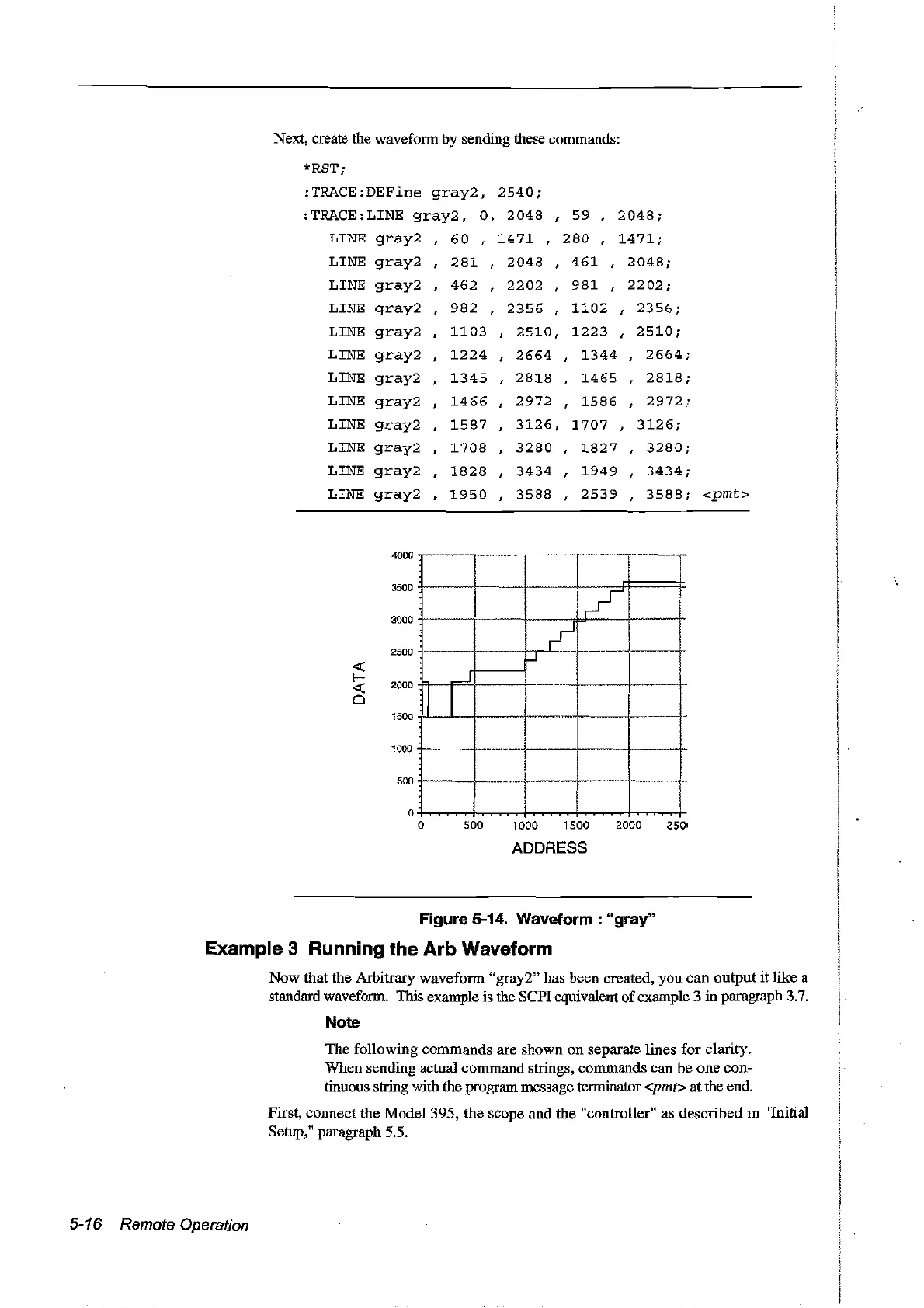
Next, create the waveform by sending these commands:
*RST;
:TRACE:DEFine
gray2,
2540;
:TRACE:LINE
gray2,
0,
2048
,
59
,
2048;
LINE
gray2
60
,
1471
,
280
,
1471;
LINE
gray2
281
,
2048
,
461
,
2048;
LINE
gray2
,
462
,
2202
,
981
,
2202;
LINE
gray2
982
,
2356
,
1102
,
2356;
LINE
gray2
1103
,
2510,
1223
,
2510;
LINE
gray2
1224
,
2664
,
1344
,
2664;
LINE
gray2
1345
,
2818
,
1465
,
2818;
LINE
gray2
1466
,
2972
,
1586
,
2972;
LINE
gray2
1587
,
3126,
1707
,
3126;
LINE
gray2
1708
,
3280
,
1827
,
3280;
LINE
gray2
1828
,
3434
,
1949
,
3434;
LINE
gray2
1950
,
3588
,
2539
,
3588;
<pmt>
4000
3500
3000
2500
<l.:
1-
2000
<l.:
0
1500
1000
500
_
..
-
/
,
~
~
..J
J
! 1
1
_.
o
o
500
1000 1500
2000
2501
ADDRESS
Figure 5-14. Waveform: "gray"
Example 3 Running the Arb Waveform
Now that the Arbitrary waveform "gray2" has been created,
you
can
output
it
like a
standard waveform. This exarnple is the
sePI
equivalent ofexarnple 3 in paragraph 3.7.
Note
The following commands are shown
on
separate lines for clarity.
When sending actual command strings, commands can be
one
con~
tinuous string with the prograrn message terminator <pmt>
at
the end.
First, connect the Model 395, the scope and the "controller" as described in "Initial
Setup," paragraph 5.5.
5-16 Remote Operation
Artisan Technology Group - Quality Instrumentation ... Guaranteed | (888) 88-SOURCE | www.artisantg.com



 To Next Page