4.4.10 SEQUENCE
Sequence
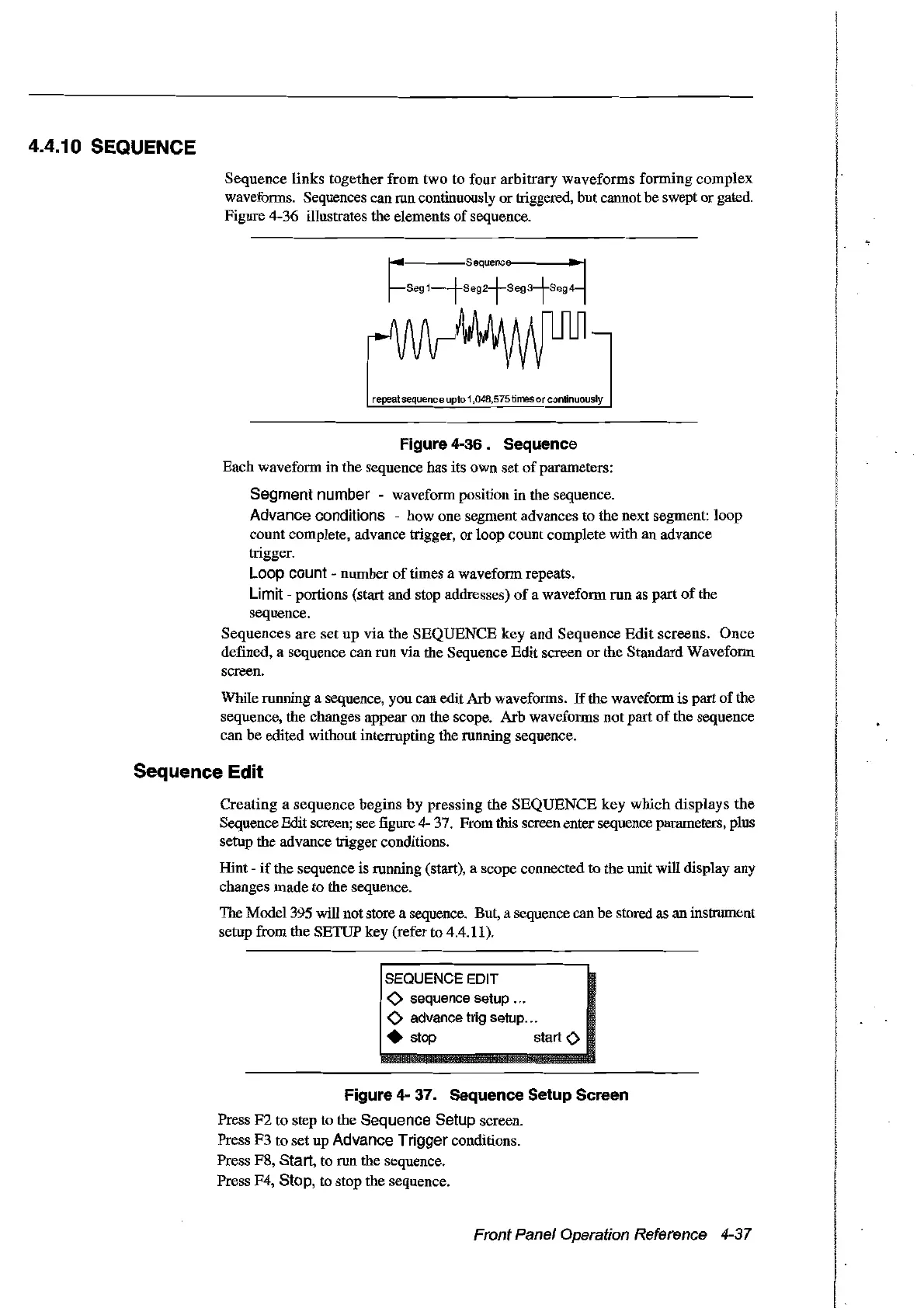
links
together from two to four arbitrary waveforms forming
complex
waveforms. Sequences can ron continuously ortriggered, but cannot be swept
or
gatOO.
Figure 4-36 illustrates the elements
of
sequence.
r·
Sequenc
r-seg1--fseg1-seg3iseg4
repealsequence
uplo
1,048,575Iirres or conlinuously
Figure 4-36. Sequence
Each waveform in the sequence has its own set
of
parameters:
Segment number waveform position in the sequence.
Advance conditions - how one segment advances to the next segment: loop
count complete, advance trigger, or loop count complete with an advance
trigger.
Loop count - number
of
times a waveform repeats.
Limit - portions (start and stop addresses)
of
a waveform run as part
of
the
sequence.
Sequences
are
set
up
via
the
SEQUENCE
key
and
Sequence
Edit
screens.
Once
defined, a sequence can
run
via the Sequence Edit screen or the Standard Waveform
screen.
While running a sequence, you can edit Arb waveforms.
If
the waveform is part
of
the
sequence, the changes appear
on
the scope. Arb waveforms not part
of
the sequence
can be ooitoo without interrupting the running sequence.
Sequence Edit
Creating
a
sequence
begins
by
pressing
the
SEQUENCE
key
which
displays
the
Sequence Edit screen; see :figure 4- 37. From this screen enter sequence parameters, plus
setup the advance trigger conditions.
Hint -
if
the sequence is ronning (start), a scope connected to the unitwill display any
changes made to the sequence.
The Model 395 will not store a sequence. But, a sequence can he
storOO
as an instrument
setup from the SETIJP key (refer to 4.4.11).
SEQUENCE EDIT
<>
sequence setup .
<>
advance trig setup .
• stop start
<>
Figure 4- 37. Sequence Setup Screen
Press
F2
to
step to the Sequence Setup screen.
Press
F3
to
set up Advance Trigger conditions.
Press F8,
Start, to run the sequence.
Press F4,
Stop, to stop the sequence.
Front Panel Operation Reference 4-37
Artisan Technology Group - Quality Instrumentation ... Guaranteed | (888) 88-SOURCE | www.artisantg.com



 To Next Page