Sequence Setup
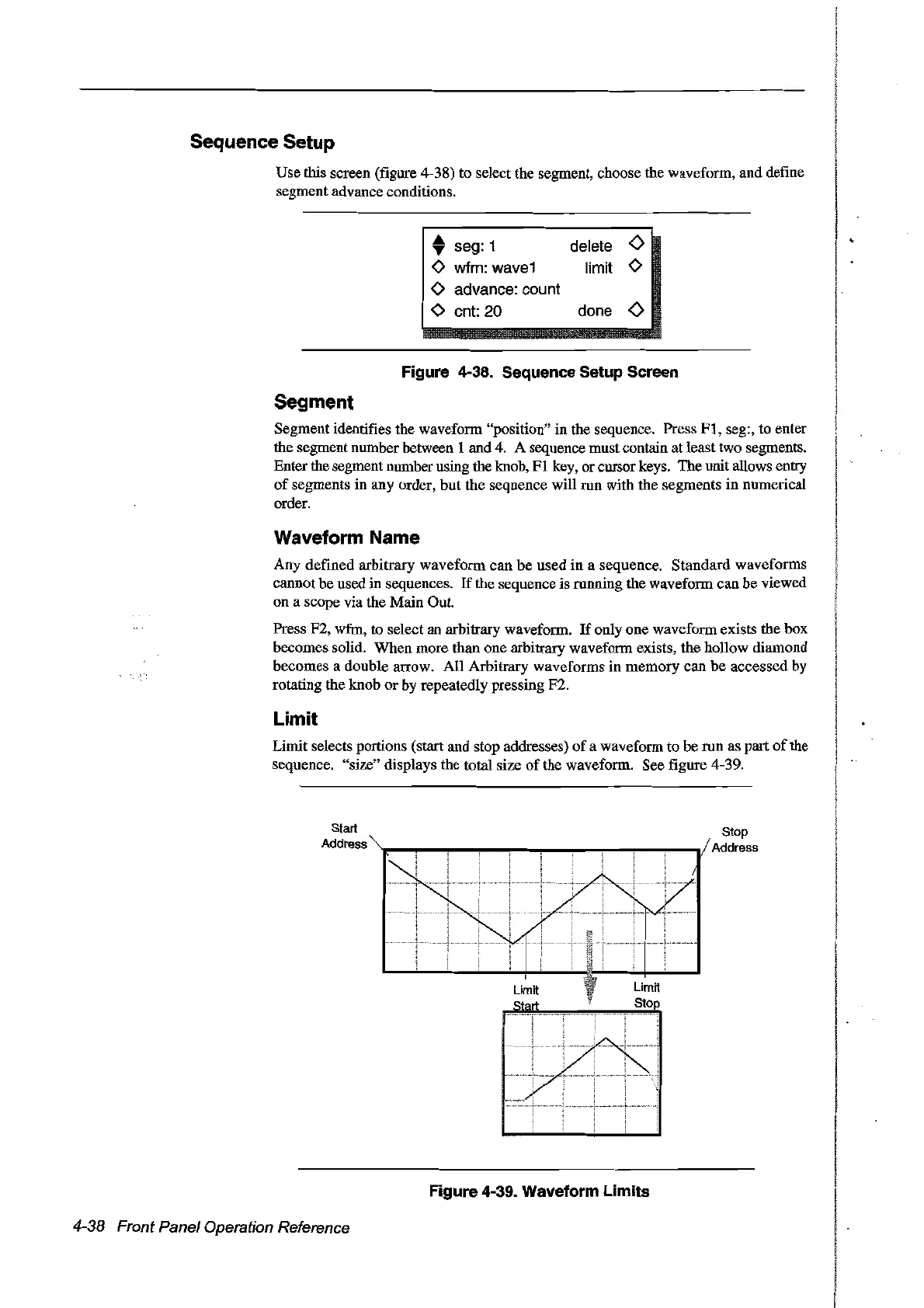
Use this screen (figure 4-38) to select the segment, choose the waveform, and define
segment advance conditions.
• seg: 1
o wfm: wave1
o advance: count
o cnt: 20
delete
<>
li
mit 0
done
<>
Figure 4-38. Sequence Setup Screen
Segment
Segment identifies the waveform "position" in the sequence. Press
Ft,
seg:, to enter
the segment number between t and 4. A sequence must contain
at
least two segments.
Enter the segment number using the knob,
Ft
key, or cursor keys. The unit allows entry
of
segments in any order, but the sequence will run with the segments
in
numerical
order.
Waveform Name
Any defined arbitrary waveform can be used
in
a sequence. Standard waveforms
cannot be used in sequences.
If
the sequence is running the waveform can be viewed
on a scope via the Main Out.
Press F2, wfm, to select an arbitrary waveform.
If
onty one waveform exists the box
becomes
soUd.
When more than one arbitrary waveform exists, the hollow diamond
becomes a double arrow. AlI Arbitrary waveforms
in
memory
can
be
accessed by
rotating the knob or by repeatedly pressing F2.
Limit
Limit selects portions (start and stop addresses)
of
a waveform to be run as part
of
the
sequence. "size" displays the total size
of
the waveform. See figure 4-39.
Start
Address
4-38 Front Panel Operation Reference
Figure 4-39. Waveform Limits
Stop
Address
Artisan Technology Group - Quality Instrumentation ... Guaranteed | (888) 88-SOURCE | www.artisantg.com



 To Next Page