Press F2 to select the waveform to copy. Use the knob or cmsor keys to
seroU
through
the list ofwaveforms stored in memory. Both standard and arbitrary waveforms can be
copied.
To
enter the name
of
the new waveform press
FI
and use the knob or keypad to enter the
name. Names can have up to eight characters. The first character in
the
name must
a1ways be a letter (a
...
z).
Press F3, "size," to set the number
of
points in the new waveform. Minimum number
of
points is 10, and the
maximum
is 65536 points (131,072 points with extended
memory). Enter the size using the knob
or
keypad. Default size shown is 1024 points
or
the amount
of
points left
if
memory is low. When the waveform is enlarged (original
number
of
points less than new number
of
points), the Model 395 adds (interpolates)
points. Shrioking the waveform (original number
of
points greater than new number
of
points) the Model395 removes points from the waveform which could loose significant
waveform data.
Note
Once a waveform has been resized to a number of points
less than the original size, it will never regain the same
identical waveform shape as the original size.
Select "create"
(FB) to
accept
the
copied
waveform
and
retmn
to the Create
New
Waveform screen.
Select "cancel" (F4) to return to the Create New Waveform screen without copying the
waveform.
4.4.3.4 Modifying Waveforms
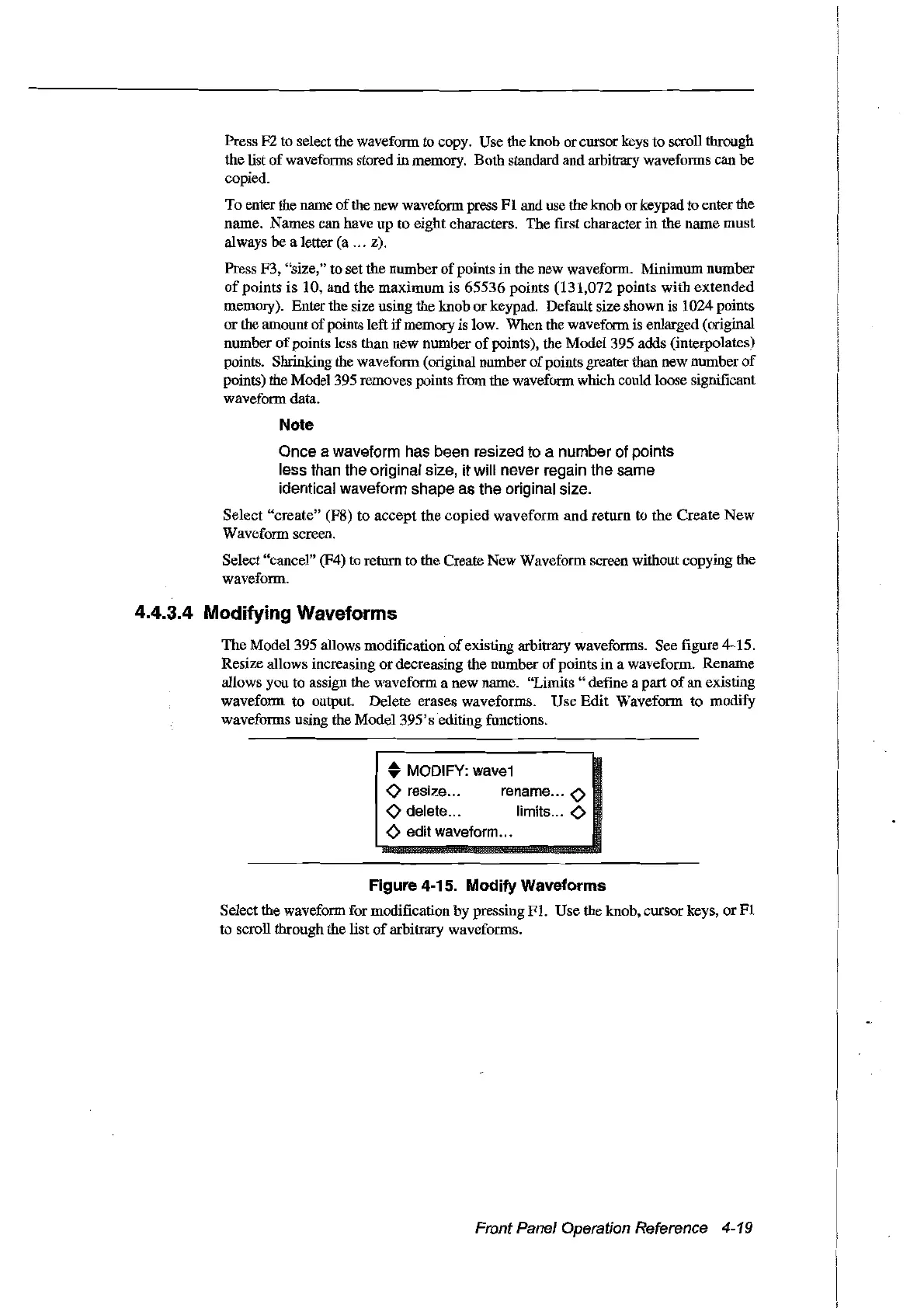
The Model 395 allows modification
of
existing arbitrary waveforms. See figure 4-15.
Resize allows increasing
or
decreasing the number
of
points in a waveform. Rename
aUows you to assign the waveform a new name. "Lirnits" defme a part
of
an existing
waveform to
output
Delete erases waveforms. Use
Edit
Waveform to modify
waveforms using the
Model395'sediting
functions.
• MODIFY:
wave1
<>
resize... rename
<>
<>
delete... Iimits
<>
<>
edit waveform...
Figure 4-15. Modify Waveforms
Select the waveform for modification by pressing
FI.
Use the knob, cmsor keys,
or
FI
to scroU through the list
of
arbitrary waveforms.
Front Panel Operation Reference 4-19
Artisan Technology Group - Quality Instrumentation ... Guaranteed | (888) 88-SOURCE | www.artisantg.com



 To Next Page