4.4.15 SWEEP
As a sweep generator, the Model 395 produces an output wavefonn with frequencies
that sweep between the programmed start and stop frequencies. The Model 395 sweeps
both standard and arbitrary wavefonns over a ImHz to 20.0 MHz range with
programmable sweep time from
30
ms to 1000s. Sweep mode provides two sweep
spacings (linear and logarithmic), two sweep directions (up and down) and seven sweep
types:
Continuous 1 direction
Continuous 2 directions
Triggered 1 direction
Triggered 2 directions
Triggered, hold and Reset
Triggered, hold 2 directions
Manual.
(continuous sweep and reset),
(continuous sweep and return),
(triggered sweep and reset),
(triggered sweep and return),
(triggered sweep and hold with triggered reset),
(triggered sweep and hold with triggered return),
During sweep, the Model 395 inserts a 20MHz Elliptical filter at the output. Sweeping
arbitrary wavefonns with spectral content beyond
20
MHz will distort the wavefonn.
At
higher frequencies, position markers and sync markers may not function nonnally
due to the Direct Digital Synthesis (DDS) technique. "Frequency" actually depends on
the original waveform size (50 MHz/wavefonn size).
The Model 395 uses a 2048 sweep table. Thus, regardless
of
the sweep range, the Model
395 divides the start and stop "frequency" into 2048 frequency steps.
At
sweep times
of
1.02 seconds and greater, sweep will step through aIl 2048 frequency steps. Below
1.02 seconds, frequency sweep contains fewer steps due to the 0.5 ms interrupt
at
each
step.
At
a
30
ms sweep time, the frequency sweep contains only
60
steps.
To
sweep
arbitrary wavefonns, the Model 395 expands
or
condenses the waveform to fit into
exactly 4096 points. This does not affect the original data. AIso, the internaI sample
rate is set to
50
MHz. Arbitrary waveform sweep uses DDS techniques.
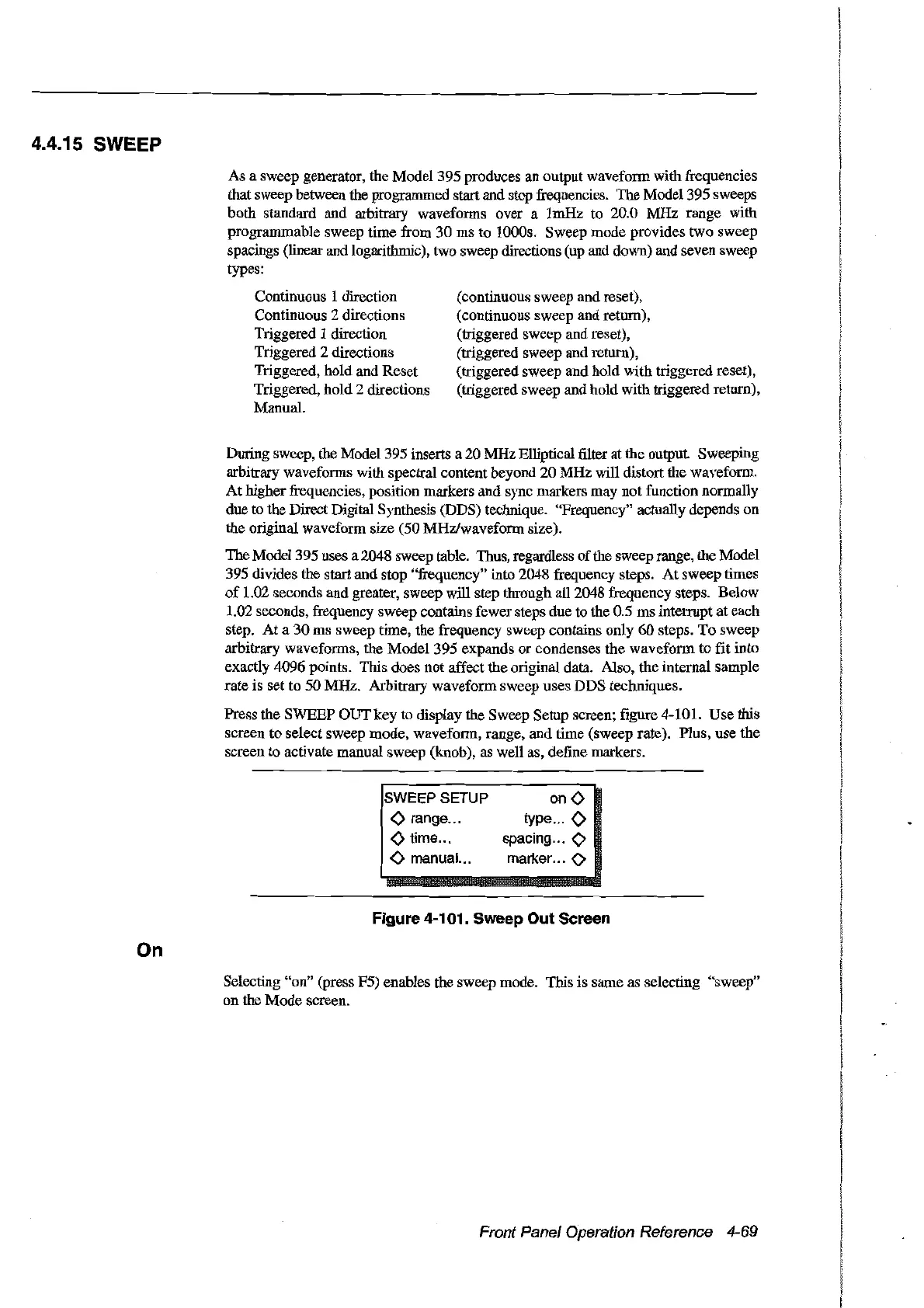
Press the SWEEP OUT key to display the Sweep Setup screen; figure 4-101. Use this
screen
to
select sweep mode, waveform, range, and time (sweep rate). Plus, use the
screen
ta
activate manual sweep (knob), as weIl as, define markers.
SWEEPSETUP
<>
range .
<>
time .
<>
manual...
on
<>
type... 0
spacing···O
marker···O
On
Figure 4-101. Sweep Out Sereen
Selecting "on" (press F5) enables the sweep mode. This is same as selecting "sweep"
on the
Mode
screen.
Front Panel Operation Reference 4-69
Artisan Technology Group - Quality Instrumentation ... Guaranteed | (888) 88-SOURCE | www.artisantg.com



 To Next Page